
Formulier 2: Vof of cv inschrijven, online ingevuld.
KVK-formulier voor het inschrijven van een vennootschap onder firma of commanditaire vennootschap.
Typ in het paneel en zie elk antwoord op de pagina verschijnen. Invullen en ondertekenen is gratis; downloaden vraagt een gratis account, met 5 downloads per maand.
Of vul het op een andere manier in:
- Categorie
- Overheid
- Invulbare velden
- 80
- Pagina’s
- 6
- Papierformaat
- A4, 210 × 297 mm
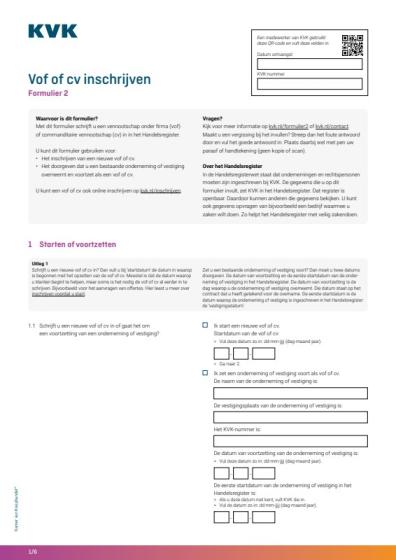
Vijf manieren om dit formulier in te vullen.
-
Hier invullen
Typ in het paneel en zie het op het formulier verschijnen. Onderteken en download.
Gratis invullen en ondertekenen Begin met invullen -
Veel tegelijk, vanuit een spreadsheet
Eén rij per persoon, voor elk een eigen pdf.
Betaald abonnement · je kunt het wel doorlopen Begin met een spreadsheet -
Laat het iemand anders invullen
Mail een link. De ontvanger vult in zonder account en jij krijgt de antwoorden terug.
Betaald abonnement · je kunt het wel doorlopen Verzoek versturen -
Vanuit je eigen software
Vul het in via de API. Eén verzoek geeft de ingevulde pdf terug.
Betaald abonnement -
Laat een AI-assistent het doen
Koppel ChatGPT of Claude één keer en beschrijf daarna wat er op het formulier moet.
Met een gratis account
Belangrijke feiten
| Property | Details |
|---|---|
| Form number | Formulier 2 |
| Official name | Vof of cv inschrijven |
| Issuing agency | Kamer van Koophandel (KVK), Netherlands |
| Current revision | October 2025 PDF edition |
| Number of pages | 6 pages |
| Filing frequency | As needed when starting or continuing a VOF or CV |
| Related instructions | KVK guidance page for Formulier 2 and the official PDF notes on pages 1 through 6 |
| Main register affected | Dutch Handelsregister; related tax registration is forwarded to Belastingdienst automatically |
Wat is dit formulier?
Formulier 2 is the Netherlands Chamber of Commerce registration form used to enter a vennootschap onder firma (VOF) or commanditaire vennootschap (CV) in the Dutch Handelsregister (Business Register). The issuing agency is Kamer van Koophandel (KVK). On KVK's website the related guidance is published as 'Formulier 2: Vof, cv of rederij inschrijven', while the PDF used here is titled 'Vof of cv inschrijven'. The official PDF currently available from KVK is a 6-page form dated October 2025.
It is used both for a brand-new partnership and for the continuation of an existing business or branch as a VOF or CV.
The form is structured in clear numbered sections. Section 1 asks whether you are starting a new partnership or continuing an existing enterprise, including the start date, continuation date, and the prior KVK number if there is a takeover. Section 2 covers the legal form choice, the partnership's name, duration, and any RSIN. If you are registering a CV, question 2.1 also asks for the number of silent partners and the value of the commanditair kapitaal.
Section 3 collects the commercial details KVK uses to build the public record: trade names, activities, retail or wholesale status, import/export, visit and postal addresses, contact details, and staff counts. Section 4 asks about the partners' authority, Section 5 covers temporary staff lending under the Waadi rules, Section 6 lets you opt out of marketing use of the registered addresses, and Section 7 is the signature block. The final page explains whether you must book an appointment or mail the papers, and reminds filers that later changes must be reported within one week.
Wie moet dit invullen?
- Founders of a new VOF or CV must complete Formulier 2 to register the partnership itself in the Handelsregister.
- Buyers who take over an existing business or branch and continue it as a VOF or CV use this form and complete the continuation questions in 1.1, including the old trade name, place of business, KVK number, and takeover date.
- Partnerships with a Dutch business address that meet the Dutch entrepreneur criteria and need a KVK number must use this form if the legal form is a VOF or CV.
- CVs with silent partners must disclose in 2.1 how many silent partners there are and whether the commanditaire capital consists of cash, goods, or both.
- Partnerships using a visit or postal address that is not a partner's home address should file this form together with proof that the address may be used, such as a lease, ownership document, or signed consent.
- Do not use this form for a sole proprietorship; KVK uses Formulier 1 or the online sole proprietor registration instead.
- Do not use this form just to register the individual partners; the managing partners or members are registered separately with Formulier 10, and UBO details are handled through Formulier 32 or during the KVK appointment.
Waar en hoe indienen
Formulier 2 is submitted to KVK, not to the Dutch Tax Administration directly. KVK passes the registration details to the Belastingdienst after the partnership is entered in the Handelsregister. Many VOF and CV registrations now start online, but the official KVK guidance says submission still depends on who signs. If a natural-person partner signs, that partner generally needs a KVK appointment and must bring Formulier 2 together with Formulier 10, ID, and any supporting documents.
If all partners are legal entities or partnerships, or a notary signs, KVK may allow the package to be sent by post.
KVK publishes regional postal addresses for Handelsregister mail. The official addresses include Postbus 2852, 1000 CW Amsterdam for North Holland, Utrecht, and Flevoland; Postbus 450, 3000 AL Rotterdam for South Holland and Zeeland; Postbus 735, 5600 AS Eindhoven for North Brabant and Limburg; and Postbus 2005, 8901 JA Leeuwarden for Groningen, Friesland, Drenthe, Gelderland, and Overijssel. The filing deadline is not annual: you register from 1 week before until 1 week after the start date for immediate final registration, or as early as 3 months before start, in which case the KVK number becomes active 1 week before the business starts. If the start date is more than 2 months in the past, KVK asks for supporting evidence such as an invoice or accountant's statement.
Zo vul je het in
- Step 1 — Section 1.1 Starten of voortzetten: Mark whether you are starting a new VOF/CV or continuing an existing business or branch. For a new registration, enter the Startdatum van de vof of cv in day-month-year format. For a continuation, fill in the former name of the business or branch, place of business, KVK number, the date of continuation, and the earlier first start date in the Handelsregister if known.
- Step 2 — Section 2 Naam van de vof of cv: In 2.1, choose Vof or Cv. If it is a CV, enter the number of silent partners and state whether the commanditaire capital consists of Kapitaal, Goederen, or both, then enter the value amounts. In 2.2, complete the official Naam, Startdatum, and whether the partnership is for Onbepaalde tijd or Bepaalde tijd. In 2.3, indicate whether the entity already has an RSIN.
- Step 3 — Sections 3.1 through 3.7 Business profile: Enter one or more handelsnamen in 3.1, putting the main trade name first if there are several. In 3.2 describe the actual activities carried out at start, and in 3.3 identify the main activity. Then answer the yes/no questions in 3.4 through 3.7 on retail sales, wholesale sales, import, and export. If retail applies, mark the channels listed on the form, such as In een winkel, Via internet, or Op de markt.
- Step 4 — Sections 3.8 through 3.11 Addresses, contact details, and staff: Enter the visit address in 3.8; this must be the main establishment address if the partnership has multiple branches. In 3.9, say whether there is a different postal address. In 3.10, provide Telefoonnummer 1, Telefoonnummer 2, Internetadres (website), and E-mailadres. In 3.11, report the number of people working 15 hours or more per week and less than 15 hours per week, including partners and helping family members.
- Step 5 — Sections 4, 5, and 6 Authority and special flags: In 4.1, state whether the partners are Niet bevoegd, Onbeperkt bevoegd, or Beperkt bevoegd. If authority is limited and there is a contract, KVK wants that agreement; if there is no written agreement, describe the limitation and use Formulier 18 if you need more space. In 5.1, answer whether the VOF or CV sometimes lends employees to other businesses for payment. In 6.1, indicate whether sellers may use the registered visit and postal addresses for advertising or door-to-door sales.
- Step 6 — Sections 7 and 8 Signature and submission: In 7.1, the authorised signer enters their surname and initials, email address, telephone number, and signature date, then signs in ink. The form states that only one of the partners or a notary may sign. Attach the required ID copy and any supporting contracts, partner registrations, UBO filings, or address evidence. Then follow Section 8 to determine whether a partner must appear at a KVK office or whether the papers may be mailed.
Belangrijke deadlines en boetes
- Main filing window: Register the VOF or CV no later than 1 week after the business starts. Example: if trading starts on 15 July 2026, the latest timely registration date is 22 July 2026.
- Advance filing: You may register up to 3 months before the planned start date. Example: if the business will start on 15 July 2026, you may begin the process from 15 April 2026, but the definitive KVK registration becomes active 1 week before start.
- Immediate registration period: If you file from 1 week before through 1 week after the start date, the registration is immediately final and KVK issues the KVK number right away.
- Older start dates: If the start date on Formulier 2 is more than 2 months old on the filing date, KVK asks for proof such as a purchase invoice or an accountant's statement.
- Later changes: Once registered, address, activity, trade name, or officer changes must generally be reported to KVK within 1 week through My KVK or the applicable change form.
- Penalties: Ondernemersplein states that failing to register when required violates the Handelsregisterwet and is punishable under the Wet op de economische delicten. Rijksoverheid states that a fourth-category criminal fine is €27,500 from 2026; actual sanctions can also include community service or imprisonment, depending on the case and prosecution.
- No extension form: There is no formal extension request for late registration. The practical way to avoid lateness is to pre-register before launch and complete any KVK appointment promptly.
Veelgemaakte fouten
- Choosing the wrong option in 1.1: marking a new start when the deal is actually a continuation of an existing business or branch can lead to the wrong KVK history and a mismatch with the old owner's deregistration paperwork.
- Leaving CV-specific fields blank in 2.1: if you tick Cv but do not enter the number of stille vennoten or the value of the commanditair kapitaal, KVK may treat the filing as incomplete.
- Using vague activity descriptions in 3.2: KVK uses these descriptions to assign SBI codes. Poor descriptions can result in the wrong code, which may affect permits, grants, or sector classification.
- Forgetting to identify the main activity in 3.3: if no clear primary activity is stated, the register entry may not reflect the business correctly, and follow-up questions from KVK are more likely.
- Entering an address that does not match BAG or BRP records in 3.8 or 3.9: KVK states it cannot register the partnership if the address data are wrong or unsupported.
- Ignoring 4.1 authority documentation: claiming Beperkt bevoegd or Niet bevoegd without supplying the agreement or description can leave the authority record incomplete and delay registration.
- Missing the Waadi question in 5.1: if the partnership lends workers for payment and you answer incorrectly, the registration may be inaccurate and separate Waadi enforcement risk can follow.
Tips van experts
- Use precise activity language in 3.2 and 3.3: write what the business actually does on day one, not future plans. KVK explicitly says these answers drive the SBI code selection.
- For a CV, review 2.1 twice: you may tick both Kapitaal and Goederen if silent partners contribute both cash and assets. Do not collapse both into one unlabeled amount.
- Separate core activities from import/export flags: KVK's own example says that if importing only enables another business activity, you still mark 3.6 import but do not need to describe import itself as the main activity in 3.2.
- Check BAG and BRP before filing: KVK warns that address mismatches block registration. Verify the visit address and any residential address before you print and sign the form.
- Use Formulier 18 for limited authority wording: if the explanation under 4.1 Beperkt bevoegd does not fit, attach Formulier 18 instead of squeezing essential restrictions into the margin.
- Bring all linked forms together: new partner registrations usually require Formulier 10, and UBO reporting may require Formulier 32. A complete package reduces back-and-forth with KVK.
- Keep the signer's ID copy compliant: the form notes that KVK needs a valid identity document from the person signing 7.1. Missing or unreadable ID copies are a common avoidable delay.
Gerelateerde formulieren
- Formulier 10 — Register one or more partners of a VOF or CV, or members of a shipping partnership.
- Formulier 32 — Register UBOs for a VOF, CV, partnership, EESV, or shipping partnership.
- Formulier 9 — Register each additional Dutch branch or establishment of the business.
- Formulier 13 — Register an authorised representative, commercial agent, or shipping partnership bookkeeper.
- Formulier 14 — Change enterprise or branch details after the VOF or CV has been registered.
- Formulier 18 — Add or amend information when another KVK form does not provide enough space, including limited authority details.
- Formulier 17 — Report the dissolution of a VOF, CV, partnership, or shipping partnership.
Veelgestelde vragen
What is Formulier 2 used for in the Netherlands?
It is the KVK registration form for creating a VOF or CV in the Dutch Handelsregister, or for continuing an existing business or branch under one of those legal forms.
Can I register a VOF or CV online instead of mailing Formulier 2?
Often yes, at least for the start of the process. KVK says a VOF and a CV can be registered online, but depending on who signs, you may still need a KVK appointment and supporting paper documents.
Do all partners need to sign Formulier 2?
No. The form states that only one authorised partner or a notary signs 7.1. However, the individual partners still usually have to be registered separately with Formulier 10, and some partners may need to appear at KVK for identity checks.
What if my VOF or CV started more than two months ago?
KVK says you can still file, but if the start date is more than two months in the past, you must provide proof of that date, such as a purchase invoice or accountant's statement.
What happens after I submit Formulier 2 to KVK?
KVK reviews the form, any linked forms, identity documents, and address evidence. If the filing is complete, KVK enters the VOF or CV in the Handelsregister and forwards the relevant registration details to the Belastingdienst.
Do I need Formulier 32 together with Formulier 2?
Usually yes when UBO registration is required. KVK's Formulier 2 guidance explicitly refers filers to Formulier 32 for reporting ultimate beneficial owners.
Can I create Formulier 2: Vof of cv inschrijven in bulk?
Yes. PDFengine supports bulk generation of Formulier 2: Vof of cv inschrijven via Excel or CSV upload — upload a spreadsheet with one row per entry and PDFengine generates all PDFs at once. You can also automate bulk creation programmatically via the PDFengine API.
Klaar om het in te vullen?
Dit formulier invullenOfficiële bronnen
- KVK Formulier 2 guidance page — Official KVK instructions on when to use the form, whether to visit or mail, and which supporting documents are required.
- Official Formulier 2 PDF — The current six-page KVK form dated October 2025.
- Business.gov.nl — Register your business in the Business Register — Official government summary of timing rules, change reporting, and foreign-business exceptions.
- Ondernemersplein — Inschrijven bij KVK: dit moet u weten — Official government guidance on registration costs, appointments, and consequences of failing to register.
- KVK postal addresses — Official KVK mailing addresses for Handelsregister filings and supporting documents.
Meer formulieren in deze categorie
-
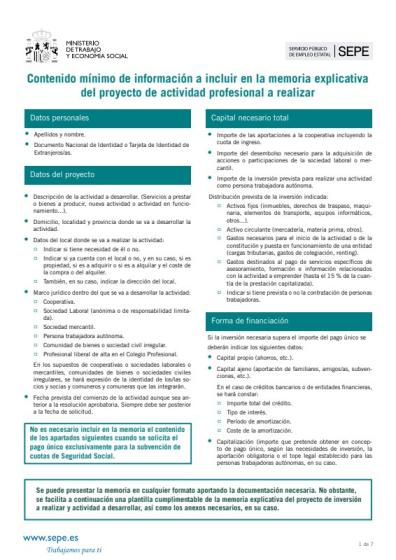 SEPE — Memoria explicativa del proyecto para pago único o capitalizaciónSEPE — Memoria explicativa del proyecto para pago único o capitalización — Nederlandse uit...
-
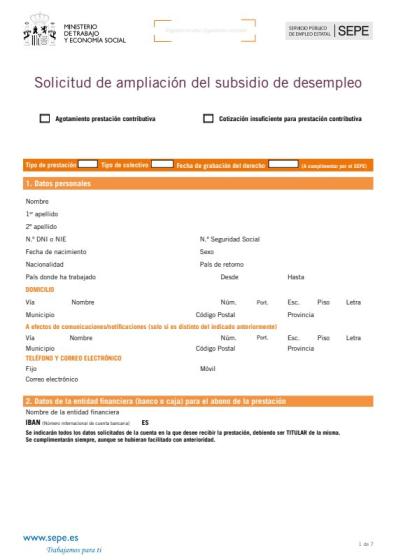 SEPE — Solicitud de ampliación del subsidio de desempleoSEPE — Solicitud de ampliación del subsidio de desempleo — Nederlandse uitleg bij het offi...
-
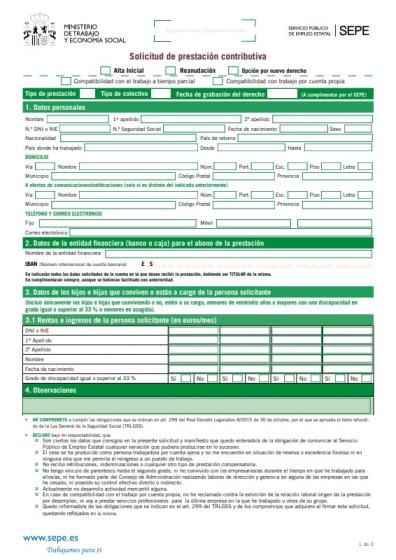 SEPE — Solicitud de la prestación contributiva por desempleoSEPE — Solicitud de la prestación contributiva por desempleo — Nederlandse uitleg bij het...
-
 SEPE — Solicitud de la prestación especial por desempleo para trabajadores del sector cultural y artistasSEPE — Solicitud de la prestación especial por desempleo para trabajadores del sector cult...