
Meerdere e-mails samenvoegen naar PDF
Combineer uw e-mailbestanden (.eml, .msg) en hun bijlagen in één professioneel PDF-document met behulp van onze hybride conversieservice. Perfect voor het maken van e-mailoverzichten, het archiveren van e-mail threads en geconsolideerde rapportage.
Lees meer over de conversie mogelijkheden
Van eenvoudige conversies tot complexe automatisering met workflows, PDFengine biedt professionele hulpmiddelen voor elke PDF-taak.
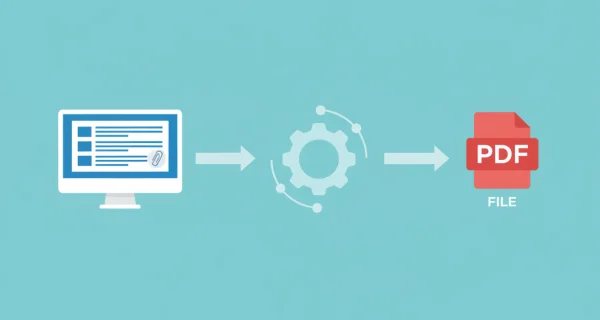
Meerdere e-mails in één PDF combineren
Upload meerdere e-mailbestanden of ZIP-archieven en voeg ze samen in één uitgebreid PDF-document. Perfect voor het maken van e-mailoverzichten, het archiveren van hele conversaties of het consolideren van gerelateerde e-mails.
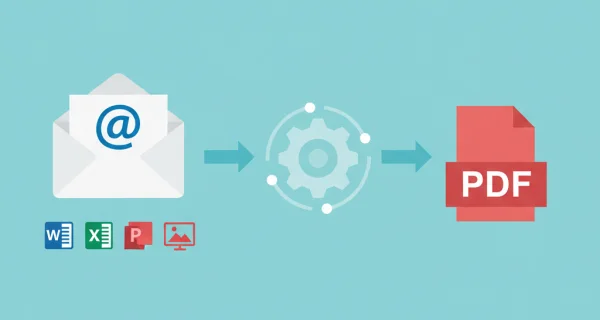
Automatische conversie van bijlagen
Alle belangrijke documentformaten worden automatisch geconverteerd en opgenomen in de samengevoegde PDF: Office-documenten (Word, Excel, PowerPoint), afbeeldingen (JPG, PNG, enz.), CAD-tekeningen (DWG, DXF), PostScript (EPS, PS), eBooks (EPUB, MOBI), tekstbestanden (TXT, MD, HTML) en meer. PDF's en afbeeldingen worden direct opgenomen zonder conversie.
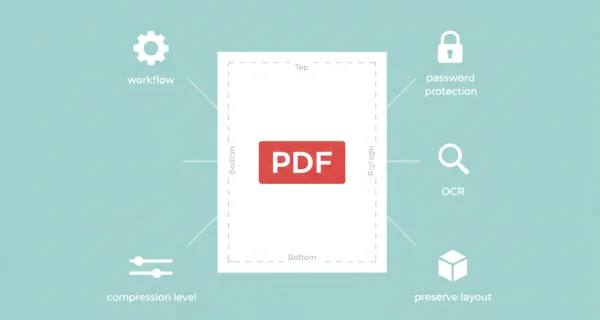
Flexibele inhoudselectie
Kies wat u wilt opnemen: alleen de hoofdtekst van de e-mail, alleen bijlagen of beide samen. Elke optie voegt alles samen in één PDF-uitvoer voor eenvoudige distributie en archivering.

Nog meer efficiëntie met PDFengine workflows
Til documentbeheer naar een hoger niveau door PDF-conversie, optimalisatie en/of organisatietools te combineren en achter elkaar te zetten. Met volledig aanpasbare workflows kunnen ingewikkelde PDF-taken in slechts enkele seconden worden voltooid.
Waarom PDFengine?
Razendsnel converteren
Onze geavanceerde conversie-engine verwerkt uw bestanden in seconden, niet minuten. Uploaden, converteren en downloaden - alles binnen enkele momenten.
Focus op de business
Archiveer en converteer e-mail, AutoCAD, Visio en Office-bestanden in één gestroomlijnde workflow. Ideaal voor bedrijven met terugkerende documentprocessen.
Perfecte kwaliteit
Onze intelligente algoritmes behouden opmaak, lettertypen, afbeeldingen en lay-outs. Kwaliteitsverlies is verleden tijd.
Hoe het werkt
Eenvoudig en snel uw documenten verwerken in drie stappen
E-mailbestanden uploaden
Selecteer meerdere .eml- of .msg-bestanden, of upload een ZIP-archief dat uw e-mailverzameling bevat. Zowel Outlook (.msg) als standaard e-mailformaten (.eml) worden ondersteund.
Samenvoegopties kiezen
Selecteer wat u wilt opnemen: alleen e-mail body's, alleen bijlagen of beide. Schakel optioneel een voorblad met batchsamenvatting en metagegevens in.
Download Samengevoegd PDF
U krijgt één samengevoegde PDF met alle e-mails en bijlagen op volgorde. Eén bestand om gemakkelijk te delen en te archiveren.
Veelgestelde vragen
Hoe verschilt samenvoegen van e-mail-naar-pdf converteren?
Samenvoegen combineert ALLE e-mails en bijlagen in ÉÉN PDF-document. Converteren maakt afzonderlijke PDF's voor elke e-mail. Samenvoegen is ideaal voor e-mailverzamelingen en geconsolideerde rapporten, terwijl Converteren beter is voor het archiveren van afzonderlijke e-mails.
Welke e-mailindelingen worden ondersteund?
Wij ondersteunen .eml (standaard RFC822 MIME-indeling) en .msg (Microsoft Outlook-indeling) bestanden. U kunt afzonderlijke bestanden uploaden of ZIP-archieven die meerdere e-mails bevatten.
Hoeveel kost het samenvoegen van e-mails?
U betaalt voor elke e-mail body (1 credit), elke Office bijlage conversie (1 credit), en EEN samenvoeg credit om alles samen te voegen. Voorbeeld: 10 e-mails + 10 bijlagen = 21 credits.
Wat gebeurt er met e-mailbijlagen?
Bijlagen bij Office-documenten (Word, Excel, PowerPoint) worden automatisch geconverteerd naar PDF en opgenomen in de samenvoeging. Bestaande PDF's en afbeeldingen worden direct opgenomen. Alle inhoud verschijnt in de uiteindelijke samengevoegde PDF.
Kan ik een voorblad toevoegen aan de samengevoegde PDF?
Ja! Schakel de optie voorblad in om een overzichtspagina toe te voegen met de metagegevens van de batch, het aantal e-mails, de verwerkingsdatum en een lijst met alle e-mails die in de samenvoeging zijn opgenomen.
Hoeveel e-mails kan ik in één keer samenvoegen?
U kunt tot 25 e-mailbestanden in één batch samenvoegen. De maximale totale grootte is 250 MB, en het maximale aantal pagina's is 2000 pagina's voor alle geconverteerde inhoud.
In welke volgorde worden e-mails samengevoegd?
E-mails worden samengevoegd in de volgorde waarin ze geüpload zijn. Elke e-mail wordt eerst met de hoofdtekst weergegeven, gevolgd door de bijlagen, voordat u naar de volgende e-mail in volgorde gaat.
Kan ik alleen de bijlagen samenvoegen zonder de e-mail body?
Ja! Selecteer de modus "Alleen bijlagen" om alle bijlagen van meerdere e-mails samen te voegen in één PDF, zonder de inhoud van de e-mail. Dit is perfect voor het consolideren van documenten die in meerdere e-mails zijn verzonden.
Verliezen documenten kwaliteit bij conversie?
Onze intelligente software minimaliseert kwaliteitsverlies bij het converteren van documenten. Zo kunnen documenten een groot aantal keren geconverteerd worden zonder dat u zich zorgen hoeft te maken over kwaliteitsverlies.
Hoe veilig zijn mijn documenten die ik upload?
We beschermen je bestanden met sterke beveiligingsmaatregelen die voldoen aan industriestandaarden. Alle uploads worden tijdens het verzenden beveiligd met HTTPS (TLS 1.2+), en het conversieresultaat wordt versleuteld opgeslagen met een unieke sleutel per bestand. Je documenten worden uitsluitend gebruikt om de gevraagde conversie uit te voeren en nooit handmatig bekeken.
Je bronbestanden worden verwijderd zodra de conversie klaar is; lukt een conversie niet, dan verdwijnen ze uiterlijk zes uur na de upload. Het conversieresultaat blijft standaard veertien dagen beschikbaar, of korter als je dat instelt. We monitoren onze systemen continu, volgen veilige programmeer patterns en hosten alle data binnen de EU op AVG-conforme infrastructuur.
Wordt de lay-out of indeling van mijn document gewijzigd als ik het converteer?
Nee; onze intelligente PDF software herkent document lay-outs en zet ze nauwkeurig om in een nieuw bestandsformaat. Is uw lay-out of formaat niet nauwkeurig omgezet? Overweeg dan OCR te gebruiken of andere instellingen aan te passen om het correct te converteren.
Kan ik een document converteren naar PDF en het vervolgens weer converteren naar het oorspronkelijke formaat?
Ja! Er zijn geen grenzen aan het converteren van documenten, en documenten kunnen veilig en gemakkelijk heen en weer worden geconverteerd. Conversie kan handig zijn om een PDF-document in Word te bewerken en het later terug te converteren naar een georganiseerd PDF-formaat.
Hoe kan ik PDF-documenten samenvoegen?
Om PDF-documenten samen te voegen, gaat u gewoon naar onze converter, kiest u het bestandsformaat dat u wilt samenvoegen en sleept u de bestanden die u wilt samenvoegen. Vervolgens hebt u de mogelijkheid om enkele instellingen te bewerken, op samenvoegen te drukken, en u bent klaar! U kunt uw samengevoegde bestand meteen downloaden.
Kan ik mijn PDF-documenten aanpassen tijdens het converteren?
Ja, PDFengine biedt verschillende manieren om uw (PDF-)documenten aan te passen. Denk bijvoorbeeld aan het toevoegen van een voorblad, het toepassen van OCR of het gebruik van PDF/A als outputdocument.
Klaar om uw e-mails samen te voegen?
Combineer meerdere e-mails en bijlagen in één professioneel PDF-document voor eenvoudige distributie en archivering.
Andere e-mailconversies
Ontdek onze andere opties voor e-mailverwerking en PDF-tools.
Converteren naar PDF/A
Converteer PDF naar archiefformaat PDF/A voor langdurige bewaring