
Merge Multiple Excel Spreadsheets into One PDF
Combine multiple Excel files (.xlsx, .xls) into a single PDF document. Perfect for consolidating financial reports, data analysis, and business dashboards.
More information about this conversion
From simple conversions to a more complex automation using workflows, PDFengine provides professional-grade tools for every PDF task.
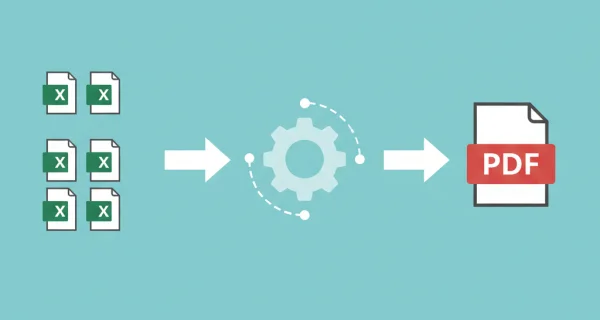
Consolidated Reports
Combine quarterly reports, budget sheets, and financial statements into a single, comprehensive PDF document. All cell data, formulas results, charts, and formatting are maintained in the final PDF output.
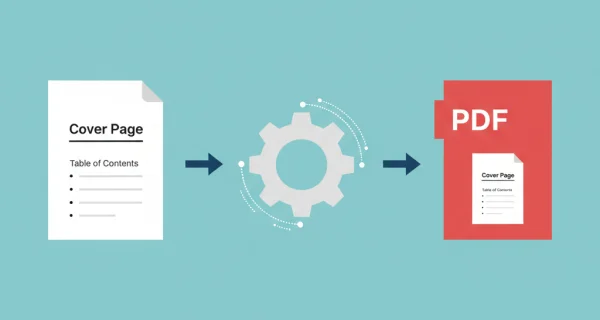
Enhanced administration and archiving with cover pages
Give your merged PDF a professional start with a custom cover page. Add a logo, title, summary, or table of contents as the first page of any document, and apply it in seconds.

Even greater efficiency with PDFengine workflows
Take document management to the next level by combining and sequencing PDF conversion, optimalization, and/or organization tools. With fully customizable workflows, complicated PDF tasks cost just seconds to complete.
Why choose us to convert your files
Lightning Fast Conversion
Our advanced conversion engine processes your files in seconds, not minutes. Upload, convert, and download - all within moments.
Focus on business
Archive and convert email, AutoCAD, Visio, and Office files in one streamlined workflow. Perfect for companies with recurring document processes.
Perfect Quality Every Time
Our intelligent algorithms preserve formatting, fonts, images, and layouts. What you see is what you get - no quality loss.
How it works
Process your documents easily and quickly in three steps
Upload Excel Files
Select 2 or more Excel spreadsheets (.xlsx or .xls) or upload a ZIP archive containing multiple workbooks.
Files are Merged
Each spreadsheet is converted to PDF and automatically merged into a single document in the order uploaded.
Download Merged PDF
Download your complete report as one PDF file, ready for distribution or archiving.
Frequently Asked Questions
How many Excel files can I merge?
You can merge between 2 and 20 Excel spreadsheets into a single PDF. This is ideal for monthly, quarterly, or annual report consolidation.
Are charts and graphs included?
Yes! All charts, graphs, pivot tables, and visualizations are preserved in the PDF output exactly as they appear in Excel.
What happens to multiple worksheets?
All worksheets from each Excel file are converted to separate pages in the PDF. Empty sheets can be excluded during conversion.
How much does merging cost?
You pay 1 credit per file conversion plus 1 credit for the merge operation. For example, merging 4 Excel files costs 5 credits total.
Ready to Merge Your Excel Spreadsheets?
Combine all your Excel files into one professional PDF document for comprehensive reporting and analysis.
Other Merge Options
Combine multiple files of the same type into a single PDF document.
Merge AutoCAD to PDF
Convert and merge multiple AutoCAD files into a single PDF document
Merge Word to PDF
Convert and merge multiple Word documents into a single PDF
Merge PowerPoint to PDF
Convert and merge multiple PowerPoint presentations into a single PDF