
Converteer PDF naar Excel-spreadsheets
Transformeer uw PDF-bestanden naar bewerkbare Microsoft Excel-spreadsheets (.xlsx). Perfect voor gegevensanalyse, het bewerken van tabellen en werken met financiële documenten.
Lees meer over de conversie mogelijkheden
Van eenvoudige conversies tot complexe automatisering met workflows, PDFengine biedt professionele hulpmiddelen voor elke PDF-taak.
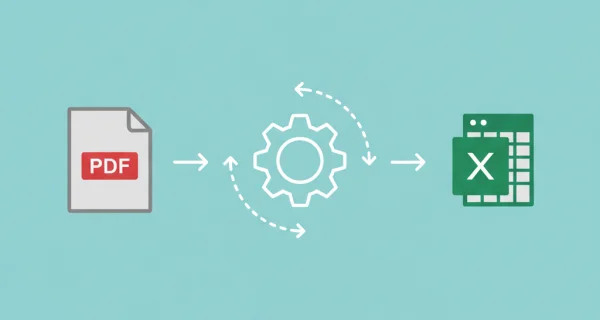
Volledig bewerkbare tabellen en gegevens in Excel
Converteer PDFs naar Excel-spreadsheets waar alle gegevens bewerkbaar worden. Extraheer tabellen, cijfers en tekst naar georganiseerde cellen klaar voor analyse en berekeningen.
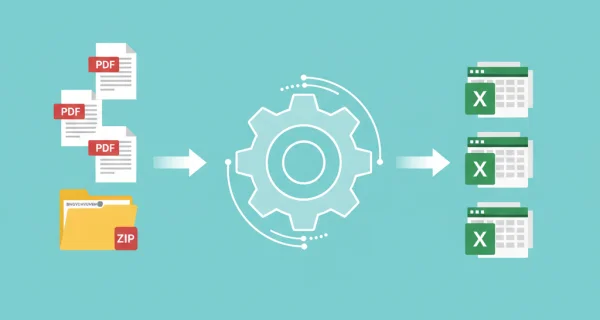
Batchconversie. Meerdere PDF-bestanden naar Excel-spreadsheets
Converteer meerdere PDF-bestanden tegelijkertijd met dezelfde instellingen naar Excel voor efficiënte batchverwerking. U kunt ook ZIP-archieven uploaden met meerdere PDF-documenten.
Waarom PDFengine?
Razendsnel converteren
Onze geavanceerde conversie-engine verwerkt uw bestanden in seconden, niet minuten. Uploaden, converteren en downloaden - alles binnen enkele momenten.
Focus op de business
Archiveer en converteer e-mail, AutoCAD, Visio en Office-bestanden in één gestroomlijnde workflow. Ideaal voor bedrijven met terugkerende documentprocessen.
Perfecte kwaliteit
Onze intelligente algoritmes behouden opmaak, lettertypen, afbeeldingen en lay-outs. Kwaliteitsverlies is verleden tijd.
Hoe het werkt
Eenvoudig en snel uw documenten verwerken in drie stappen
Upload PDF-bestanden
Selecteer uw PDF-bestanden, of upload een ZIP-archief met meerdere PDF-documenten die u wilt converteren.
Kies opties
Selecteer outputformaat (XLSX of XLS) en tabelextractie-instellingen voor uw Excel-spreadsheet.
Download Excel-bestanden
Ontvang uw bewerkbare Excel-spreadsheets klaar voor analyse. Meerdere bestanden worden verpakt in een ZIP-archief.
Veelgestelde vragen
Welk outputformaat moet ik kiezen?
XLSX wordt aanbevolen voor Excel 2007 en later (meest gangbaar). XLS-formaat is voor oudere Excel-versies (97-2003). XLSX biedt betere compatibiliteit, grotere bestandsgroottelimieten en meer functies.
Worden tabellen nauwkeurig behouden?
We extraheren tabellen en gegevens zo nauwkeurig mogelijk. Eenvoudige tabellen converteren goed, terwijl complexe lay-outs of PDFs met meerdere kolommen na conversie handmatige aanpassing kunnen vereisen.
Kan ik gescande PDFs converteren?
Onze converter werkt het beste met tekstgebaseerde PDFs. Gescande PDFs (alleen afbeelding) kunnen worden geconverteerd maar vereisen mogelijk OCR (Optical Character Recognition) om bewerkbare gegevens te extraheren.
Kan ik meerdere bestanden tegelijk converteren?
Ja, u kunt meerdere PDF-bestanden of een ZIP-archief uploaden naar Excel-formaat voor batchconversie.
Wat doet de instelling "Extraheer alle pagina's als afzonderlijke bladen"?
Wanneer ingeschakeld, wordt elke pagina van uw PDF een afzonderlijk werkblad in het Excel-bestand. Wanneer uitgeschakeld, worden alle pagina's gecombineerd in één werkblad. Dit is nuttig voor financiële rapporten of gegevenstabellen met meerdere pagina's.
Wat doet de instelling "Behoud tabelstructuur"?
Wanneer ingeschakeld, probeert de converter de originele tabellay-out te behouden inclusief samengevoegde cellen en kolombreedtes. Wanneer uitgeschakeld, extraheert het gegevens naar een eenvoudige rasterstructuur. Schakel dit in voor opgemaakte rapporten, schakel uit voor ruwe gegevensextractie.
Verliezen documenten kwaliteit bij conversie?
Onze intelligente software minimaliseert kwaliteitsverlies bij het converteren van documenten. Zo kunnen documenten een groot aantal keren geconverteerd worden zonder dat u zich zorgen hoeft te maken over kwaliteitsverlies.
Hoe veilig zijn mijn documenten die ik upload?
We beschermen je bestanden met sterke beveiligingsmaatregelen die voldoen aan industriestandaarden. Alle uploads worden tijdens het verzenden beveiligd met HTTPS (TLS 1.2+), en het conversieresultaat wordt versleuteld opgeslagen met een unieke sleutel per bestand. Je documenten worden uitsluitend gebruikt om de gevraagde conversie uit te voeren en nooit handmatig bekeken.
Je bronbestanden worden verwijderd zodra de conversie klaar is; lukt een conversie niet, dan verdwijnen ze uiterlijk zes uur na de upload. Het conversieresultaat blijft standaard veertien dagen beschikbaar, of korter als je dat instelt. We monitoren onze systemen continu, volgen veilige programmeer patterns en hosten alle data binnen de EU op AVG-conforme infrastructuur.
Wordt de lay-out of indeling van mijn document gewijzigd als ik het converteer?
Nee; onze intelligente PDF software herkent document lay-outs en zet ze nauwkeurig om in een nieuw bestandsformaat. Is uw lay-out of formaat niet nauwkeurig omgezet? Overweeg dan OCR te gebruiken of andere instellingen aan te passen om het correct te converteren.
Kan ik een document converteren naar PDF en het vervolgens weer converteren naar het oorspronkelijke formaat?
Ja! Er zijn geen grenzen aan het converteren van documenten, en documenten kunnen veilig en gemakkelijk heen en weer worden geconverteerd. Conversie kan handig zijn om een PDF-document in Word te bewerken en het later terug te converteren naar een georganiseerd PDF-formaat.
Hoe kan ik PDF-documenten samenvoegen?
Om PDF-documenten samen te voegen, gaat u gewoon naar onze converter, kiest u het bestandsformaat dat u wilt samenvoegen en sleept u de bestanden die u wilt samenvoegen. Vervolgens hebt u de mogelijkheid om enkele instellingen te bewerken, op samenvoegen te drukken, en u bent klaar! U kunt uw samengevoegde bestand meteen downloaden.
Kan ik mijn PDF-documenten aanpassen tijdens het converteren?
Ja, PDFengine biedt verschillende manieren om uw (PDF-)documenten aan te passen. Denk bijvoorbeeld aan het toevoegen van een voorblad, het toepassen van OCR of het gebruik van PDF/A als outputdocument.
Klaar om uw PDFs naar Excel te Converteren?
Zet uw PDF-documenten om in bewerkbare Excel-spreadsheets voor gegevensanalyse, berekeningen en rapportage.
Andere conversies
Converteer tussen PDF en verschillende documentformaten. Onze converter behoudt opmaak en technische details.
Excel naar PDF
Converteer Excel-werkbladen naar PDF-formaat
PDF naar Word
Converteer PDF-documenten naar Word-formaat
PDF naar PowerPoint
Converteer PDF-documenten naar PowerPoint-formaat
PDF naar CSV
Extraheer tabellen uit PDF naar CSV-formaat
CSV naar PDF
Converteer CSV en Excel-bestanden naar PDF
PDF comprimeren
Verklein de bestandsgrootte van PDF's met behoud van kwaliteit