
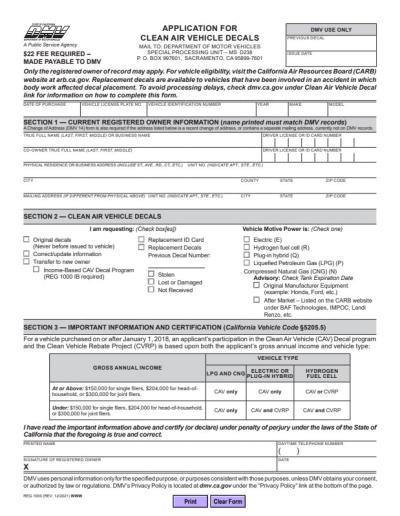
REG 1000 Application for Clean Air Vehicle Decals, filled in online.
REG 1000 Application for Clean Air Vehicle Decals is the official fillable form from California Department of Motor Vehicles (DMV).
Type in the panel and watch each answer land on the page. Filling in and signing is free; downloading needs a free account, which includes 5 downloads a month.
Or fill it another way:
- Category
- General
- Fillable fields
- 55
- Pages
- 1
- Paper size
- US Letter, 8.5 × 11 in
Five ways to fill this form.
-
Fill it in here
Type in the panel and watch it land on the form. Sign it, then download.
Free to fill and sign Start filling -
Many at once, from a spreadsheet
One row per person, one finished PDF for each.
Paid plan · you can walk through it Start with a spreadsheet -
Send it to someone to fill in
Email a link. They fill it in without an account and you get the answers back.
Paid plan · you can walk through it Send a request -
From your own software
Fill it over the API. One request returns the finished PDF.
Paid plan -
Let an AI assistant do it
Connect ChatGPT or Claude once, then describe what goes on the form.
With a free account
What is this form?
REG 1000 Application for Clean Air Vehicle Decals is an official form issued by California Department of Motor Vehicles (DMV). It provides a structured record for the facts, declarations, choices, and identifying details required for this specific government or court procedure. The fillable PDF preserves the official wording and layout, while PDFengine lets you type the information clearly before downloading a completed copy.
Use the current edition and read every printed instruction before entering data. The form itself remains the controlling document: online guidance can explain the workflow, but it does not replace agency rules, court orders, filing deadlines, fees, supporting evidence, signatures, notarization, or service requirements. Keep names, dates, identification numbers, vehicle or case details, and addresses consistent with the records you will attach. If a question does not apply, follow the form's direction for leaving it blank or marking it not applicable; do not guess.
Who needs to fill this out?
- People, vehicle owners, buyers, sellers, litigants, attorneys, medical certifiers, or representatives whose situation matches the purpose printed on REG 1000 Application for Clean Air Vehicle Decals.
- Applicants responding to a request from California Department of Motor Vehicles (DMV), a court clerk, a law-enforcement agency, a county office, or another authorized recipient.
- Organizations preparing several consistent applications and needing a typed, reviewable PDF for each person, vehicle, transaction, or case.
- Anyone replacing a handwritten draft with a legible copy while retaining the official form format.
Before starting, confirm that you are the person permitted to sign or that you hold valid authority to act for the applicant. Review eligibility, edition date, jurisdiction, deadlines, and required attachments. Court forms may also require filing, service on other parties, and a proof of service. Motor-vehicle forms commonly require ownership evidence, identity documents, fees, or original signatures. A medical or professional certification must be completed only by an authorized professional.
Where and how to submit
After review, submit REG 1000 Application for Clean Air Vehicle Decals to the California DMV office or address stated in the current form instructions. Use the delivery method stated in the latest official instructions: some procedures accept an office visit or mail, while others involve a court filing, service on another party, an agency appointment, or additional original documents. PDFengine prepares the PDF but does not file it automatically. Do not email sensitive personal, medical, vehicle, or court information unless the receiving authority expressly provides a secure channel.
Save an unaltered copy of the completed form and proof of delivery. Record any confirmation number, filing stamp, receipt, fee payment, or service date. If the form is rejected, compare the notice with your saved copy before making changes. Rules and addresses can change, so verify the destination, fee, edition, and deadline on the issuer's website immediately before submission.
How to fill it out
- Step 1 — Date of purchase: Enter the requested value exactly as it appears on the relevant official record. Check spelling, number sequences, and date format before moving on.
- Step 2 — Vehicle license plate number: Complete this field only for the person, vehicle, transaction, or court matter covered by the application. Do not combine unrelated records.
- Step 3 — Vehicle identification number: Select or type the applicable response. Where the PDF offers checkboxes, choose only options that are factually compatible with the printed instruction.
- Step 4 — Year: Compare the entry with supporting evidence such as identification, registration, title, purchase documents, case papers, or medical certification.
- Step 5 — Make: Supply the full value rather than an abbreviation unless the form explicitly limits the available space or requests a code.
- Step 6 — Model: Review conditional sections carefully. A checked answer can require another field, explanation, attachment, or signature elsewhere in the form.
- Step 7 — True full name, last, first, middle, or business name and final review: Finish the remaining applicable fields, then inspect every page for blanks, inconsistent dates, missing initials, signatures, attachments, and payment instructions.
Frequently asked questions
Is this the official REG 1000 Application for Clean Air Vehicle Decals PDF?
Yes. The template uses the official government or court PDF associated with California Department of Motor Vehicles (DMV). Always confirm that the edition is still accepted when you submit it.
Can I sign the form electronically?
That depends on the receiving authority and the specific transaction. A typed name is not automatically a valid signature; follow the printed signature instructions and use ink, an approved digital signature, notarization, or professional certification where required.
What documents should I attach?
Attach only evidence required by the form or current instructions, such as identification, title or registration records, transaction documents, declarations, medical certification, exhibits, court papers, or fee payment. Keep originals when the agency accepts copies.
What if a field does not apply?
Follow the instruction beside that field. Leave it blank or enter “N/A” only when permitted, and never invent information merely to make every box contain a value.
Does PDFengine submit the form for me?
No. PDFengine helps you complete and download the PDF. You remain responsible for signatures, attachments, fees, filing, service, delivery, deadlines, and retaining proof that the correct recipient received it.
Can I create REG 1000 Application for Clean Air Vehicle Decals in bulk?
Yes. PDFengine supports bulk generation of REG 1000 Application for Clean Air Vehicle Decals through an Excel or CSV upload with one row per form. PDFengine generates the PDFs together, and programmatic bulk creation is available through the PDFengine API. Review every generated record before submission because eligibility and signatures remain individual.
Ready to fill it in?
Fill in this formMore forms in this category
-
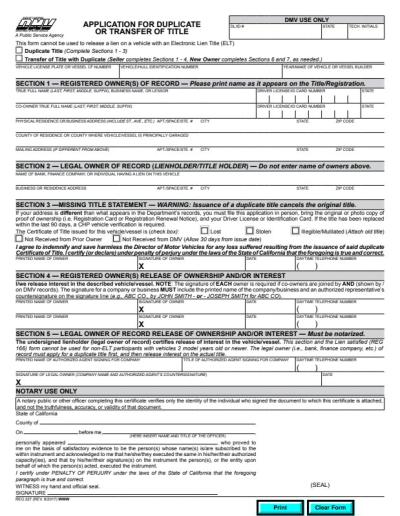 REG 227 Application for Duplicate or Paperless TitleREG 227 Application for Duplicate or Paperless Title is the official fillable form from Ca...
-
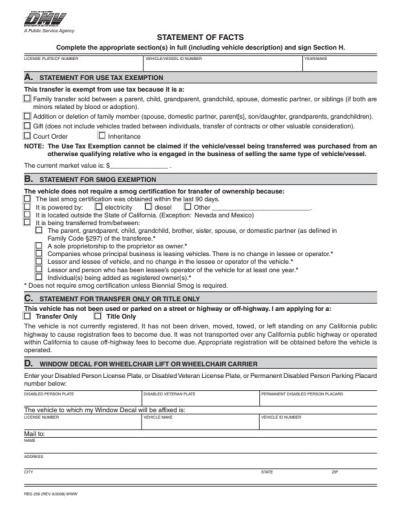 REG 256 Statement of FactsREG 256 Statement of Facts is the official fillable form from California Department of Mot...
-
 REG 256A Miscellaneous CertificationsREG 256A Miscellaneous Certifications is the official fillable form from California Depart...
-
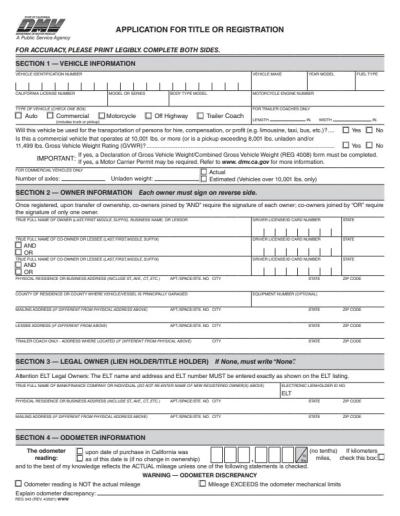 REG 343 Application for Title or RegistrationREG 343 Application for Title or Registration is the official fillable form from Californi...