
Merge Multiple Emails to PDF
Combine your email files (.eml, .msg) and their attachments into a single professional PDF document using our hybrid conversion service. Perfect for creating email digests, archiving email threads, and consolidated reporting.
More information about this conversion
From simple conversions to a more complex automation using workflows, PDFengine provides professional-grade tools for every PDF task.
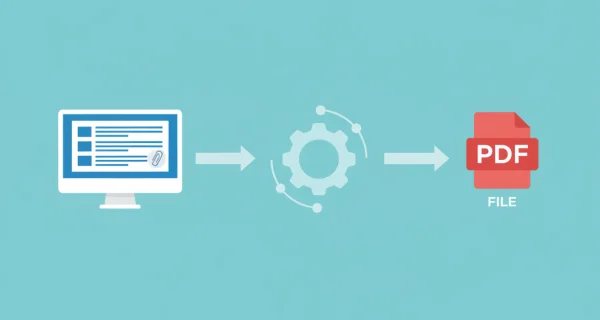
Combine Multiple Emails into One PDF
Upload multiple email files or ZIP archives and merge them into a single comprehensive PDF document. Perfect for creating email digests, archiving entire conversations, or consolidating related emails.
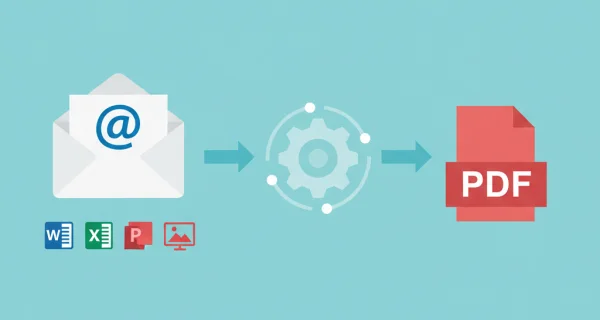
Automatic Attachment Conversion
All major document formats are automatically converted and included in the merged PDF: Office documents (Word, Excel, PowerPoint), images (JPG, PNG, etc.), CAD drawings (DWG, DXF), PostScript (EPS, PS), eBooks (EPUB, MOBI), text files (TXT, MD, HTML), and more. PDFs and images are included directly without conversion.
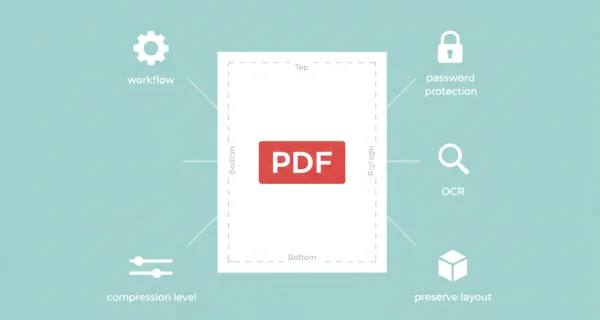
Flexible Content Selection
Choose what to include: email bodies only, attachments only, or both together. Each option merges everything into a single PDF output for easy distribution and archiving.

Even greater efficiency with PDFengine workflows
Take document management to the next level by combining and sequencing PDF conversion, optimalization, and/or organization tools. With fully customizable workflows, complicated PDF tasks cost just seconds to complete.
Why choose us to convert your files
Lightning Fast Conversion
Our advanced conversion engine processes your files in seconds, not minutes. Upload, convert, and download - all within moments.
Focus on business
Archive and convert email, AutoCAD, Visio, and Office files in one streamlined workflow. Perfect for companies with recurring document processes.
Perfect Quality Every Time
Our intelligent algorithms preserve formatting, fonts, images, and layouts. What you see is what you get - no quality loss.
How it works
Process your documents easily and quickly in three steps
Upload Email Files
Select multiple .eml or .msg files, or upload a ZIP archive containing your email collection. Both Outlook (.msg) and standard email (.eml) formats are supported.
Choose Merge Options
Select what to include: email bodies only, attachments only, or both. Optionally enable cover page with batch summary and metadata.
Download Merged PDF
Get your single merged PDF containing all emails and attachments in sequential order. One file for easy sharing and archiving.
Frequently Asked Questions
How is merge different from convert email-to-pdf?
Merge combines ALL emails and attachments into ONE single PDF document. Convert creates separate PDFs for each email. Merge is ideal for email digests and consolidated reports, while convert is better for individual email archiving.
Which email formats are supported?
We support .eml (standard RFC822 MIME format) and .msg (Microsoft Outlook format) files. You can upload individual files or ZIP archives containing multiple emails.
How much does email merging cost?
You pay for each email body (1 credit), each Office attachment conversion (1 credit), and ONE merge credit to combine everything. Example: 10 emails + 10 attachments = 21 credits.
What happens to email attachments?
Office document attachments (Word, Excel, PowerPoint) are automatically converted to PDF and included in the merge. Existing PDFs and images are included directly. All content appears in the final merged PDF.
Can I add a cover page to the merged PDF?
Yes! Enable the cover page option to add a summary page showing batch metadata, email count, processing date, and a list of all emails included in the merge.
How many emails can I merge at once?
You can merge up to 25 email files in a single batch. The total size limit is 250MB, and the maximum page count is 2000 pages across all converted content.
In what order are emails merged?
Emails are merged in the order they were uploaded. Each email appears with its body first, followed by its attachments, before moving to the next email in sequence.
Can I merge just the attachments without email bodies?
Yes! Select "Attachments only" mode to merge all attachments from multiple emails into one PDF, excluding the email body content. This is perfect for consolidating documents sent across multiple emails.
Ready to merge your emails?
Combine multiple emails and attachments into a single professional PDF document for easy distribution and archiving.
Other Email Conversions
Explore our other email processing options and PDF tools.
Email to PDF
Convert email files (EML, MSG) to PDF with attachments
Compress PDF
Reduce PDF file size while maintaining quality
Convert to PDF/A
Convert PDF to archival PDF/A format for long-term preservation