
Convert Email to PDF
Transform your emails and attachments (.eml, .msg) into professional PDF documents using our hybrid conversion service. Perfect for archiving, legal compliance, and long-term storage.
More information about this conversion
From simple conversions to a more complex automation using workflows, PDFengine provides professional-grade tools for every PDF task.
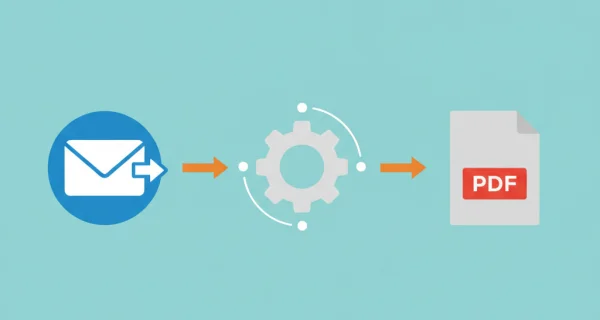
Flexible Email Conversion Options
Choose what to convert: email body only, attachments only, or both together. Perfect for creating comprehensive email archives or extracting just the attachments you need.
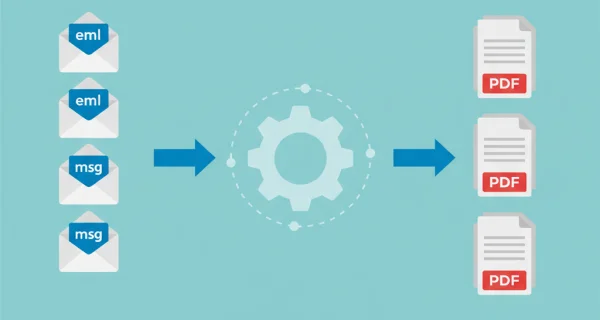
Batch Process Multiple Emails
Upload individual email files (.eml, .msg) or ZIP archives containing multiple emails. Each email is converted to a separate PDF, and multiple PDFs are automatically packaged in a ZIP archive.
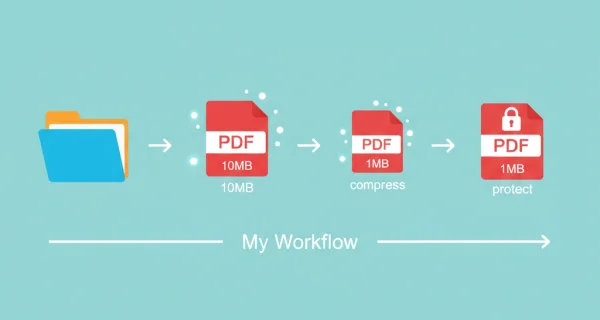
Even greater efficiency with PDFengine workflows
Use PDFengine workflows to immediately convert your emails to PDF/A format; essential for archiving. With fully customizable workflows, complicated PDF tasks cost just seconds to complete.
Why choose us to convert your files
Lightning Fast Conversion
Our advanced conversion engine processes your files in seconds, not minutes. Upload, convert, and download - all within moments.
Focus on business
Archive and convert email, AutoCAD, Visio, and Office files in one streamlined workflow. Perfect for companies with recurring document processes.
Perfect Quality Every Time
Our intelligent algorithms preserve formatting, fonts, images, and layouts. What you see is what you get - no quality loss.
How it works
Process your documents easily and quickly in three steps
Upload Email Files
Select your .eml or .msg files, or upload a ZIP archive containing multiple email files. Both Outlook (.msg) and standard email (.eml) formats are supported.
Choose Conversion Options
Select what to convert: email body only, attachments only, or both. Choose PDF/A format for archival compliance if needed.
Download PDFs
Get your converted PDF files. Multiple emails are automatically packaged in a ZIP archive for easy download.
Frequently Asked Questions
Which email formats are supported?
We support .eml (standard RFC822 MIME format) and .msg (Microsoft Outlook format) files. You can upload individual files or ZIP archives containing multiple emails.
How does email conversion work?
Email-to-PDF uses a hybrid approach: the email body is converted using our self-hosted service (free), while Office document attachments are converted via ConvertAPI. PDF and image attachments are included directly without conversion.
What happens to email attachments?
Office document attachments (Word, Excel, PowerPoint) are automatically converted to PDF. Existing PDFs and images are included directly without conversion. Non-convertible attachments are preserved as-is in the output.
Can I convert just the email body without attachments?
Yes! You can choose to convert only the email body, only attachments, or both together. This gives you full control over what gets included in your PDF archive.
What is PDF/A and why should I use it?
PDF/A is an ISO-standardized version of PDF designed for long-term archiving. It ensures your documents remain accessible for decades by embedding all fonts, color profiles, and metadata. Perfect for legal compliance and permanent email storage.
How many emails can I convert at once?
You can upload up to 25 email files or a ZIP archive containing multiple emails. The total size limit is 250MB, and the maximum page count is 2000 pages across all conversions.
Are nested emails (emails within emails) supported?
Currently, nested emails are not automatically processed. Only the main email body and its direct attachments are converted. Nested email attachments are preserved as-is.
What email information is included in the PDF?
The PDF includes all email headers (From, To, Subject, Date, CC, BCC), the email body (HTML or plain text), and any attachments you choose to include. The layout preserves the original email structure.
Ready to archive your emails?
Convert your email files to professional PDF documents for secure, long-term storage and compliance.
Other Conversions
Convert between PDF, Word, Excel, PowerPoint, and many other formats. Our converter preserves formatting and embedded content.
Word to PDF
Convert Word documents (.docx) to PDF format
Excel to PDF
Convert Excel spreadsheets to PDF format
PowerPoint to PDF
Convert 1 or more PowerPoint(s) presentations to PDF format
Compress PDF
Reduce PDF file size while maintaining quality
Convert to PDF/A
Convert PDF to archival PDF/A format for long-term preservation