
Convert PDF pages to high-quality images
Transform your PDF documents into individual image files (JPG, PNG). Perfect for sharing, presentations, and web publishing.
More information about this conversion
From simple conversions to a more complex automation using workflows, PDFengine provides professional-grade tools for every PDF task.
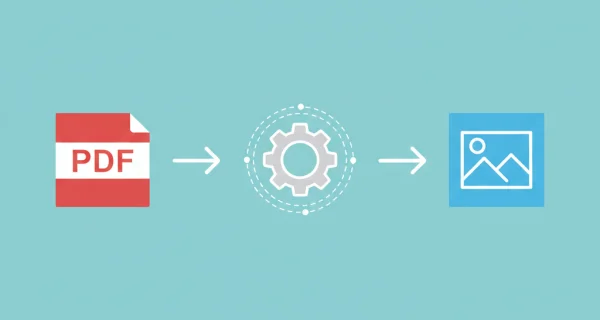
Multiple Image Formats
Export your PDF pages as JPG, PNG, TIFF, or WebP images. Choose the format that best suits your needs. Set custom DPI (dots per inch) for your images.
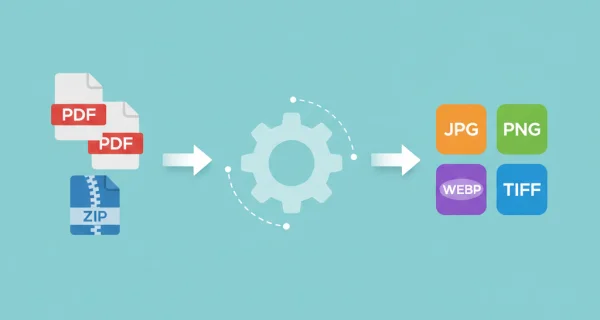
Batch PDF to Image Processing
Convert multiple PDF files simultaneously or upload ZIP archives. Each page becomes a separate image file, automatically organized and packaged.

Even greater efficiency with PDFengine workflows
Take document management to the next level by combining and sequencing PDF conversion, optimalization, and/or organization tools. With fully customizable workflows, complicated PDF tasks cost just seconds to complete.
Why choose us to convert your files
Lightning Fast Conversion
Our advanced conversion engine processes your files in seconds, not minutes. Upload, convert, and download - all within moments.
Focus on business
Archive and convert email, AutoCAD, Visio, and Office files in one streamlined workflow. Perfect for companies with recurring document processes.
Perfect Quality Every Time
Our intelligent algorithms preserve formatting, fonts, images, and layouts. What you see is what you get - no quality loss.
How it works
Process your documents easily and quickly in three steps
Upload PDF Files
Select your PDF files, or upload a ZIP archive containing multiple PDF documents you want to convert to images.
Choose Image Settings
Select your output format (JPG, PNG, TIFF, WebP), resolution (DPI), and quality settings for optimal results.
Download Image Files
Get your high-quality images ready for use. Multiple pages are packaged in a convenient ZIP archive.
Frequently Asked Questions
Which image format should I choose?
JPG is best for photographs and web use (smaller file size). PNG is ideal for high-quality graphics with text, logos, or when you need transparency. TIFF is great for archival quality. WebP offers the best compression with high quality for modern websites.
What DPI should I use?
72-96 DPI is sufficient for web and screen display. 150 DPI works well for general purpose. 300 DPI is recommended for print-quality images and professional publishing. Higher DPI is higher quality, but also larger file size.
Will each page become a separate image?
Yes, each page in your PDF becomes an individual image file. For a 10-page PDF, you will receive 10 separate image files, all packaged in a ZIP archive for easy download.
Can I convert multiple PDFs at once?
Yes, you can upload multiple PDF files or a ZIP archive containing up to 50 PDFs for batch conversion. All pages from all PDFs will be converted to images.
What Color Space should I pick?
Pick grayscale in case you want images in gray tones. CMYK's base color is black, and it is best for printing purposes. RGB's base color is white, and it is preferable for online use. Srgb is a toned-down version of RGB, suitable for old (computer) monitors.
What do the settings "Image height and Image width" do?
In case you want your images to have a specific width or height, you can indicate those measurements in pixels. The image output will match that in pixel size. Note: images might be rescaled; which can lead to quality loss.
Ready to Convert Your PDFs to Images?
Transform your PDF pages into high-quality image files for any purpose - web, print, presentations, or social media.
Other Conversions
Convert between PDF and various formats. Our converter preserves quality and supports batch processing.
Images to PDF
Convert and merge multiple images into a single PDF document
Image to PDF (Convert)
Convert individual images to separate PDF files
PDF to Word
Convert PDF documents to Word format
Compress PDF
Reduce PDF file size while maintaining quality
Rasterize PDF
Convert PDF content to images for enhanced security