
Convert PDF to editable PowerPoint presentations
Transform your PDF files into editable PowerPoint presentations (.pptx or .ppt). Perfect for editing slides, reusing content, and creating new presentations.
More information about this conversion
From simple conversions to a more complex automation using workflows, PDFengine provides professional-grade tools for every PDF task.
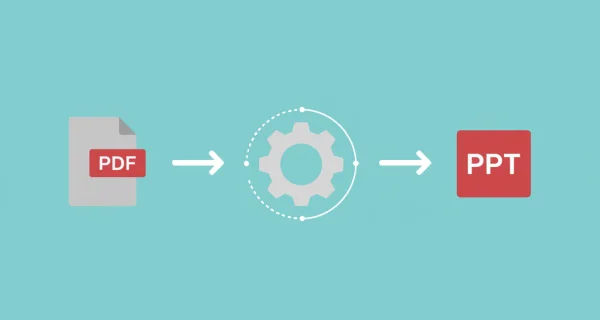
Fully Editable Slides
Convert PDFs into PowerPoint presentations where every slide is fully editable. Modify text, images, layouts, and add new content with ease.
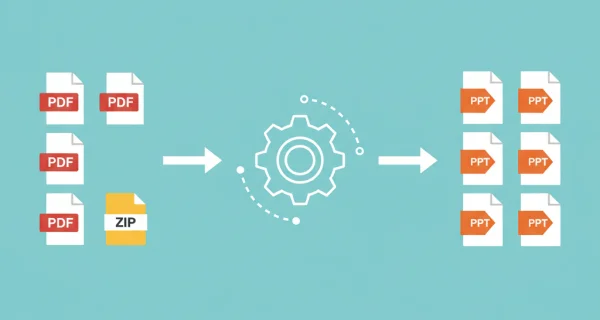
Batch Conversion
Convert multiple PDF files simultaneously or upload ZIP archives containing multiple documents for efficient batch processing.

Even greater efficiency with PDFengine workflows
Take document management to the next level by combining and sequencing PDF conversion, optimalization, and/or organization tools. With fully customizable workflows, complicated PDF tasks cost just seconds to complete.
Why choose us to convert your files
Lightning Fast Conversion
Our advanced conversion engine processes your files in seconds, not minutes. Upload, convert, and download - all within moments.
Focus on business
Archive and convert email, AutoCAD, Visio, and Office files in one streamlined workflow. Perfect for companies with recurring document processes.
Perfect Quality Every Time
Our intelligent algorithms preserve formatting, fonts, images, and layouts. What you see is what you get - no quality loss.
How it works
Process your documents easily and quickly in three steps
Upload PDF Files
Select your PDF files, or upload a ZIP archive containing multiple PDF documents you want to convert to PowerPoint.
Choose Options
Select output format (PPTX) and other conversion settings for your PowerPoint presentation.
Download PowerPoint Files
Get your editable PowerPoint presentations ready for editing. Multiple files are packaged in a ZIP archive.
Frequently Asked Questions
Which output format should I choose? .Pptx or .ppt?
Choosing .pptx is recommended, as it is a newer format with greater compatibility, features and compact file sizes. .ppt is useful in case you work with old Powerpoint software (before 2007).
Should I apply OCR?
With OCR (Optimal Character Recognition), text and images in PDFs are recognized as such, and can become readable, copyable, and editable. For most conversions, this process runs smoothly without OCR. In case it doesn't, we recommend running it again, enabling OCR.
How does PDF to PowerPoint conversion work?
Our converter analyzes each PDF page and recreates it as an editable PowerPoint slide. Text, images, and layout elements are extracted and converted into native PowerPoint objects.
Will the layout be preserved?
We preserve as much of the original layout as possible including text positioning, images, and page structure. Complex PDFs with special formatting may require some manual adjustment after conversion.
Can I edit the converted PowerPoint slides?
Yes! All converted slides are fully editable in PowerPoint. You can modify text, move images, change colors, add new content, and use all standard PowerPoint features.
Can I convert multiple files at once?
Yes, you can upload multiple PDF files or a ZIP archive containing up to 50 PDFs for batch conversion to PowerPoint format.
Ready to Convert Your PDFs to PowerPoint?
Turn your PDF documents into editable PowerPoint presentations that you can modify and present.
Other Conversions
Convert between PDF and various document formats. Our converter preserves formatting and technical details.
PowerPoint to PDF
Convert 1 or more PowerPoint(s) presentations to PDF format
PDF to Word
Convert PDF documents to Word format
PDF to Excel
Convert PDF documents to Excel format
PDF to Images
Convert PDF pages to image files
Merge PowerPoint to PDF
Convert and merge multiple PowerPoint presentations into a single PDF
Compress PDF
Reduce PDF file size while maintaining quality