
Rasterize PDF Files
Convert all PDF content to images for enhanced security. Flatten PDFs by converting text and vectors to raster images, preventing editing and content extraction.
More information about this conversion
From simple conversions to a more complex automation using workflows, PDFengine provides professional-grade tools for every PDF task.
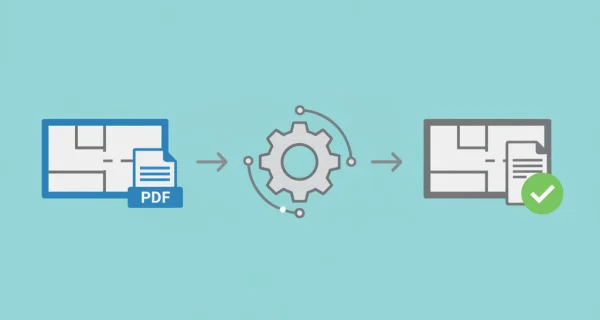
Maximum Security & Protection
Convert all PDF content including text, vectors, and forms to images. Prevent unauthorized editing, text extraction, and any content modification attempts. Maintain exact visual appearance while flattening content to images. Choose resolution settings for quality vs file size. Combine with compression or PDF/A for complete document protection.
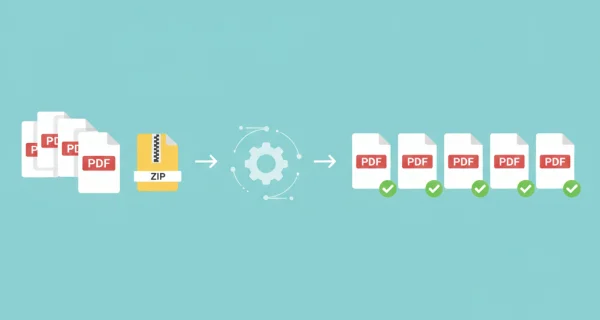
Batch Security Processing
Rasterize multiple PDFs simultaneously or upload ZIP archives containing multiple files for efficient batch processing and comprehensive security hardening.
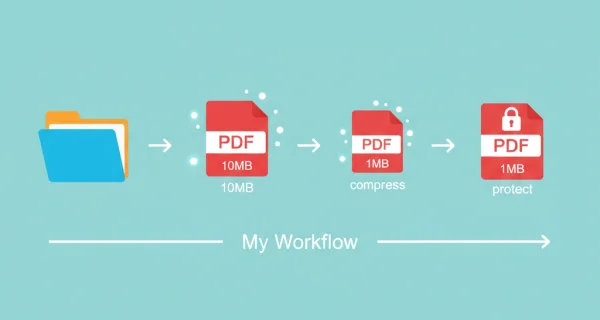
Even greater efficiency with PDFengine workflows
Take document management to the next level by combining and sequencing PDF conversion, optimalization, and/or organization tools. With fully customizable workflows, complicated PDF tasks cost just seconds to complete.
Why choose us to convert your files
Lightning Fast Conversion
Our advanced conversion engine processes your files in seconds, not minutes. Upload, convert, and download - all within moments.
Focus on business
Archive and convert email, AutoCAD, Visio, and Office files in one streamlined workflow. Perfect for companies with recurring document processes.
Perfect Quality Every Time
Our intelligent algorithms preserve formatting, fonts, images, and layouts. What you see is what you get - no quality loss.
How it works
Process your documents easily and quickly in three steps
Upload PDF Files
Select your PDF files or upload a ZIP archive containing multiple documents to secure through rasterization.
Rasterization Process
All text, vectors, and objects are converted to high-quality images, creating a flattened, non-editable PDF.
Download Secured PDFs
Get your rasterized PDFs with enhanced security. Multiple documents are packaged in a ZIP archive.
Frequently Asked Questions
What is PDF rasterization?
Rasterization converts all PDF content (text, vectors, forms) into images. This creates a flattened PDF where content cannot be selected, copied, or edited, enhancing document security.
When should I rasterize PDFs?
Rasterize PDFs when you need to prevent editing, protect confidential information, create non-editable contracts, or ensure documents cannot be altered after distribution.
Can I rasterize multiple files at once?
Yes, you can upload multiple PDF files or a ZIP archive containing up to 50 files for batch rasterization processing.
Does rasterization affect file size?
Rasterized PDFs may be larger than the original due to image conversion. However, you can combine rasterization with compression to optimize file size while maintaining security.
Ready to Secure Your PDFs?
Protect your documents from unauthorized editing and content extraction with PDF rasterization.
Other PDF Tools
Optimize and enhance your PDF documents with our suite of professional tools.
PDF to Images
Convert PDF pages to image files
Compress PDF
Reduce PDF file size while maintaining quality
Convert to PDF/A
Convert PDF to archival PDF/A format for long-term preservation