
Form 1099-NEC, filled in online.
Nonemployee Compensation
Type in the panel and watch each answer land on the page. Filling in and signing is free; downloading needs a free account, which includes 5 downloads a month.
Or fill it another way:
- Category
- Tax
- Fillable fields
- 140
- Pages
- 6
- Paper size
- US Letter, 8.5 × 11 in
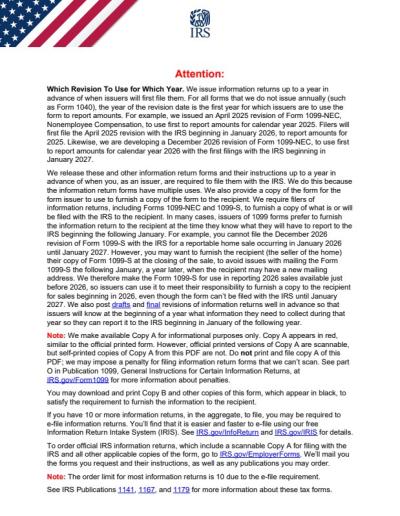
Five ways to fill this form.
-
Fill it in here
Type in the panel and watch it land on the form. Sign it, then download.
Free to fill and sign Start filling -
Many at once, from a spreadsheet
One row per person, one finished PDF for each.
Paid plan · you can walk through it Start with a spreadsheet -
Send it to someone to fill in
Email a link. They fill it in without an account and you get the answers back.
Paid plan · you can walk through it Send a request -
From your own software
Fill it over the API. One request returns the finished PDF.
Paid plan -
Let an AI assistant do it
Connect ChatGPT or Claude once, then describe what goes on the form.
With a free account
Key facts
| Form number | Form 1099-NEC |
|---|---|
| Official name | Nonemployee Compensation |
| Issuing agency | Internal Revenue Service (IRS), U.S. Department of the Treasury |
| Current revision date | Rev. December 2026 |
| Number of pages | 6 pages in this PDF template package |
| Filing frequency | Annual, for each calendar year in which reportable payments are made |
| Main reporting box | Box 1 — Nonemployee compensation |
| Related instructions document | Instructions for Forms 1099-MISC and 1099-NEC (Rev. April 2025), used for tax year 2025 and later until superseded |
What is this form?
Form 1099-NEC, Nonemployee Compensation, is the IRS information return used to report certain payments for services made in the course of a trade or business to people who are not treated as employees. The modern version of Form 1099-NEC brought nonemployee compensation back onto its own form, separate from Form 1099-MISC. On the current form, the core reporting amount appears in box 1, Nonemployee compensation, with additional boxes for direct sales, excess golden parachute payments, federal income tax withheld, and state reporting details. The header area also includes payer and recipient identification fields, an account number field, a 2nd TIN not. checkbox, and VOID and CORRECTED checkboxes.
The IRS form currently published is Form 1099-NEC (Rev. December 2026). It is a multi-copy information return: Copy A goes to the IRS when filing on paper, Copy 1 may be used for state tax departments, Copy B is for the recipient, Copy 2 is for the recipient's state return if required, and Copy C is kept by the payer. In practical terms, the form tells the IRS and the recipient how much reportable nonemployee compensation was paid during the calendar year and whether any backup withholding or state withholding was taken.
Form 1099-NEC is not an income tax return filed by the contractor. It is an information return prepared by the payer. The recipient uses the information from the form when preparing a federal and, if applicable, state income tax return. Because the form is matched against IRS records, even small errors in names, taxpayer identification numbers, box amounts, or copy distribution can trigger penalty notices, backup withholding issues, or mismatch correspondence.
Who needs to fill this out?
- Businesses, self-employed individuals, nonprofits, and government agencies must generally file Form 1099-NEC if all four IRS conditions are met: the payment was made to someone who is not an employee, it was made for services in the course of a trade or business, it was made to an individual, partnership, estate, or certain corporations, and total reportable payments reached $600 or more for the year.
- Payers of attorney's fees generally must report $600 or more for legal services in box 1 even if the law firm is incorporated; the usual corporation exemption does not apply to fees for legal services.
- Payers making direct sales of $5,000 or more of consumer products to a recipient for resale on a buy-sell, deposit-commission, or similar basis may use Form 1099-NEC by checking box 2.
- Payers subject to backup withholding must file the form even if the payment is below the usual threshold, because box 4 must report federal income tax withheld.
- Nominees or middlemen that receive a Form 1099 for amounts that actually belong to another person may have their own downstream Form 1099 filing obligation.
- Do not file Form 1099-NEC for wages to employees; use Form W-2 instead.
- Do not file Form 1099-NEC for most payments for merchandise, freight, storage, telephone, or similar goods-only transactions, and do not use it for nonresident aliens when Form 1042-S is required.
Where and how to submit
You do not send Form 1099-NEC to a worker's employer. The payer furnishes the recipient copies directly to the contractor or other payee and files the return with the IRS. Electronic filing can be done through the IRS Information Returns Intake System (IRIS), which is a free portal for Form 1099-series filings, or through the FIRE system using software that meets IRS specifications. Since returns due in calendar year 2024 and later, filers that have 10 or more information returns in aggregate generally must e-file unless they obtain a waiver.
If you file on paper, send Copy A of Form 1099-NEC with Form 1096 to the IRS Submission Processing Center for your location. IRS addresses currently include: Internal Revenue Service, Austin Submission Processing Center, P.O. Box 149213, Austin, TX 78714; Department of the Treasury, Internal Revenue Service Center, P.O. Box 219256, Kansas City, MO 64121-9256; and Department of the Treasury, Internal Revenue Service Center, Ogden, UT 84201. The filing deadline for both furnishing the recipient copy and filing Form 1099-NEC with the IRS is generally January 31 following the calendar year reported, subject to the next business day rule when January 31 falls on a weekend or legal holiday.
How to fill it out
- Step 1 — Calendar year and correction status: Enter the tax year in the For calendar year field at the top. If the return should be disregarded before filing, use the VOID checkbox. If you are fixing a return already filed or furnished, use the CORRECTED checkbox and follow the IRS correction procedure.
- Step 2 — Payer section: Complete the payer block with the payer's name, street address, city, state, ZIP code, telephone number, and PAYER'S TIN. This identifies the business or organization making the payment. If you track multiple vendors or payment streams, add an Account number (see instructions) so the recipient and IRS can match the form to the correct account.
- Step 3 — Recipient section: Enter the RECIPIENT'S TIN, RECIPIENT'S name, street address, and city/state/postal code exactly as shown on the recipient's Form W-9 or other tax records. Mark the 2nd TIN not. checkbox only when the IRS instructions allow it after a second TIN solicitation notice issue.
- Step 4 — Box 1 and box 2: Report total box 1 Nonemployee compensation for the calendar year. This is the main reporting line for independent contractor pay, commissions, fees, prizes for services, and similar compensation. If applicable, check box 2 for direct sales totaling $5,000 or more of consumer products to the recipient for resale; do not enter a dollar amount in box 2 because it is a checkbox.
- Step 5 — Boxes 3 and 4: Enter any box 3 Excess golden parachute payments only if that specific reporting category applies. Enter any box 4 Federal income tax withheld for backup withholding or other required withholding. If federal tax was withheld, make sure the amount agrees with your withholding records and related deposit reporting.
- Step 6 — State reporting boxes 5 through 7: If state reporting applies, complete box 5 State tax withheld, box 6 State/Payer's state no., and box 7 State income. Use the two available state rows when you must report to more than one state or provide multiple state identifiers.
- Step 7 — Review copies and distribute: Verify that payer and recipient names, TINs, and all box amounts are consistent across every copy of the form. Give the recipient the appropriate copies by the recipient deadline, file with the IRS electronically or send Copy A with Form 1096 if paper filing is permitted, and keep Copy C for your records.
Important deadlines & penalties
- Recipient deadline: Furnish Form 1099-NEC to the recipient by January 31 following the year of payment.
- IRS filing deadline: File Form 1099-NEC with the IRS by January 31 whether you file on paper or electronically.
- Weekend or holiday rule: If January 31 falls on a Saturday, Sunday, or legal holiday, the due date moves to the next business day.
- Electronic filing threshold: If you have 10 or more information returns in aggregate, electronic filing is generally required unless the IRS grants a waiver.
- Late-filing penalties for returns due in 2025: the IRS may charge $60 per return if filed up to 30 days late, $130 per return if filed 31 days late through August 1, $330 per return if filed after August 1 or not filed, and $660 per return for intentional disregard. Separate penalties can also apply for failing to furnish the recipient copy on time.
- Extensions: To request more time to file information returns with the IRS, use Form 8809, Application for Extension of Time to File Information Returns. Request the extension by the original due date. Requests for more time to furnish recipient statements follow separate IRS procedures.
- Special timing issue: Because Form 1099-NEC has the same January 31 deadline for paper and e-file submission, waiting until February or March the way some filers do with Form 1099-MISC can create immediate penalties.
Common mistakes to avoid
- Putting worker pay on Form 1099-MISC instead of box 1 of Form 1099-NEC. This can trigger incorrect filing dates, mismatch notices, and the need to file corrected forms.
- Entering the wrong RECIPIENT'S TIN or spelling the RECIPIENT'S name differently from the recipient's tax records. Name/TIN mismatches often lead to IRS penalty notices and may trigger backup withholding requirements.
- Checking box 2 incorrectly or treating it like a dollar field. Box 2 is only a checkbox for direct sales of $5,000 or more of consumer products for resale; using it for ordinary contractor payments makes the form misleading.
- Reporting backup withholding incorrectly in box 4 Federal income tax withheld or leaving box 4 blank after withholding at the 24% backup withholding rate. That can create reconciliation problems with Form 945 and recipient tax credits.
- Using the corporation exception too broadly and failing to report attorney's fees in box 1. Legal-service payments of $600 or more generally remain reportable even when the law firm is incorporated.
- Confusing the state boxes by swapping box 5 State tax withheld, box 6 State/Payer's state no., and box 7 State income. State agencies can reject the filing or the recipient may not be able to claim withholding correctly.
- Mailing an unofficial PDF copy to the IRS instead of using the proper paper-filing process with Copy A and Form 1096, or filing on paper when the filer is over the e-file threshold. The IRS can reject the submission and assess penalties.
Expert tips
- Collect a signed Form W-9 before paying a contractor, not at year-end. That gives you the exact legal name, tax classification, and TIN you need for the payer and recipient fields.
- Use the Account number field when one vendor has multiple internal accounts, projects, or payment streams. It is optional, but it makes corrections and recipient matching much easier.
- Run TIN Matching through the IRS e-services program if you file Forms 1099 subject to backup withholding risk. Catching name/TIN mismatches before filing can reduce CP2100 notices and penalty exposure.
- Remember that box 4 is not limited to rare cases. If a payee failed to provide a correct TIN or became subject to backup withholding, the current IRS backup withholding rate is 24%, and that withheld amount belongs in box 4.
- Review whether any payment belongs on another form before filing. For example, gross proceeds paid to an attorney often go on Form 1099-MISC box 10, while fees for legal services generally go on Form 1099-NEC box 1.
- If you are paper filing multiple information return types, prepare a separate Form 1096 for each form type. Do not mix 1099-NEC and 1099-MISC under one transmittal.
- Use IRS IRIS if you need a free electronic option. It supports direct entry, CSV upload, corrections, and extensions, which is often easier for smaller businesses than legacy filing workflows.
Related forms & next steps
- Form W-9 — Request for Taxpayer Identification Number and Certification; used to collect the recipient's legal name, tax classification, and TIN before preparing Form 1099-NEC.
- Form 1096 — Annual Summary and Transmittal of U.S. Information Returns; required when filing paper Forms 1099-NEC with the IRS.
- Form 1099-MISC — Miscellaneous Information; used for rents, gross proceeds paid to an attorney, and other payments that do not belong on Form 1099-NEC.
- Form 1042-S — Foreign Person's U.S. Source Income Subject to Withholding; generally used instead of Form 1099-NEC for nonresident alien payees.
- Form W-2 — Wage and Tax Statement; used for employee wages rather than nonemployee compensation.
- Form 8809 — Application for Extension of Time to File Information Returns; used to request extra time to file with the IRS.
- Instructions for Forms 1099-MISC and 1099-NEC — The line-by-line IRS instructions for deciding when to file and how to complete each box.
Frequently asked questions
Who gets a Form 1099-NEC?
A person or business generally gets Form 1099-NEC when they were paid at least $600 during the year for services in the course of the payer's trade or business and they were not treated as an employee. Common recipients include independent contractors, freelancers, consultants, and attorneys paid for legal services.
What is the difference between Form 1099-NEC and Form 1099-MISC?
Form 1099-NEC is primarily for nonemployee compensation reported in box 1. Form 1099-MISC is used for other payment categories such as rent, royalties, prizes, and gross proceeds paid to an attorney. Using the wrong form can produce incorrect deadlines and correction work.
Do I have to file Form 1099-NEC for corporations?
Usually no, but there are important exceptions. One of the biggest is attorney's fees: legal-service payments of $600 or more generally must still be reported even if the law firm is taxed as a corporation. Always check the recipient's Form W-9 and the IRS instructions before relying on the corporation exemption.
What if the contractor refuses to give me a TIN?
You should request the TIN using Form W-9. If the payee fails to provide a correct TIN, backup withholding may apply at the current 24% rate, and the withheld amount must be reported in box 4. Filing with an incorrect or missing TIN also increases the risk of IRS penalties and CP2100 notices.
Can I mail a printed PDF of Form 1099-NEC to the IRS?
Only if you are eligible to paper file and you use the proper paper-filing package. Paper filings must include Copy A and a separate Form 1096 transmittal. If you meet the IRS electronic filing threshold, you generally must file through IRIS, FIRE, or another approved electronic method unless you receive a waiver.
How do I correct a Form 1099-NEC after sending it out?
If you already filed or furnished an incorrect form, mark the return CORRECTED and follow the IRS correction procedure in the general and specific instructions. Corrections should be made as soon as possible because late or inaccurate corrections can still trigger penalties.
Can I create Form 1099-NEC in bulk?
Yes. PDFengine supports bulk generation of Form 1099-NEC via Excel or CSV upload — upload a spreadsheet with one row per entry and PDFengine generates all PDFs at once. You can also automate bulk creation programmatically via the PDFengine API.
Ready to fill it in?
Fill in this formOfficial sources
- About Form 1099-NEC, Nonemployee Compensation — IRS overview page for the form and current revision.
- Instructions for Forms 1099-MISC and 1099-NEC — Official IRS filing rules, box instructions, deadlines, and correction guidance.
- General Instructions for Certain Information Returns — IRS rules on e-filing thresholds, Form 1096, TIN matching, and penalty framework.
- Where to file Form 1096 — Official IRS paper filing addresses for information returns transmitted with Form 1096.
- Information return penalties — IRS penalty amounts for late, incorrect, and intentionally disregarded information returns and payee statements.



