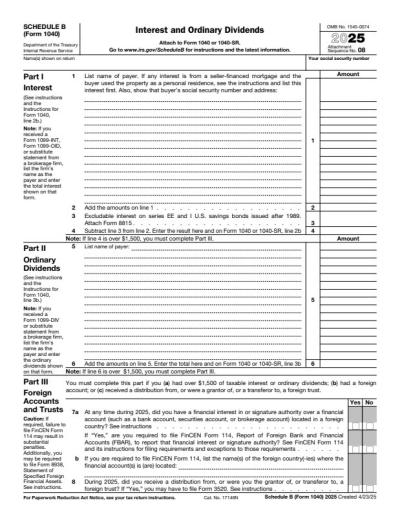
Form 1040-SR, filled in online.
U.S. Tax Return for Seniors
Type in the panel and watch each answer land on the page. Filling in and signing is free; downloading needs a free account, which includes 5 downloads a month.
Or fill it another way:
- Category
- Tax
- Fillable fields
- 27
- Pages
- 2
- Paper size
- US Letter, 8.5 × 11 in

Five ways to fill this form.
-
Fill it in here
Type in the panel and watch it land on the form. Sign it, then download.
Free to fill and sign Start filling -
Many at once, from a spreadsheet
One row per person, one finished PDF for each.
Paid plan · you can walk through it Start with a spreadsheet -
Send it to someone to fill in
Email a link. They fill it in without an account and you get the answers back.
Paid plan · you can walk through it Send a request -
From your own software
Fill it over the API. One request returns the finished PDF.
Paid plan -
Let an AI assistant do it
Connect ChatGPT or Claude once, then describe what goes on the form.
With a free account
Key facts
| Item | Details |
|---|---|
| Form number | Schedule R (Form 1040) |
| Official name | Credit for the Elderly or the Disabled |
| Issuing agency | Internal Revenue Service, Department of the Treasury |
| Current revision date | 2025 revision; form shows Created 4/14/25 |
| Number of pages | 2 pages |
| Filing frequency | Annual, only when attached to a 2025 Form 1040 or 1040-SR |
| Where the result goes | Schedule 3 (Form 1040), line 6d |
| Related instructions document | 2025 Instructions for Schedule R (Form 1040), published with IRS instruction booklet i1040sr |
What is this form?
Schedule R (Form 1040), officially titled Credit for the Elderly or the Disabled, is the IRS attachment used to calculate a nonrefundable credit for certain taxpayers age 65 or older and certain taxpayers who retired on permanent and total disability. Although this template file is named 1040-SR, the fields shown here match Schedule R, not the main Form 1040-SR return. The schedule attaches to Form 1040 or Form 1040-SR and the final result carries to Schedule 3 (Form 1040), line 6d.
The 2025 revision is a 2-page form. Page 1 contains Part I, where the filer checks one filing-status-and-age box, and Part II, the disability statement used only for disability-based claims. Page 2 contains Part III, where lines 10 through 22 compare the initial amount, disability income, nontaxable benefits, adjusted gross income, and the credit limit. The IRS instructions also say the agency may be able to compute the credit if the schedule is completed correctly and the filer enters CFE next to Schedule 3, line 6d.
Who needs to fill this out?
- Taxpayers age 65 or older by the end of 2025 who file Form 1040 or 1040-SR and stay under the Schedule R income limits may use this schedule. For 2025, you are treated as 65 if born on or before January 1, 1961.
- Taxpayers under age 65 may use it only if they retired on permanent and total disability, received taxable disability income in 2025, and had not reached mandatory retirement age on January 1, 2025.
- Single, head of household, and qualifying surviving spouse filers generally must have AGI below $17,500 and specified nontaxable benefits below $5,000.
- Married taxpayers filing jointly generally must stay below $20,000 AGI and $5,000 nontaxable benefits if only one spouse is a qualified individual, or below $25,000 AGI and $7,500 nontaxable benefits if both spouses qualify.
- Married filing separately taxpayers may use Schedule R only if they lived apart from their spouse for all of 2025; their limit is generally $12,500 AGI or $3,750 of specified nontaxable benefits.
- People who generally do not file Schedule R include nonresident aliens who do not qualify for the resident-election exception, married filing separately taxpayers who lived with their spouse at any time in 2025, taxpayers under 65 without taxable disability income, and anyone whose AGI or nontaxable-benefit totals are at or above the Schedule R limits.
- People who may not need to file a return at all are those below the normal Form 1040 filing thresholds, unless another trigger applies such as self-employment income of at least $400 or premium tax credit reconciliation.
Where and how to submit
Schedule R is not filed by itself. It must be attached to Form 1040 or Form 1040-SR and submitted to the Internal Revenue Service with the taxpayer's annual federal individual income tax return. If the return is filed electronically, Schedule R is transmitted as part of the e-filed return through IRS Free File, Direct File where available, commercial tax software, or an authorized IRS e-file provider. The schedule is never sent to an employer, payer, or Social Security office.
If the taxpayer files by paper, Schedule R goes in the same envelope as Form 1040 or 1040-SR and any related schedules. There is no separate Schedule R mailing address; the exact IRS paper-filing address depends on the taxpayer's state of residence and whether a payment is enclosed, so the filer must use the address table in the current Form 1040/1040-SR instructions or the IRS Where to file paper tax returns with or without a payment page. For a 2025 return, the normal filing deadline is April 15, 2026, unless the taxpayer qualifies for an extension or special disaster relief.
How to fill it out
- Step 1 — Heading and identification: Enter the Name(s) shown on return exactly as they appear on Form 1040 or 1040-SR and enter Your social security number. Schedule R must match the primary return because the final credit is transferred to Schedule 3 (Form 1040), line 6d.
- Step 2 — Part I, Check the Box for Your Filing Status and Age: Review boxes 1 through 9 and check only one box. The choice depends on filing status and whether the taxpayer or spouse was 65 or older, under 65 and retired on permanent and total disability, or married filing separately while living apart for all of 2025. If you check box 1, 3, 7, or 8, skip Part II and continue to Part III.
- Step 3 — Part II, Statement of Permanent and Total Disability: Complete this part only if you checked box 2, 4, 5, 6, or 9. If an earlier physician's statement already covers the disability and your physician signed the required line in a prior year, check the certification box on line 2 if you were still unable to engage in substantial gainful activity during 2025. Otherwise, keep a current physician's statement with your records. If you checked box 4, 5, or 6, write the qualifying spouse's first name above the box in Part II.
- Step 4 — Part III, lines 10 through 12: On line 10, enter the fixed amount tied to your Part I box: $5,000 for boxes 1, 2, 4, or 7; $7,500 for boxes 3, 5, or 6; or $3,750 for boxes 8 or 9. If you checked a disability-based box, complete line 11 using taxable disability income. Then enter on line 12 the smaller of line 10 or line 11; all other filers enter the line 10 amount directly on line 12.
- Step 5 — Part III, lines 13a through 13c: Enter the nontaxable amounts that reduce the credit. On line 13a, enter the nontaxable part of Social Security benefits and any tier 1 railroad retirement benefits treated as Social Security. On line 13b, enter nontaxable veterans' pensions and other qualifying nontaxable pension, annuity, or disability income. Add them on line 13c; if none apply, enter 0.
- Step 6 — Part III, lines 14 through 20: Enter Form 1040 or 1040-SR, line 11a on line 14. On line 15, enter the threshold amount for your box category: $7,500, $10,000, or $5,000. Subtract on line 16, take one-half on line 17, add to line 13c on line 18, and subtract from line 12 on line 19. If line 19 is zero or less, you cannot take the credit. If positive, multiply by 15% on line 20.
- Step 7 — Credit limit and transfer: Complete the Credit Limit Worksheet from the Schedule R instructions and enter the result on line 21. On line 22, enter the smaller of line 20 or line 21, then transfer that amount to Schedule 3 (Form 1040), line 6d. If you want the IRS to compute the credit for you, the instructions say to complete the required parts and enter CFE next to Schedule 3, line 6d.
Important deadlines & penalties
- Standard due date: Attach Schedule R to the taxpayer's 2025 Form 1040 or 1040-SR by April 15, 2026.
- Automatic filing extension: A taxpayer can request more time to file by submitting Form 4868 or using an approved electronic extension method by April 15, 2026. That generally extends the filing deadline to October 15, 2026, but it does not extend the time to pay tax due.
- Late-filing penalty: For individual returns, the IRS states the failure-to-file penalty is generally 5% of the unpaid tax for each month or part of a month the return is late, up to 25%. If the return is more than 60 days late and the due date is after December 31, 2025, the minimum penalty is generally $525 or 100% of the unpaid tax, whichever is less.
- Late-payment penalty: If tax due is not paid by the original due date, the IRS generally charges a failure-to-pay penalty of 0.5% of unpaid tax per month, up to 25%. If both late-filing and late-payment penalties apply in the same month, the late-filing penalty is reduced.
- Special timing rules: Taxpayers living abroad usually receive an automatic 2-month filing extension to June 15, 2026, though interest still runs from April 15. Federally declared disaster relief can also move the filing date for the entire return package, including Schedule R.
Common mistakes to avoid
- Checking more than one box in Part I: The form says to check only one box. Multiple box selections can invalidate the initial amount on line 10 and cause the credit to be denied or recomputed by the IRS.
- Using the wrong filing-status box: Taxpayers often check box 8 or 9 for married filing separately without confirming they lived apart from their spouse for all of 2025. If they lived together at any time during the year, they generally cannot claim the credit on a separate return.
- Skipping Part II after checking box 2, 4, 5, 6, or 9: Disability-based claims require Part II and, when applicable, a physician's statement kept in the taxpayer's records. Missing this support can cause the IRS to disallow the credit.
- Entering the wrong amount on line 11: On joint returns, line 11 has special rules. For box 6, the taxpayer adds $5,000 to the taxable disability income of the spouse under 65. Using the wrong spouse's income or forgetting the $5,000 adjustment changes line 12 and the whole credit calculation.
- Reporting taxable Social Security on line 13a: Line 13a asks for the nontaxable part of Social Security and equivalent railroad retirement benefits, generally the difference between Form 1040/1040-SR line 6a and line 6b. Entering the full benefit amount can over-reduce the credit.
- Pulling the wrong AGI onto line 14: Line 14 must match Form 1040 or 1040-SR, line 11a. Using taxable income, total income, or a prior-year AGI distorts lines 16 through 20 and may trigger an IRS correction notice.
- Forgetting line 21 and the transfer to Schedule 3: The credit on line 20 is not final until the Credit Limit Worksheet is applied and the smaller amount is entered on line 22. Omitting line 21 or failing to carry line 22 to Schedule 3, line 6d can eliminate the credit or overstate it.
Expert tips
- Check the income limits first: If AGI or specified nontaxable benefits already meet or exceed the threshold for the filing status, the credit is not available.
- Use the date-of-birth rule correctly: For 2025, the IRS treats a taxpayer as age 65 if born on or before January 1, 1961.
- Keep the physician's statement in your records: For disability-based claims, the statement usually is not mailed with the return, but it must be available if the IRS asks.
- Compute line 13a from the return: If part of Social Security is taxable, line 13a is generally line 6a minus line 6b on Form 1040 or 1040-SR, using the pre-Medicare-premium benefit amount.
- Read line 13b carefully: The instructions include veterans' pensions here, but not every military or service-related disability payment belongs on this line.
- Let the IRS figure the credit if needed: The instructions allow many filers to enter CFE next to Schedule 3, line 6d and have the IRS compute the amount.
- Use the right references: Publication 501, Publication 554, and the 2025 Instructions for Schedule R answer most filing and eligibility questions.
Related forms & next steps
- Form 1040 — Main U.S. individual income tax return to which Schedule R is attached.
- Form 1040-SR — Alternative main return format for seniors; Schedule R can be attached here instead of Form 1040.
- Schedule 3 (Form 1040) — Additional Credits and Payments; the Schedule R credit is entered on line 6d.
- Form 4868 — Requests the automatic extension of time to file the Form 1040 or 1040-SR package.
- Form 1040-X — Used to amend a previously filed return if Schedule R was missed or calculated incorrectly.
- Publication 501 — Filing requirements, standard deduction, dependency rules, and age definitions used alongside Schedule R.
- Publication 554 — IRS Tax Guide for Seniors with broader return guidance for older taxpayers.
Frequently asked questions
What is Schedule R (Form 1040) used for?
It is used to figure the Credit for the Elderly or the Disabled and is attached to Form 1040 or Form 1040-SR.
Is this the same as Form 1040-SR?
No. Form 1040-SR is the senior version of the main return. This template matches Schedule R (Form 1040), a separate attachment used for the credit.
Who qualifies for the credit on Schedule R?
A taxpayer may qualify if they were 65 or older by the end of 2025, or if they were under 65, retired on permanent and total disability, received taxable disability income, and had not reached mandatory retirement age on January 1, 2025. They must also stay below the AGI and nontaxable-benefit limits.
Do I need to send a physician's statement with Schedule R?
Usually no. For disability-based claims, the taxpayer generally keeps the physician's statement in their records unless an earlier qualifying statement already covers the condition.
Can the IRS calculate the Schedule R credit for me?
Yes. The 2025 instructions say the IRS may be able to figure the credit if the taxpayer completes the required parts of Schedule R and enters CFE next to Schedule 3 (Form 1040), line 6d.
What happens if I forgot to claim Schedule R on a filed return?
The taxpayer usually files Form 1040-X and includes the corrected Schedule R calculation.
Can I create Form Schedule R (Form 1040), Credit for the Elderly or the Disabled in bulk?
Yes. PDFengine supports bulk generation of Form Schedule R (Form 1040), Credit for the Elderly or the Disabled via Excel or CSV upload — upload a spreadsheet with one row per entry and PDFengine generates all PDFs at once. You can also automate bulk creation programmatically via the PDFengine API.
Ready to fill it in?
Fill in this formOfficial sources
- About Schedule R (Form 1040) — IRS overview of the schedule and its purpose.
- 2025 Schedule R (Form 1040) PDF — Official two-page form with Parts I through III and line references.
- 2025 Instructions for Schedule R (Form 1040) — Official eligibility rules, income limits, physician's statement guidance, and credit worksheet.
- Publication 501 — 2025 filing requirements and age-related filing thresholds for individual taxpayers.
- IRS Failure to File Penalty — Official late-filing penalty rates and minimum penalty amounts for Form 1040 returns.