
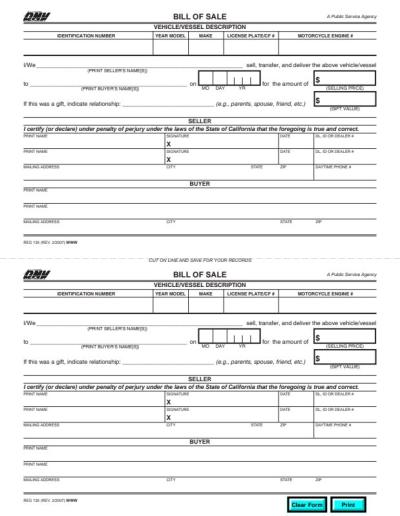
California Motor Vehicle Bill Of Sale, filled in online.
California Motor Vehicle Bill Of Sale — official fillable PDF form
Type in the panel and watch each answer land on the page. Filling in and signing is free; downloading needs a free account, which includes 5 downloads a month.
Or fill it another way:
- Category
- General
- Fillable fields
- 66
- Pages
- 1
- Paper size
- US Letter, 8.5 × 11 in
Five ways to fill this form.
-
Fill it in here
Type in the panel and watch it land on the form. Sign it, then download.
Free to fill and sign Start filling -
Many at once, from a spreadsheet
One row per person, one finished PDF for each.
Paid plan · you can walk through it Start with a spreadsheet -
Send it to someone to fill in
Email a link. They fill it in without an account and you get the answers back.
Paid plan · you can walk through it Send a request -
From your own software
Fill it over the API. One request returns the finished PDF.
Paid plan -
Let an AI assistant do it
Connect ChatGPT or Claude once, then describe what goes on the form.
With a free account
What is this form?
California Motor Vehicle Bill Of Sale is a vehicle transfer document used to record the sale or gift of a motor vehicle in California. It is commonly used alongside DMV paperwork and captures the key facts of the transaction: what was sold, who sold it, who bought it, when the transfer happened, and for what amount or relationship.
The field schema is practical and easy to verify against the vehicle itself. It begins with identification details like Identification Number, Year Model, Make, and License Plate/CF #, then moves into seller, buyer, date, sale price, gift information, and signature fields. That sequence mirrors how private-party vehicle sales are usually documented.
Use this PDF when you want a typed bill of sale for your records, need a clean attachment for a California title transfer, or want to avoid handwritten mistakes in names, sale price, and vehicle identifiers. It is especially useful when several signatures or identity numbers must remain legible.
Before you submit the final PDF, compare every typed entry against the official instructions, supporting schedules, and source records. Small mismatches in names, identification numbers, dates, totals, or checkbox selections are one of the most common reasons official forms need to be corrected later. Using a fillable PDF helps readability, but careful review is still what makes the filing usable.
It is also smart to keep the source documents used for each line close to the finished PDF. If a preparer, employer, buyer, seller, or state agency asks how a figure or identifier was entered, you can quickly trace each box back to the form, title, tax worksheet, or record it came from.
When a form belongs to an older tax year or to a state-specific process, always confirm that you are using the correct version before submission. Government agencies may reject a perfectly completed PDF if it was prepared on the wrong revision, missing a required attachment, or sent to the wrong filing address.
If another person needs to review the form before filing, send them the typed PDF together with the source records you used. That makes it easier to spot missing signatures, inconsistent totals, and data-entry mistakes before the document reaches the agency or counterparty.
For forms involving tax payments, title transfers, or registration steps, timing matters as much as accuracy. Double-check whether there is a due date, a same-day handover requirement, or a mailing rule that applies to the finished PDF and any attachments.
Who needs to fill this out?
- Private sellers documenting the transfer of a car, motorcycle, or other vehicle
- Buyers who want a clear written record of purchase price and transfer date
- Families transferring a gifted vehicle and needing to state the relationship and gift value
- Registration or title services collecting a supporting bill of sale for a DMV packet
Where and how to submit
Keep a signed copy for both buyer and seller, and include it with any title or registration paperwork required by the California DMV. A bill of sale often supports the ownership record, sale price, and date of transfer, but the DMV may still require separate title and release forms.
How to fill it out
- Step 1 — Identification Number: Start by copying the information exactly as it appears on your official documents or tax records.
- Step 2 — Year Model: Use the matching line or box from your supporting paperwork so the PDF stays consistent with the filing record.
- Step 3 — Make: If the field applies only in a special case, leave it blank unless the instructions tell you to complete it.
- Step 4 — License Plate/CF #: Review spelling, numbers, and line mapping before moving to the next section.
- Step 5 — Motorcycle Engine #: For calculated amounts, enter the final figure from your worksheet or state instructions rather than estimating inside the PDF.
- Step 6 — Print Seller's Name(s): Finish by checking related signature, date, and submission requirements before you print or file the form.
Frequently asked questions
Is a bill of sale the same as the title?
No. The bill of sale records the transaction, while the title proves ownership and is transferred separately.
Can I use this for a gifted vehicle?
Yes. The form includes gift-related fields so you can indicate the relationship and value where needed.
What vehicle details should match exactly?
The VIN or identification number, year model, make, and plate information should match the title or registration records exactly.
Should both parties keep a copy?
Yes. The buyer and seller should each keep a signed copy for tax, registration, and dispute-prevention purposes.
Do I still need DMV transfer forms?
Usually yes. The bill of sale supports the transfer, but California title and registration transactions often require additional DMV forms.
Can I create California Motor Vehicle Bill of Sale in bulk?
Yes. PDFengine supports bulk generation of California Motor Vehicle Bill of Sale via Excel or CSV upload — upload a spreadsheet with one row per form and PDFengine generates all PDFs at once. You can also automate bulk creation programmatically via the PDFengine API.
Ready to fill it in?
Fill in this formMore forms in this category
-
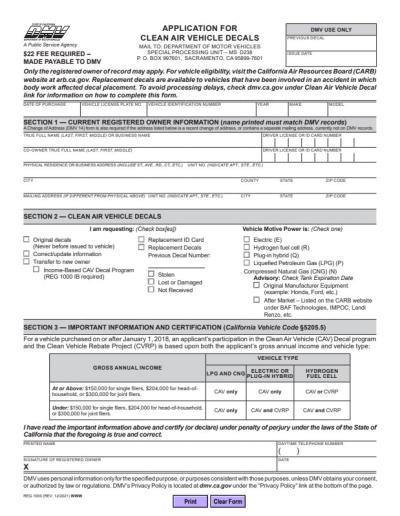 REG 1000 Application for Clean Air Vehicle DecalsREG 1000 Application for Clean Air Vehicle Decals is the official fillable form from Calif...
-
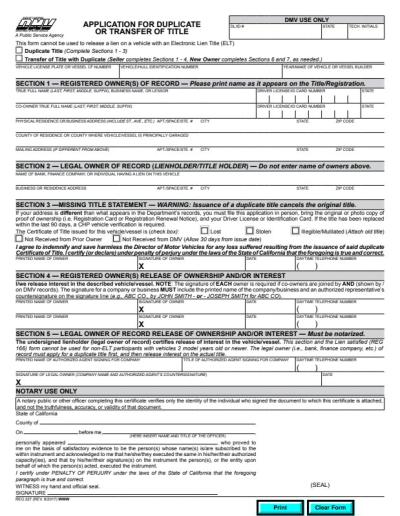 REG 227 Application for Duplicate or Paperless TitleREG 227 Application for Duplicate or Paperless Title is the official fillable form from Ca...
-
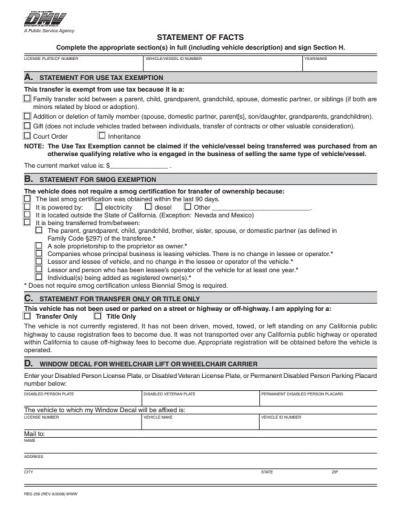 REG 256 Statement of FactsREG 256 Statement of Facts is the official fillable form from California Department of Mot...
-
 REG 256A Miscellaneous CertificationsREG 256A Miscellaneous Certifications is the official fillable form from California Depart...