
Cw 2200 Sp California Department Of Social Services, filled in online.
Cw 2200 Sp California Department Of Social Services — official fillable PDF form
Type in the panel and watch each answer land on the page. Filling in and signing is free; downloading needs a free account, which includes 5 downloads a month.
Or fill it another way:
- Category
- General
- Fillable fields
- 52
- Pages
- 3
- Paper size
- US Letter, 8.5 × 11 in
Five ways to fill this form.
-
Fill it in here
Type in the panel and watch it land on the form. Sign it, then download.
Free to fill and sign Start filling -
Many at once, from a spreadsheet
One row per person, one finished PDF for each.
Paid plan · you can walk through it Start with a spreadsheet -
Send it to someone to fill in
Email a link. They fill it in without an account and you get the answers back.
Paid plan · you can walk through it Send a request -
From your own software
Fill it over the API. One request returns the finished PDF.
Paid plan -
Let an AI assistant do it
Connect ChatGPT or Claude once, then describe what goes on the form.
With a free account
What is this form?
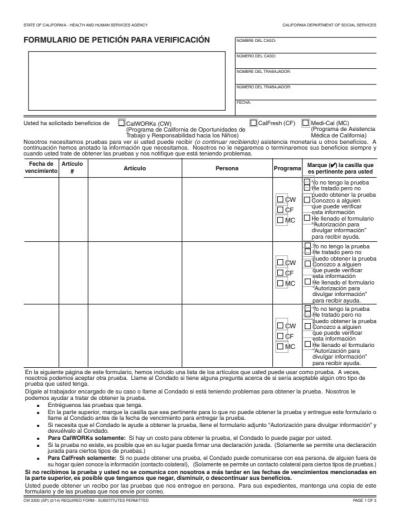
Cw 2200 Sp California Department Of Social Services is an official form used to capture household, assistance, and case information requested by the California Department of Social Services in Spanish. In practical use, the form works as a structured record: it keeps names, dates, identifiers, checkboxes, and narrative answers in one place so the receiving agency or organization can review the facts without having to rebuild the story from emails or handwritten notes. That matters when the form becomes part of a tax file, licensing review, compliance packet, social-services case, HR record, or another official workflow tied to deadlines and supporting documents.
This template follows the official layout issued by the California Department of Social Services. Because PDFengine preserves the original field order and labels, you can type directly into the same boxes reviewers expect to see. Common fields such as Case Name, Case Number, Date and Nombre, Dirección are easier to check when they are entered cleanly instead of squeezed into a scanned copy. That reduces rework, makes signatures and dates easier to confirm, and gives you a cleaner PDF to save, share internally, or attach to a case or transaction record.
The form is still an official document, so the content should match the underlying facts and any supporting records. Use the fillable version to prepare a precise submission, not to improvise answers. If a field refers to an account number, case identifier, permit, license detail, payroll fact, medical note, delivery fact, or household detail, it should match the source records that sit behind the form. A polished PDF is helpful, but accuracy is what makes the finished document usable in the real workflow.
Who needs to fill this out?
- Households responding to a county social-services request. They benefit from a typed, reviewable version that keeps the official structure intact and makes supporting documents easier to match.
- Case workers or advocates helping clients prepare a readable draft. They benefit from a typed, reviewable version that keeps the official structure intact and makes supporting documents easier to match.
- Families that need to organize household and assistance facts before submission. They benefit from a typed, reviewable version that keeps the official structure intact and makes supporting documents easier to match.
- Administrative staff checking that names, dates, and case identifiers are consistent. They benefit from a typed, reviewable version that keeps the official structure intact and makes supporting documents easier to match.
Where and how to submit
Return the completed form through the county or social-services process that requested it and keep a copy with the household case file. Because this template is the Spanish-language version, users often prepare a neat draft first in order to review names, benefit details, and household facts carefully before the final submission is sent.
Before sending it, compare the completed PDF with the records that support it: notices, invoices, payroll data, delivery papers, license information, provider notes, or case documentation. If the workflow later asks for corrections, having a saved draft and a clean final copy makes those updates much faster.
How to fill it out
- Step 1 — Case header: Use Case Name, Case Number, Date to connect the form to the right social-services case from the start. Review the values against the source records before moving on, because this part often determines whether the form is tied to the correct file, person, shipment, account, case, or medical record. Clean entries here also make later signatures, timelines, and follow-up questions much easier to handle.
- Step 2 — Applicant details: Use Nombre, Dirección, Teléfono to identify the household or person whose information is being reviewed. Review the values against the source records before moving on, because this part often determines whether the form is tied to the correct file, person, shipment, account, case, or medical record. Clean entries here also make later signatures, timelines, and follow-up questions much easier to handle.
- Step 3 — Household information: Use Miembros del hogar, Relación, Fecha de nacimiento to list the people in the household and the basic relationship data needed for the case. Review the values against the source records before moving on, because this part often determines whether the form is tied to the correct file, person, shipment, account, case, or medical record. Clean entries here also make later signatures, timelines, and follow-up questions much easier to handle.
- Step 4 — Income or assistance details: Use Ingresos, Beneficios, Trabajo to describe the money, benefits, or employment facts the agency needs to verify. Review the values against the source records before moving on, because this part often determines whether the form is tied to the correct file, person, shipment, account, case, or medical record. Clean entries here also make later signatures, timelines, and follow-up questions much easier to handle.
- Step 5 — Certification: Use Firma, Fecha to confirm that the information is complete and ready for county review. Review the values against the source records before moving on, because this part often determines whether the form is tied to the correct file, person, shipment, account, case, or medical record. Clean entries here also make later signatures, timelines, and follow-up questions much easier to handle.
Frequently asked questions
What kind of information belongs on CW 2200 SP?
The form is used for the household, assistance, and case facts requested by the county or California social-services process behind the form.
Why is a clean draft helpful?
Social-services forms often involve multiple people, dates, and benefit details. A typed or carefully prepared copy reduces avoidable mistakes and follow-up requests.
Can someone help the household complete it?
Yes. A case worker, advocate, family member, or interpreter can help organize the answers, but the responsible person should still review the final content.
Should names and case numbers match other records exactly?
Yes. Matching names, addresses, birth dates, and case numbers to the existing file helps the agency connect the form to the right household.
Should I keep a copy before returning it?
Yes. Keeping a copy helps if the county later asks what was submitted or requests corrections.
Can I create CW 2200 SP in bulk?
Yes. PDFengine supports bulk generation of CW 2200 SP via Excel or CSV upload — upload a spreadsheet with one row per form and PDFengine generates all PDFs at once. You can also automate bulk creation programmatically via the PDFengine API.
Ready to fill it in?
Fill in this formMore forms in this category
-
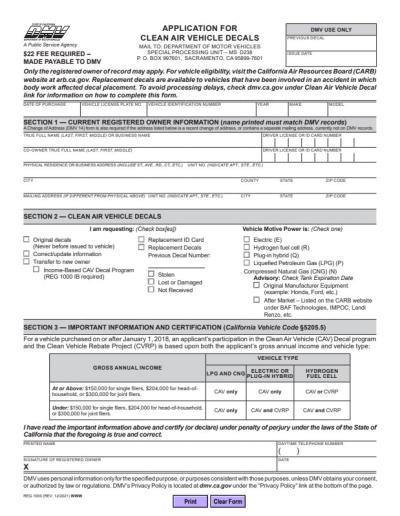 REG 1000 Application for Clean Air Vehicle DecalsREG 1000 Application for Clean Air Vehicle Decals is the official fillable form from Calif...
-
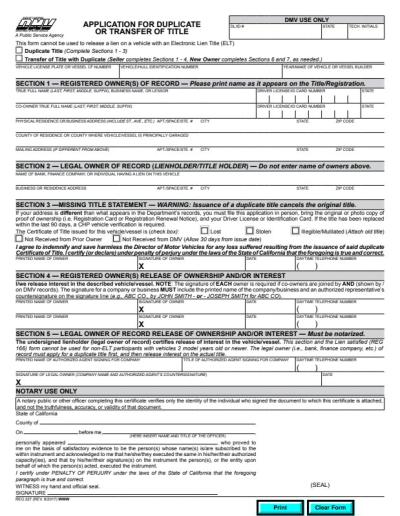 REG 227 Application for Duplicate or Paperless TitleREG 227 Application for Duplicate or Paperless Title is the official fillable form from Ca...
-
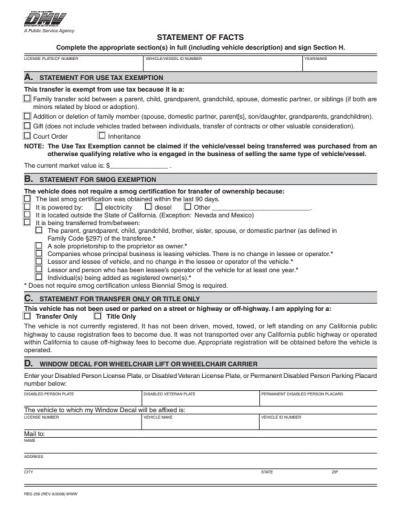 REG 256 Statement of FactsREG 256 Statement of Facts is the official fillable form from California Department of Mot...
-
 REG 256A Miscellaneous CertificationsREG 256A Miscellaneous Certifications is the official fillable form from California Depart...