
License surrender form delaware, filled in online.
License surrender form delaware — official fillable PDF form
Type in the panel and watch each answer land on the page. Filling in and signing is free; downloading needs a free account, which includes 5 downloads a month.
Or fill it another way:
- Category
- General
- Fillable fields
- 11
- Pages
- 1
- Paper size
- US Letter, 8.5 × 11 in
Five ways to fill this form.
-
Fill it in here
Type in the panel and watch it land on the form. Sign it, then download.
Free to fill and sign Start filling -
Many at once, from a spreadsheet
One row per person, one finished PDF for each.
Paid plan · you can walk through it Start with a spreadsheet -
Send it to someone to fill in
Email a link. They fill it in without an account and you get the answers back.
Paid plan · you can walk through it Send a request -
From your own software
Fill it over the API. One request returns the finished PDF.
Paid plan -
Let an AI assistant do it
Connect ChatGPT or Claude once, then describe what goes on the form.
With a free account
What is this form?
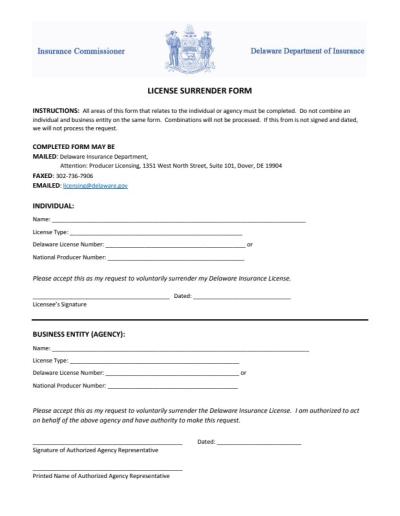
Delaware Insurance License Surrender Form is used to request the voluntary surrender of an individual insurance license or a business-entity agency license issued in Delaware. It is issued or maintained by Delaware Department of Insurance, Producer Licensing. PDFengine provides the official fillable layout so the information can be entered before the completed PDF is downloaded.
\nThe form should be completed from current source records rather than memory. Names, identification numbers, dates, monetary amounts and technical details must agree with the related licenses, returns, contracts or supporting documents. A fillable copy improves legibility, but it does not determine eligibility, give legal or tax advice, create agency approval or replace any attachment, payment, identity check or in-person step required by the receiving organization.
\nBefore starting, read the complete PDF and its instructions, collect the evidence needed for every applicable section and confirm that this edition is accepted for the transaction or filing period. Save an unsubmitted working copy, review the final PDF after generation and keep the signed or filed version with delivery evidence. If an answer depends on law, professional judgment or an agency decision, consult the current official instructions or a qualified adviser.
Who needs to fill this out?
This template is intended for people who have a genuine reason to complete the official form, including:
\n- \n
- Individual producers voluntarily ending a Delaware insurance license. This person or organization should have access to the source records and authority to provide the requested information. \n
- Authorized agency representatives surrendering a business-entity license. This person or organization should have access to the source records and authority to provide the requested information. \n
- License holders leaving the industry or consolidating active jurisdictions. This person or organization should have access to the source records and authority to provide the requested information. \n
- Compliance teams documenting the formal closure of a Delaware license. This person or organization should have access to the source records and authority to provide the requested information. \n
It is not a substitute for deciding whether the form applies. A representative may prepare entries, but the responsible taxpayer, owner, licensee, employer, buyer, seller or applicant should review the result and sign personally when required. If more than one person’s rights or confidential data are involved, obtain authorization and share the completed document only through an appropriate channel.
Where and how to submit
Send the completed form to Delaware Department of Insurance, Producer Licensing using one of the official methods printed on the form: mail to 1351 West North Street, Suite 101, Dover, DE 19904; fax to 302-736-7906; or email to licensing@delaware.gov. Check the department’s current website before sending in case contact details have changed.
\nUse only a delivery method accepted by the receiving organization and verify the destination on its current official website or instructions. Record the submission date, method, confirmation or tracking number and the exact version sent. Do not email sensitive personal, health, tax or identity information unless the recipient explicitly provides a secure and authorized route.
\nPDFengine prepares the data in the PDF; it does not transmit the form, collect a filing fee or monitor acceptance. If the receiving party returns the document, correct the identified issue in a new copy rather than writing over an unclear original, then retain both the rejection notice and corrected submission for the file.
How to fill it out
Work through the form in its printed order. The following steps use the actual labels in the field schema:
\n- \n
- Step 1 — Choose one applicant type: Complete either the individual section or the business-entity section, never both on the same form. The instructions state that combined individual and agency requests will not be processed. \n
- Step 2 — Licensee or agency name: Enter “Name” in the selected section exactly as it appears in Delaware licensing records. For an entity, use the registered business name rather than a trade name unless that is the licensed name. \n
- Step 3 — License identification: Complete “License Type” and provide “Delaware License Number” or “National Producer Number.” Verify the number before submission so Producer Licensing can identify the correct record. \n
- Step 4 — Effective consequences: Review appointments, renewals, open transactions and record-retention obligations before surrendering the license. A voluntary surrender may not resolve pending regulatory, fee or compliance matters. \n
- Step 5 — Signature authority: An individual licensee signs the individual request. For a business entity, an authorized agency representative must sign and also complete “Printed Name of Authorized Agency Representative.” \n
- Step 6 — Date and final check: Enter the applicable “Dated” field, confirm that every area relating to the selected applicant type is complete, and save a copy. The form warns that unsigned or undated requests will not be processed. \n
After completing the fields, download the PDF and inspect every page at normal size. Check that long answers are visible, checkboxes show the intended choice and signatures or dates are placed in the correct block. Correct the source entries and regenerate the document if anything is clipped, duplicated or inconsistent.
Frequently asked questions
Is Delaware Insurance License Surrender Form the official form?
\nThis template uses the prepared official PDF and preserves its AcroForm fields. Confirm the edition, revision date and filing-period requirements with Delaware Department of Insurance, Producer Licensing before relying on it, because agencies and transaction parties can replace forms or instructions.
\nDoes completing the PDF submit or approve the form?
\nNo. PDFengine creates a completed PDF only. You remain responsible for signatures, attachments, payments, delivery and any appointment, verification or acceptance step required by the recipient.
\nWhich records should I use while completing it?
\nUse the current records that support each field, such as identification, licenses, tax returns, title documents, contracts, technical specifications or care records. Keep copies of the source documents and calculations with the finalized form when legally permitted.
\nCan I correct an answer after generating the PDF?
\nYes, correct the entry and generate a clean replacement before submission. If the document has already been signed or filed, follow the recipient’s amendment or replacement procedure instead of silently altering the retained copy.
\nHow should signatures and sensitive data be handled?
\nFollow the recipient’s rules for handwritten, witnessed, notarized or electronic signatures. Limit access to completed files, store them securely and use an approved secure delivery method whenever the form contains tax identifiers, health information or identity documents.
\nWhat if I am unsure whether a field applies?
\nRead the official instructions and the printed context around that field before answering. For legal, tax, licensing, care or contractual consequences, ask the responsible agency or an appropriately qualified professional rather than guessing.
\nCan I create Delaware Insurance License Surrender Form in bulk?
\nYes. PDFengine supports bulk generation of Delaware Insurance License Surrender Form via Excel or CSV upload — upload a spreadsheet with one row per form and PDFengine generates all PDFs at once. You can also automate bulk creation programmatically via the PDFengine API.
Ready to fill it in?
Fill in this formMore forms in this category
-
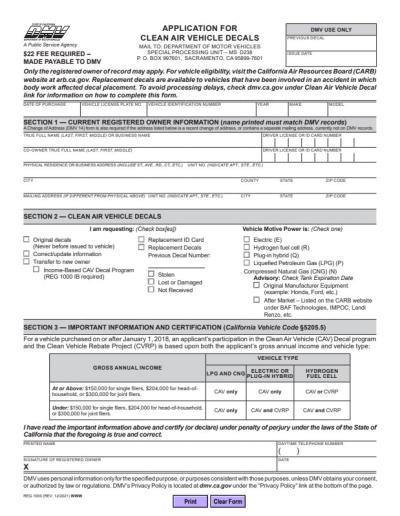 REG 1000 Application for Clean Air Vehicle DecalsREG 1000 Application for Clean Air Vehicle Decals is the official fillable form from Calif...
-
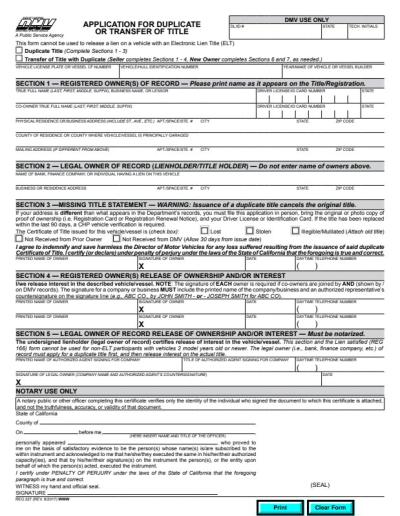 REG 227 Application for Duplicate or Paperless TitleREG 227 Application for Duplicate or Paperless Title is the official fillable form from Ca...
-
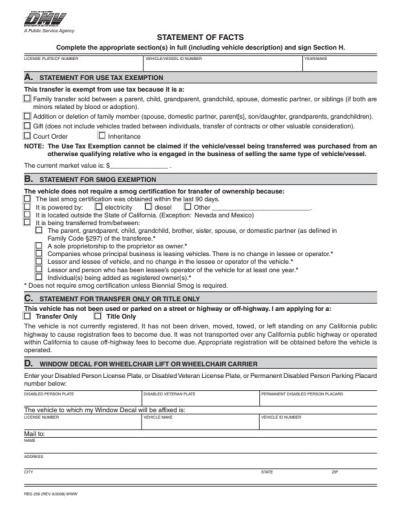 REG 256 Statement of FactsREG 256 Statement of Facts is the official fillable form from California Department of Mot...
-
 REG 256A Miscellaneous CertificationsREG 256A Miscellaneous Certifications is the official fillable form from California Depart...