
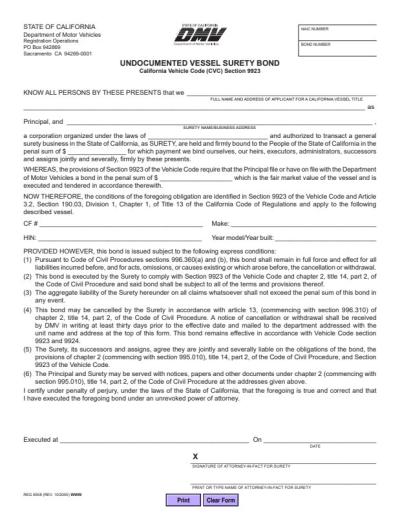
California DMV REG 5058 Undocumented Vessel Surety Bond, filled in online.
California DMV REG 5058 Undocumented Vessel Surety Bond — official fillable PDF form
Type in the panel and watch each answer land on the page. Filling in and signing is free; downloading needs a free account, which includes 5 downloads a month.
Or fill it another way:
- Category
- General
- Fillable fields
- 13
- Pages
- 2
- Paper size
- US Letter, 8.5 × 11 in
Five ways to fill this form.
-
Fill it in here
Type in the panel and watch it land on the form. Sign it, then download.
Free to fill and sign Start filling -
Many at once, from a spreadsheet
One row per person, one finished PDF for each.
Paid plan · you can walk through it Start with a spreadsheet -
Send it to someone to fill in
Email a link. They fill it in without an account and you get the answers back.
Paid plan · you can walk through it Send a request -
From your own software
Fill it over the API. One request returns the finished PDF.
Paid plan -
Let an AI assistant do it
Connect ChatGPT or Claude once, then describe what goes on the form.
With a free account
What is this form?
California DMV REG 5058 Undocumented Vessel Surety Bond is an official form issued by California Department of Motor Vehicles. It is used to provide the surety bond required for an undocumented vessel title application when DMV cannot establish ordinary ownership evidence. The fillable PDF on PDFengine lets you enter the requested information in the form’s existing fields and download a clean copy for review, signature, and submission. PDFengine does not decide eligibility, calculate an official outcome, or file the form for you. Always compare the completed PDF with the current official instructions and edition before you send it.
Prepare from source records rather than memory. Names, identification numbers, addresses, dates, amounts, and selected answers should match the documents that support the filing. A PDF can look complete while still being rejected because the wrong person signed it, an attachment is missing, a calculation uses the wrong period, or a response conflicts with another record. Save the unedited source documents and a copy of the exact version you submit. If an item does not apply, follow the form instructions instead of inventing a value; a blank field, zero, and “not applicable” can have different legal or administrative meanings.
Who needs to fill this out?
- California vessel-title applicants directed to obtain a bond, licensed surety companies, and attorneys-in-fact executing the bond.
- Authorized attorneys, accredited representatives, tax professionals, preparers, or organizational staff completing the form with permission.
- Reviewers who need a legible draft before the form is signed and delivered.
- Recordkeepers producing several consistent copies from verified spreadsheet or case data.
Before starting, confirm that California DMV REG 5058 Undocumented Vessel Surety Bond is the exact form requested for the transaction, tax year, benefit, license, or case. Check the edition date and the official eligibility rules. Assign one person to reconcile the answers when several people contribute information, and do not treat PDFengine’s technical ability to populate a field as proof that an answer is legally sufficient. Sensitive personal, financial, immigration, vehicle, or identity data should be shared only with people and systems authorized to handle the filing.
Where and how to submit
Submit the original executed bond with the related California vessel-title application and all ownership evidence requested by DMV. Confirm the bond amount, effective requirements, and surety authorization before filing. Submission addresses, portals, fees, deadlines, and accepted signature methods can change, so verify them on the issuer’s official website immediately before delivery. Do not rely on an address printed on an obsolete copy or a third-party summary. If the form belongs with another application or return, submit the complete package in the order requested and include only the evidence relevant to the case.
Keep the completed PDF, all attachments, calculations, source records, and proof of mailing or electronic acceptance for the applicable retention period. Track any receipt or confirmation number and respond to a deficiency notice using the issuer’s stated channel. If the recipient returns the form for correction, preserve the originally submitted copy and document what changed. Protect stored and transmitted files with appropriate access controls because California DMV REG 5058 Undocumented Vessel Surety Bond may contain information that can be used for identity theft, financial fraud, or unauthorized access to a case.
How to fill it out
- Step 1 — Applicant name and address: Enter the identifying information exactly as it appears in the primary record used for this filing. Check spelling, punctuation, and any number or date format printed on the form.
- Step 2 — Surety name and business address: Complete this field from the corresponding official document. Do not abbreviate a legal name or substitute an informal value when the instructions ask for the recorded value.
- Step 3 — Penal sum: Provide the requested address, identifier, amount, status, or category and verify it against the supporting record. Review every character before moving on.
- Step 4 — CF number: Work through the related fields as one section. Keep amounts, dates, selections, and explanations consistent with each other and with any schedule or attachment.
- Step 5 — Make, HIN, and year built: Complete the remaining eligibility, calculation, history, or supporting-information fields. Use extra pages only in the format allowed by the official instructions.
- Step 6 — Execution place, date, and attorney-in-fact: Review the certification language, then add every required signature and date in the accepted format. A preparer’s entry does not replace the applicant’s or authorized signer’s certification.
After completing the steps, inspect the generated PDF at normal size and at high zoom. Confirm that long entries are not clipped, checkboxes or radio buttons show the intended choice, continuation pages are attached, and no required field was skipped. Recalculate totals independently where the form contains financial amounts. If you correct an answer, regenerate or clearly amend the complete filing rather than sending conflicting versions.
Frequently asked questions
Can PDFengine determine whether I qualify to use California DMV REG 5058 Undocumented Vessel Surety Bond?
No. PDFengine helps populate the PDF, but eligibility and filing requirements come from California Department of Motor Vehicles. Read the current official instructions or obtain qualified advice for a fact-specific question.
Do I need to complete every field?
Complete every field required for your situation. Follow the printed instructions for optional or inapplicable items; do not add placeholder answers merely to remove a blank.
What should I check before submitting?
Reconcile names, identification numbers, dates, amounts, selected options, attachments, and signatures against the source records. Then inspect the final PDF for clipped text, blank required fields, duplicate selections, and pages in the wrong order.
Can I use an electronic signature?
Only when California Department of Motor Vehicles and the receiving channel accept it for this filing. A typed name is not automatically equivalent to a valid signature, and some submissions require an original, witnessed, notarized, or representative signature.
What if I discover an error after filing?
Follow the issuer’s correction, amendment, or replacement procedure and refer to the original receipt or case when instructed. Keep both versions and a short record of the correction.
Should I keep a copy of the completed form?
Yes. Keep the exact submitted version, supporting records, and delivery confirmation for the retention period that applies. Store the files securely because the form may contain sensitive information.
Can I create California DMV REG 5058 Undocumented Vessel Surety Bond in bulk?
Yes. PDFengine supports bulk generation of California DMV REG 5058 Undocumented Vessel Surety Bond via Excel or CSV upload — upload a spreadsheet with one row per form and PDFengine generates all PDFs at once. You can also automate bulk creation programmatically via the PDFengine API. Each generated form must still be individually reviewed and, where required, signed.
Ready to fill it in?
Fill in this formMore forms in this category
-
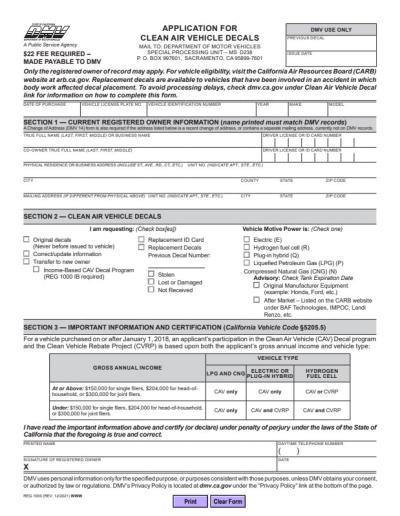 REG 1000 Application for Clean Air Vehicle DecalsREG 1000 Application for Clean Air Vehicle Decals is the official fillable form from Calif...
-
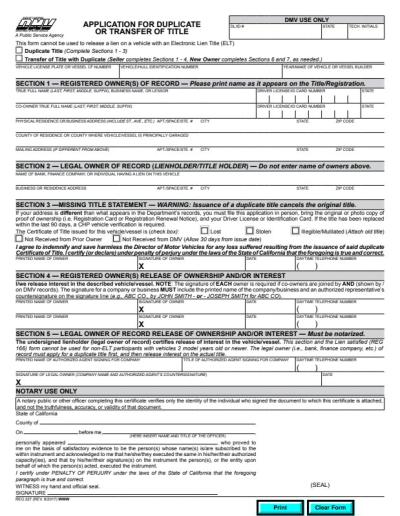 REG 227 Application for Duplicate or Paperless TitleREG 227 Application for Duplicate or Paperless Title is the official fillable form from Ca...
-
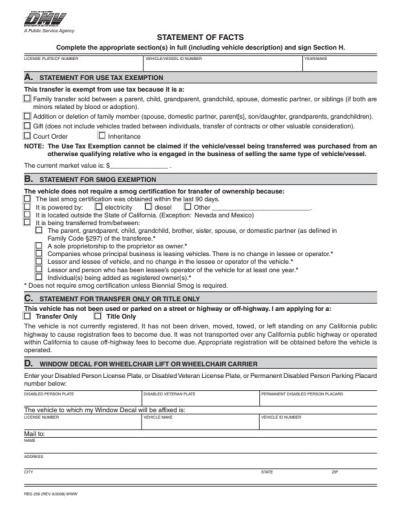 REG 256 Statement of FactsREG 256 Statement of Facts is the official fillable form from California Department of Mot...
-
 REG 256A Miscellaneous CertificationsREG 256A Miscellaneous Certifications is the official fillable form from California Depart...