
VA Form 22-1990E, filled in online.
Application for Family Member to Use Transferred Benefits
Type in the panel and watch each answer land on the page. Filling in and signing is free; downloading needs a free account, which includes 5 downloads a month.
Or fill it another way:
- Category
- General
- Fillable fields
- 59
- Pages
- 4
- Paper size
- US Letter, 8.5 × 11 in
Five ways to fill this form.
-
Fill it in here
Type in the panel and watch it land on the form. Sign it, then download.
Free to fill and sign Start filling -
Many at once, from a spreadsheet
One row per person, one finished PDF for each.
Paid plan · you can walk through it Start with a spreadsheet -
Send it to someone to fill in
Email a link. They fill it in without an account and you get the answers back.
Paid plan · you can walk through it Send a request -
From your own software
Fill it over the API. One request returns the finished PDF.
Paid plan -
Let an AI assistant do it
Connect ChatGPT or Claude once, then describe what goes on the form.
With a free account
What is this form?
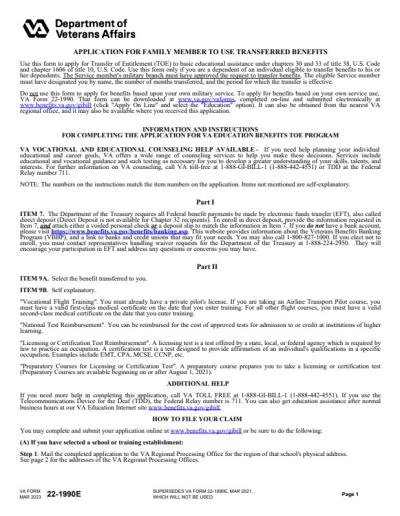
VA Form 22-1990E is the application a family member uses to request transferred education benefits, most commonly under the Post-9/11 GI Bill transfer process. It gathers dependent identity, sponsor information, benefit-transfer facts, school details, and certifications needed for VA to process the education claim. On PDFengine, this template is presented as a fillable PDF that keeps the official government layout while making the document easier to complete, review, and store digitally.
That matters because VA Form 22-1990E is rarely a standalone note. It usually sits inside a larger court, immigration, or veterans-benefits workflow where names, dates, classification choices, provider details, monetary figures, and signatures must line up with supporting evidence. Using the mapped AcroForm fields reduces retyping, makes internal review easier, and helps produce a cleaner final PDF for filing or recordkeeping.
In practice, many people do not complete this kind of form in one sitting. They gather identifiers first, then confirm facts against notices, agency letters, medical records, court papers, or employer documents. A structured fillable PDF makes that workflow easier because the same draft can be reviewed, corrected, saved, and reused without changing the official layout that the receiving agency expects.
That is also useful when the person completing the form is not the only reviewer. A lawyer, paralegal, HR manager, veteran service officer, family member, or translator may all need to check the same draft before it is submitted. Keeping the official format intact reduces confusion and makes it easier to compare each answer with the rest of the supporting file.
Who needs to fill this out?
- Dependents using education benefits transferred by a veteran or service member
- Families coordinating a GI Bill transfer claim with school plans
- Benefits advisers helping a dependent complete the transferred-benefits application
- Applicants who want a review copy of the official form before submission
- International users, advisers, or back-office teams who need a clean English-language copy of the official VA Form 22-1990E before filing
Where and how to submit
Submit VA Form 22-1990E to VA through the current education-benefits application route for transferred benefits. Keep the final PDF with the sponsor's transfer approval details, school information, identity records, and later award notices because dependent-benefit claims often require the family relationship and transfer status to be clear throughout the process.
Even when the form is prepared outside the United States, it remains a U.S. federal document. Keep the English names, official identifiers, and dates exactly as they appear in the source records, and preserve the finished PDF together with the rest of the filing package so later reviews, follow-up requests, or amendments can trace the original submission cleanly.
It is also smart to keep a working copy before filing and a final copy after filing. That makes it easier to answer follow-up questions, compare agency notices against the original submission, and prove later which version of the form was actually sent.
How to fill it out
- Step 1 — Confirm the filing context: Start with Date Year[0] and confirm you are working on the correct case, claim, petition, or benefits request before entering data.
- Step 2 — Complete identifying details: Fill fields such as YES[0] with the exact names, numbers, and identifiers shown in the underlying records.
- Step 3 — Add the main party or benefit details: Use entries like NO[0] and COLLEGE OR OTHER SCHOOL[0] to capture the core facts of VA Form 22-1990E. Match the wording to source documents instead of paraphrasing.
- Step 4 — Review selection fields and classifications: Check boxes or structured fields such as VOCATIONAL FLIGHT TRAINING[0] carefully so the selected filing basis, case status, or benefit category is consistent with the packet.
- Step 5 — Finish narrative or supporting entries: If the form includes a text or explanation field such as NATIONAL TEST REIMBURSEMENT SAT CLEP ETC[0], use it to clarify dates, providers, counts, conditions, or other facts that support the filing.
- Step 6 — Validate before submission: Compare the final PDF with supporting letters, evidence, notices, identity records, and payment details so the official form matches the rest of the file before it is sent.
Frequently asked questions
Who uses Form 22-1990E?
A dependent uses it to apply for education benefits that were transferred by an eligible veteran or service member.
Why is the sponsor information important?
Because VA must connect the dependent's claim to the approved transfer of entitlement.
Can the veteran file it through the veteran's own account for the dependent?
VA generally expects the dependent to complete the application as the actual claimant when using the online route.
Should the school details already be known?
It helps, because the education claim is tied to the type of training and institution involved.
Do I need proof of family relationship?
Often yes. Supporting records may be needed if VA must verify dependent status or transfer eligibility.
Should I keep a copy before filing?
Yes. A saved pre-filing copy and a final filed copy make later review, corrections, and follow-up questions much easier.
Can I create VA Form 22-1990E in bulk?
Yes. PDFengine supports bulk generation of VA Form 22-1990E via Excel or CSV upload — upload a spreadsheet with one row per form and PDFengine generates all PDFs at once. You can also automate bulk creation programmatically via the PDFengine API.
Ready to fill it in?
Fill in this formMore forms in this category
-
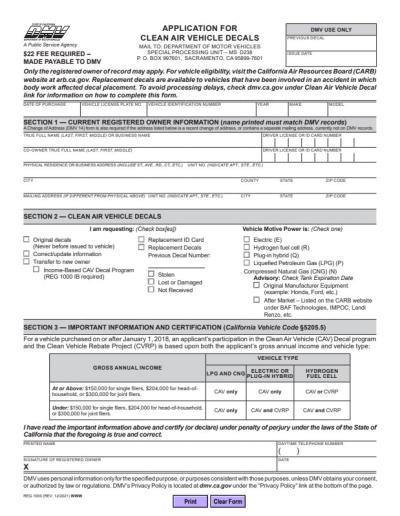 REG 1000 Application for Clean Air Vehicle DecalsREG 1000 Application for Clean Air Vehicle Decals is the official fillable form from Calif...
-
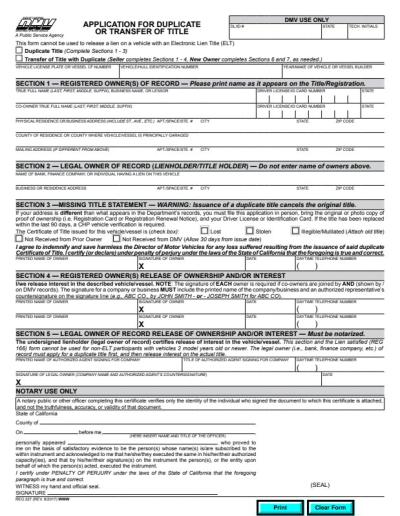 REG 227 Application for Duplicate or Paperless TitleREG 227 Application for Duplicate or Paperless Title is the official fillable form from Ca...
-
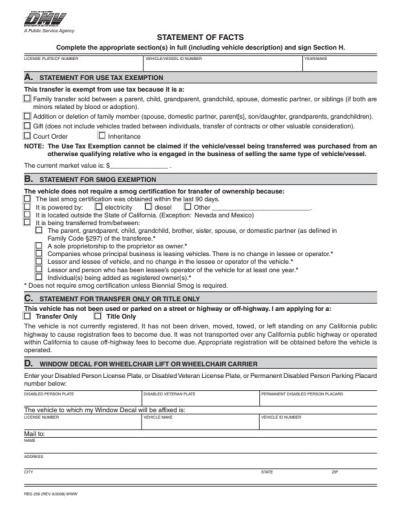 REG 256 Statement of FactsREG 256 Statement of Facts is the official fillable form from California Department of Mot...
-
 REG 256A Miscellaneous CertificationsREG 256A Miscellaneous Certifications is the official fillable form from California Depart...