
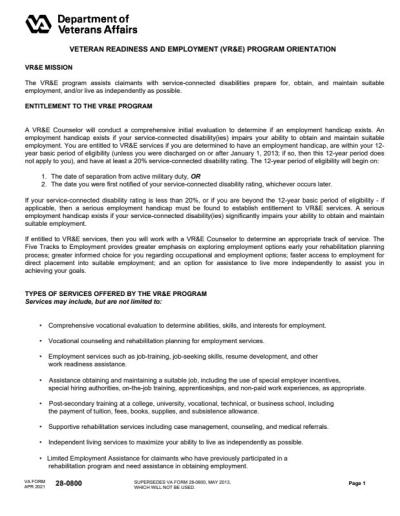
VA Form 28-0800 VR&E Program Orientation, filled in online.
VA Form 28-0800 VR&E Program Orientation — official fillable PDF form
Type in the panel and watch each answer land on the page. Filling in and signing is free; downloading needs a free account, which includes 5 downloads a month.
Or fill it another way:
- Category
- General
- Fillable fields
- 2
- Pages
- 2
- Paper size
- US Letter, 8.5 × 11 in
Five ways to fill this form.
-
Fill it in here
Type in the panel and watch it land on the form. Sign it, then download.
Free to fill and sign Start filling -
Many at once, from a spreadsheet
One row per person, one finished PDF for each.
Paid plan · you can walk through it Start with a spreadsheet -
Send it to someone to fill in
Email a link. They fill it in without an account and you get the answers back.
Paid plan · you can walk through it Send a request -
From your own software
Fill it over the API. One request returns the finished PDF.
Paid plan -
Let an AI assistant do it
Connect ChatGPT or Claude once, then describe what goes on the form.
With a free account
What is this form?
VA Form 28-0800 is associated with orientation for the Department of Veterans Affairs Veteran Readiness and Employment program, commonly called VR&E or Chapter 31. The form materials explain program participation, evaluation, planning, responsibilities, and available services, and the fillable acknowledgement area records the claimant’s signature and date after orientation content has been reviewed. It is not itself an approval of eligibility, entitlement, or a rehabilitation plan. This fillable version helps you prepare a legible working copy, but it does not replace the current instructions, eligibility rules, required evidence, or review by the receiving authority. Use the edition requested for the relevant transaction or reporting period and compare the completed PDF with the official source before submission.
Information should come from source records rather than memory or estimates. Names, identifiers, dates, amounts, addresses, and selections must agree with the supporting documents for the case. A technically complete PDF can still be rejected when an answer is inaccurate, a required attachment is missing, or a signature belongs to the wrong person. Save the original records and document any calculation used to produce an amount.
Who needs to fill this out?
- Veterans or service members directed by VA to complete a VR&E program orientation.
- Claimants preparing for an initial evaluation with a Vocational Rehabilitation Counselor.
- Authorized representatives helping a claimant organize documents without signing for the claimant.
- VA staff maintaining evidence that required orientation information was reviewed.
Before starting, confirm that VA Form 28-0800 is the form requested by the issuing or receiving organization. Assign one person to reconcile the entries when several people provide information. Do not enter placeholder data simply to make a field look complete. If a question does not apply, follow the printed instructions for leaving it blank or marking it not applicable, because a blank field and a zero can have different meanings.
Where and how to submit
Return the signed VA Form 28-0800 through the channel specified by the VR&E counselor or VA notice, such as an approved upload, mail, secure message, or appointment process. Do not send personal information to an unverified address. Keep a copy and submission confirmation. Continue attending scheduled evaluation and counseling appointments because the signed orientation acknowledgement does not by itself establish entitlement or authorize a specific service. Use only a submission channel accepted by the receiving organization, and verify the address, portal, email, or office against current official instructions. Keep a complete copy together with attachments and proof of delivery or electronic confirmation. If the recipient returns the form for correction, amend the inaccurate entry transparently and resubmit the complete package; do not discard the version that shows what was originally delivered.
Review the generated PDF at normal size and at high zoom. Confirm that long values are not clipped, checkboxes show the intended choice, dates use the requested format, and every signature and attachment is present. Protect the file because it may contain personal, financial, medical, or transaction information. Share it only with people and systems authorized to handle the submission.
How to fill it out
- Step 1 — Review the orientation material: Read every page supplied with VA Form 28-0800, including explanations of evaluation, entitlement, planning, participation, services, and claimant responsibilities.
- Step 2 — Compare with the VA appointment notice: Confirm the claimant name, claim context, counselor, appointment, and submission instructions from the accompanying VA communication.
- Step 3 — Prepare questions: Note questions about eligibility, employment goals, education, rehabilitation needs, subsistence allowance, appointments, and evidence for discussion with the counselor.
- Step 4 — Claimant’s Signature: After reviewing the material, the claimant signs the designated field using an accepted signature method. Do not sign a blank acknowledgement or sign for another person without recognized authority.
- Step 5 — Date: Enter the date the claimant completed and signed the acknowledgement, using the format expected by VA.
- Step 6 — Check the final PDF: Verify that the signature and date appear on the correct page and that no orientation page was accidentally omitted or reordered.
- Step 7 — Submit with requested materials: Include the signed acknowledgement and any separate documents listed by the counselor or appointment notice, while keeping originals that VA did not request.
Frequently asked questions
Does signing VA Form 28-0800 approve VR&E benefits?
No. VA separately determines eligibility and entitlement and works with the claimant on evaluation and, when appropriate, a rehabilitation plan.
Who should sign the form?
The claimant whose orientation is being documented should sign unless VA has formally accepted another authorized signer.
What if I have questions about the orientation?
Write them down and contact the assigned VR&E counselor or the VA contact shown in the appointment notice before the deadline.
Can I submit the form to any VA office?
Use the destination and method supplied by the counselor or notice so it reaches the correct VR&E record.
Can I use an electronic signature?
Use an electronic signature only when the recipient and the applicable instructions accept it. A typed name is not automatically equivalent to a valid signature, and some filings require an original, witnessed, notarized, or professional signature.
What should I check before submitting?
Reconcile identifiers, dates, amounts, selected options, attachments, and signatures against the source records. Then inspect the final PDF for clipped text, blank required fields, duplicate selections, and pages in the wrong order.
Should I keep a copy of the completed form?
Yes. Keep the exact submitted version, supporting records, and delivery confirmation for the retention period that applies. Store the files securely because the form may contain sensitive information.
Can I create VA Form 28-0800 in bulk?
Yes. PDFengine supports bulk generation of VA Form 28-0800 via Excel or CSV upload — upload a spreadsheet with one row per form and PDFengine generates all PDFs at once. You can also automate bulk creation programmatically via the PDFengine API. Each generated form must still be individually reviewed and, where required, signed.
Ready to fill it in?
Fill in this formMore forms in this category
-
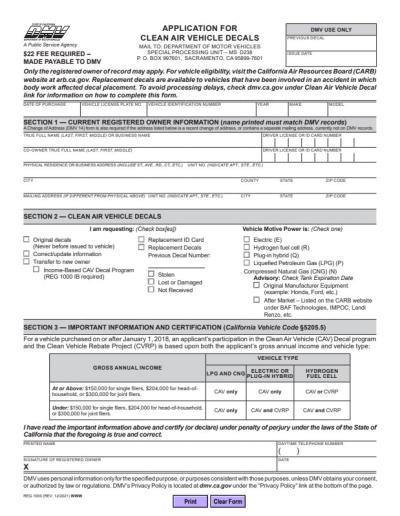 REG 1000 Application for Clean Air Vehicle DecalsREG 1000 Application for Clean Air Vehicle Decals is the official fillable form from Calif...
-
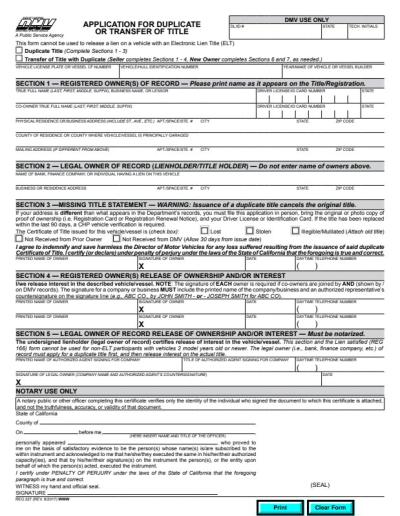 REG 227 Application for Duplicate or Paperless TitleREG 227 Application for Duplicate or Paperless Title is the official fillable form from Ca...
-
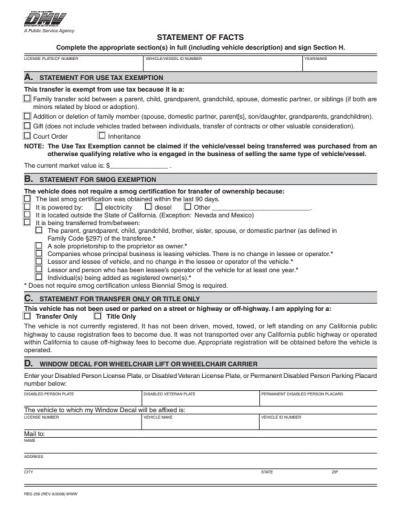 REG 256 Statement of FactsREG 256 Statement of Facts is the official fillable form from California Department of Mot...
-
 REG 256A Miscellaneous CertificationsREG 256A Miscellaneous Certifications is the official fillable form from California Depart...