
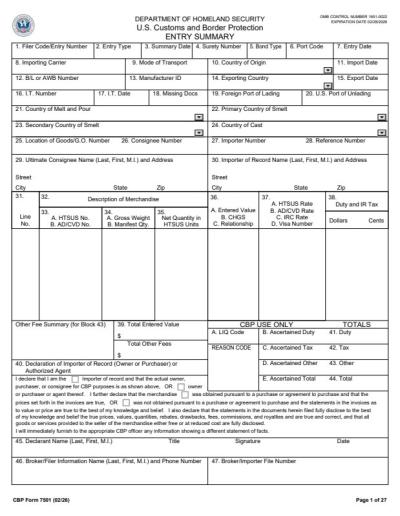
CBP Form 7501 — Entry Summary, filled in online.
Official U.S. Customs and Border Protection form used to summarize imported merchandise entries and duty calculations.
Type in the panel and watch each answer land on the page. Filling in and signing is free; downloading needs a free account, which includes 5 downloads a month.
Or fill it another way:
- Category
- Government
- Fillable fields
- 334
- Pages
- 27
- Paper size
- US Letter, 8.5 × 11 in
Five ways to fill this form.
-
Fill it in here
Type in the panel and watch it land on the form. Sign it, then download.
Free to fill and sign Start filling -
Many at once, from a spreadsheet
One row per person, one finished PDF for each.
Paid plan · you can walk through it Start with a spreadsheet -
Send it to someone to fill in
Email a link. They fill it in without an account and you get the answers back.
Paid plan · you can walk through it Send a request -
From your own software
Fill it over the API. One request returns the finished PDF.
Paid plan -
Let an AI assistant do it
Connect ChatGPT or Claude once, then describe what goes on the form.
With a free account
What is this form?
CBP Form 7501 is the Entry Summary used by importers and customs brokers to report the final summary data for goods entering the United States. It ties together the entry number, importer of record, classification, value, duties, fees, and other commercial details that U.S. Customs and Border Protection uses for trade compliance and revenue assessment. Because the form sits at the center of the import filing package, small mistakes in tariff treatment, valuation, dates, quantities, or party identification can create payment issues, delays, or later audit problems.
Because these government forms are often reused in claims, travel files, broker packets, or compliance reviews, it helps to keep the wording on the PDF aligned with the official source documents from the first draft onward. Using the original layout also makes later review easier for agencies, representatives, customs officers, lenders, or family members who expect the standard federal form and not a rewritten private template.
PDFengine keeps the official CBP PDF structure intact and maps the actual fillable fields from the current government form. That matters on Form 7501 because the layout is dense and highly technical, with header blocks, line-item data, calculation areas, and continuation sections that are difficult to complete cleanly by hand. A typed draft helps import teams review key trade data before final filing and makes it easier to compare the form against invoices, packing lists, broker worksheets, and duty calculations.
Who needs to fill this out?
- Importers of record filing commercial merchandise entries into the United States
- Customs brokers preparing the official entry summary for clients
- Trade compliance teams reconciling duties, fees, valuation, and classification data
- Finance or logistics staff who need a clean PDF record of the entry before or after electronic filing
Where and how to submit
Use Form 7501 as part of the customs entry package submitted to U.S. Customs and Border Protection, usually through the importer's customs broker or other authorized filing workflow. Even when the final transmission is electronic, the PDF version remains useful for internal review, corrections, and audit support. Keep the completed form with invoices, classification analysis, proof of value, transport documents, and payment records so the entry summary can be reconstructed later if CBP or internal finance asks how the duty figures were prepared. Keep any submission receipts, tracking confirmations, broker transmittals, or portal screenshots with the finished PDF, because many follow-up questions are really about proving what was sent, when it was sent, and which supporting documents traveled with it. If the agency later updates the form version, compare your saved copy against the new instructions before reusing earlier data. It is also smart to keep the completed PDF in the same folder as the source records you relied on, so a later correction can be made from evidence instead of memory.
How to fill it out
- Step 1 — Filercode and Entrytype: Start with the identifying fields exactly as they appear in the official record for the person or shipment involved. Small mismatches here can cause the rest of the filing to be attached to the wrong case, traveler, or commercial entry.
- Step 2 — Summary Date: Add the main contact, location, or trip field next and compare it against the supporting documents you will submit with the form so the address, port, route, or claimant details stay consistent across the whole packet.
- Step 3 — Core details: Complete the header blocks first so filer code, entry number, dates, and importer identity align with the broker and shipment records. Use fields such as Suretyno and Bondtype to complete the main substance of the form before moving to the declarations.
- Step 4 — Supporting declarations: Review the line-item valuation, tariff, quantity, and duty sections carefully because those fields drive the commercial and revenue outcome of the entry. If a field does not apply, follow the official instructions rather than guessing, because agencies often reject forms that contain inconsistent answers.
- Step 5 — Summary Date, Entry Date, Export Date: Review the certification, then complete the signature and date areas only after the other entries have been checked against passports, military records, invoices, inventories, or the other source documents tied to this filing.
- Step 6 — Final review before submission: Confirm that names, dates, reference numbers, and declaration answers match the rest of your paperwork. Save a copy of the finished PDF so you can show exactly what was submitted if the agency, broker, representative, or traveler needs it later.
Frequently asked questions
What is Form 7501 used for?
It summarizes the official import entry data, including duties, fees, valuation, and classification, for goods entering the United States.
Who usually prepares it?
Importers of record often rely on customs brokers or trade compliance professionals to prepare the entry summary.
Why is the form so detailed?
Because CBP uses it for revenue assessment, classification review, and a formal record of the imported merchandise.
Do I still need supporting commercial documents?
Yes. Invoices, packing lists, and valuation records are still essential support for the numbers on the form.
Should the PDF be kept after e-filing?
Yes. A clean PDF helps with internal review, amendments, and later audit or reconciliation work.
Should I review the latest official instructions before filing?
Yes. The fillable PDF helps with accuracy, but filing rules, mailing addresses, and evidence requirements can change. A final check against the current agency instructions reduces avoidable rejections.
Can I create CBP Form 7501 — Entry Summary in bulk?
Yes. PDFengine supports bulk generation of CBP Form 7501 — Entry Summary via Excel or CSV upload — upload a spreadsheet with one row per form and PDFengine generates all PDFs at once. You can also automate bulk creation programmatically via the PDFengine API.
Ready to fill it in?
Fill in this formMore forms in this category
-
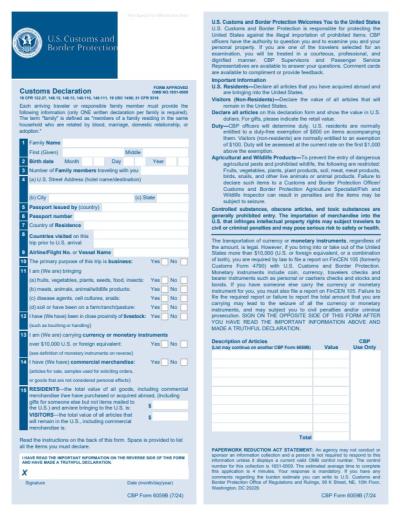 CBP Form 6059B — Customs DeclarationOfficial U.S. Customs and Border Protection arrival declaration form for travelers enterin...
-
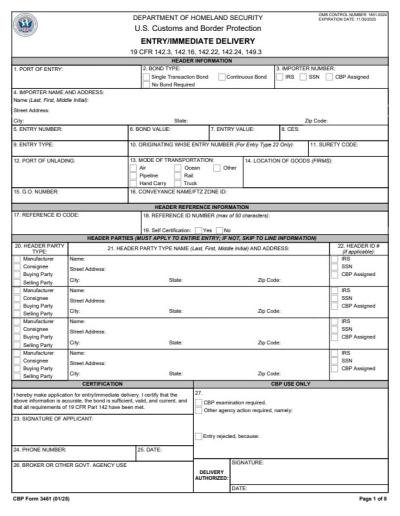 CBP Form 3461 — Entry/Immediate DeliveryOfficial U.S. Customs and Border Protection form for entry and immediate delivery of impor...
-
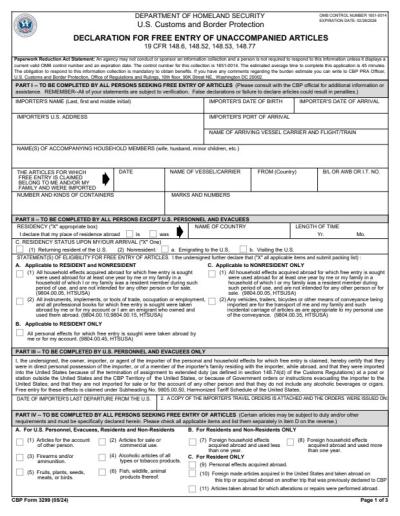 CBP Form 3299 — Declaration for Free Entry of Unaccompanied ArticlesOfficial U.S. Customs and Border Protection form for claiming free entry of unaccompanied...
-
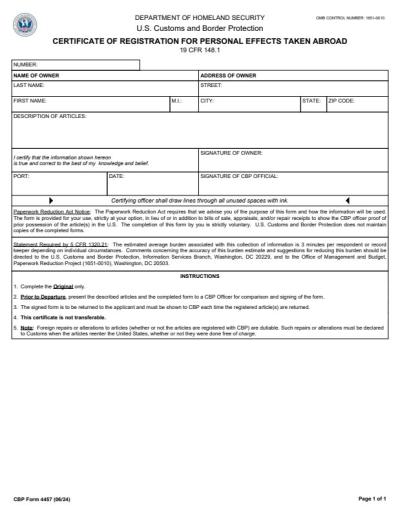 CBP Form 4457 — Certificate of Registration for Personal Effects Taken AbroadOfficial U.S. Customs and Border Protection form used to register personal effects before...