
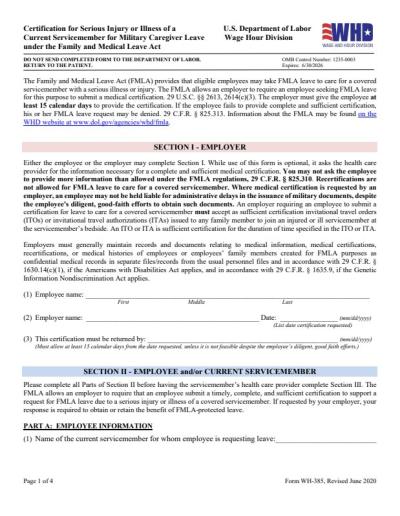
Form WH-385 — FMLA Certification for Serious Injury or Illness of a Current Servicemember for Military Caregiver Leave, filled in online.
Official U.S. Department of Labor certification form for military caregiver leave involving a current servicemember.
Type in the panel and watch each answer land on the page. Filling in and signing is free; downloading needs a free account, which includes 5 downloads a month.
Or fill it another way:
- Category
- HR & personnel
- Fillable fields
- 71
- Pages
- 4
- Paper size
- US Letter, 8.5 × 11 in
Five ways to fill this form.
-
Fill it in here
Type in the panel and watch it land on the form. Sign it, then download.
Free to fill and sign Start filling -
Many at once, from a spreadsheet
One row per person, one finished PDF for each.
Paid plan · you can walk through it Start with a spreadsheet -
Send it to someone to fill in
Email a link. They fill it in without an account and you get the answers back.
Paid plan · you can walk through it Send a request -
From your own software
Fill it over the API. One request returns the finished PDF.
Paid plan -
Let an AI assistant do it
Connect ChatGPT or Claude once, then describe what goes on the form.
With a free account
What is this form?
Form WH-385 is the medical certification form employers may request when an employee seeks FMLA military caregiver leave to care for a current servicemember with a serious injury or illness. The form combines employer details, employee details, servicemember information, relationship information, the nature of the care required, and the health care provider's certification about the need for leave.
On PDFengine, the original government layout stays intact while the AcroForm fields are mapped into a structured template. That matters for long or sensitive filings because you can review the same official layout that will actually be printed, shared, or filed later. Instead of typing into a flat scan, you keep a reusable PDF that can be checked carefully before signatures, witness blocks, attachments, or agency submission steps happen.
This is especially useful for forms like Form WH-385 — FMLA Certification for Serious Injury or Illness of a Current Servicemember for Military Caregiver Leave because they rarely stand alone. They usually sit next to medical evidence, employer records, court papers, identity documents, recruitment files, or care notes. A saved draft reduces version confusion, makes review easier for another person, and helps you keep the final PDF consistent with the supporting documents that explain why each answer was entered.
Who needs to fill this out?
- Employees requesting military caregiver leave under the FMLA
- Employers documenting the medical basis for a military caregiver leave request
- Health care providers completing the certification about care needs and expected leave
- HR teams coordinating service-member details, caregiving needs, and leave scheduling
Where and how to submit
Return the completed WH-385 to the employer or leave administrator handling the FMLA request, not to the Department of Labor. Keep the final PDF with the leave request, medical records, military-status references, and schedule notes because the leave decision depends on how those records fit together.
Before relying on the final version, compare it against the latest official guidance because filing addresses, online alternatives, evidence rules, and accepted versions can change. The safest workflow is to save the completed PDF together with the documents that support every material answer, so a later reviewer does not have to reconstruct the file from scratch.
In practice, the value of using the official PDF online is not only speed but control. You can pause, compare answers with source documents, ask another person to review the same draft, and keep a copy of exactly what was submitted or intended to be submitted. That is useful when a case is delayed, when a supervisor, lawyer, doctor, adviser, or family member needs to check one section, or when the form has to be recreated later from the original answers. Working in a structured template also reduces small transcription errors that become expensive later, especially on forms with many dates, names, checkboxes, or supporting references.
How to fill it out
- Step 1 — Start with the case and identity fields: Open the form by checking core fields such as 2 Employer name and Date. Make sure the correct person, agency, employer, court, or benefit claimant is attached to the draft before you continue.
- Step 2 — Add the main contact or status details: Complete the next important fields, including 3 This certification must be returned by, so the official PDF reflects the right contact details, relationship, leave status, claim status, or filing context.
- Step 3 — Record the central facts of the form: Use fields such as 1 Name of the current servicemember for whom employee is requesting leave and 1 Employee name to capture the key facts this document is really about. Match those entries to source records rather than rewriting them from memory.
- Step 4 — Finish the operational or evidence-specific fields: Work through Reserves If yes provide the servicemembers military branch rank and unit currently assigned to 1 and the related fields around it so dates, references, explanations, medical or legal details, and any linked parties line up with the rest of the file.
- Step 5 — Review signatures, declarations, and cross-checks: Before the PDF is treated as final, check any declaration, signature, witness, medical, or submission fields against the evidence packet and confirm that names, dates, and checkboxes are internally consistent.
- Step 6 — Save a filing-ready copy: Keep a clean saved PDF before submission so another person can review it, supporting documents can be attached, and later questions can be answered from the exact same version of the form.
Frequently asked questions
Who fills out WH-385?
Parts are completed by the employer and employee, and the certification section is completed by an authorized health care provider.
Is WH-385 sent to the Department of Labor?
No. It is generally returned to the employer or leave administrator.
What kind of leave does it support?
It supports FMLA military caregiver leave for a current servicemember with a serious injury or illness.
Why is the relationship to the servicemember important?
Eligibility for this type of leave depends in part on the employee's relationship to the servicemember.
Should the leave schedule be documented clearly?
Yes. The form is stronger when the expected amount and pattern of leave are described clearly.
Can I create Form WH-385 — FMLA Certification for Serious Injury or Illness of a Current Servicemember for Military Caregiver Leave in bulk?
Yes. PDFengine supports bulk generation of Form WH-385 — FMLA Certification for Serious Injury or Illness of a Current Servicemember for Military Caregiver Leave via Excel or CSV upload — upload a spreadsheet with one row per form and PDFengine generates all PDFs at once. You can also automate bulk creation programmatically via the PDFengine API.
Ready to fill it in?
Fill in this formMore forms in this category
-
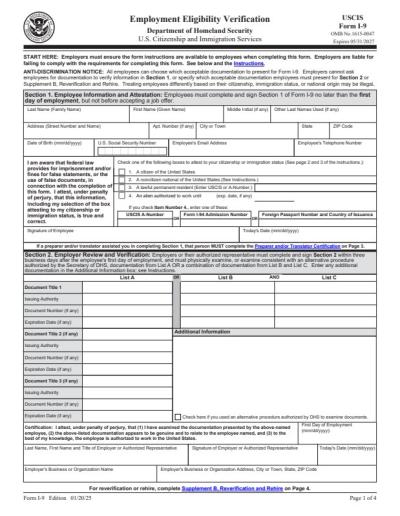 Form I-9Employment Eligibility Verification
-
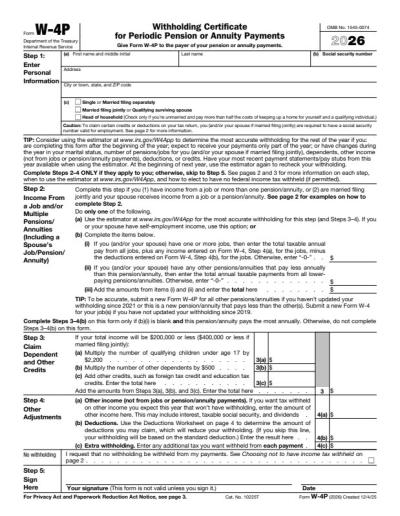 Form W-4PWithholding Certificate for Periodic Pension or Annuity Payments
-
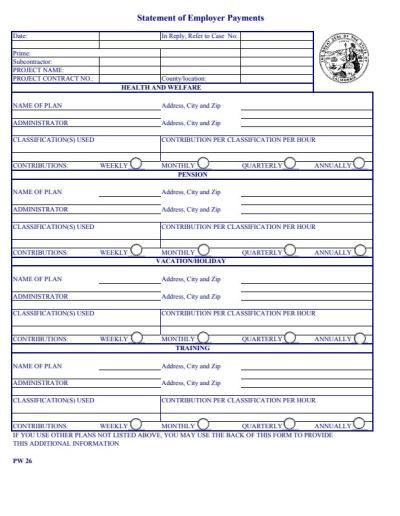 Contractor Fringe Benefit Statement (California DIR)Contractor Fringe Benefit Statement (California DIR) — official fillable PDF form
-
 DA Form 5960 Basic Allowance for Housing Authorization and Dependency DeclarationDA Form 5960 Basic Allowance for Housing Authorization and Dependency Declaration is an of...