
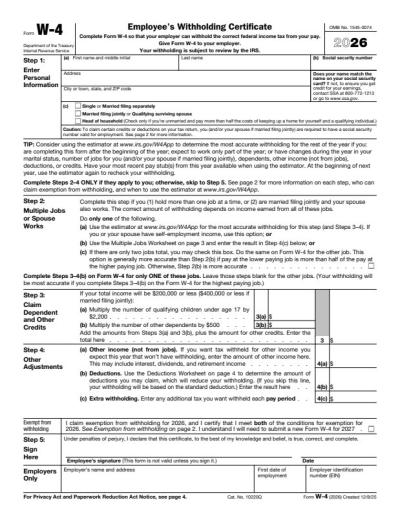
Form W-4, filled in online.
Employee's Withholding Certificate
Type in the panel and watch each answer land on the page. Filling in and signing is free; downloading needs a free account, which includes 5 downloads a month.
Or fill it another way:
- Category
- HR & personnel
- Fillable fields
- 46
- Pages
- 5
- Paper size
- US Letter, 8.5 × 11 in
Five ways to fill this form.
-
Fill it in here
Type in the panel and watch it land on the form. Sign it, then download.
Free to fill and sign Start filling -
Many at once, from a spreadsheet
One row per person, one finished PDF for each.
Paid plan · you can walk through it Start with a spreadsheet -
Send it to someone to fill in
Email a link. They fill it in without an account and you get the answers back.
Paid plan · you can walk through it Send a request -
From your own software
Fill it over the API. One request returns the finished PDF.
Paid plan -
Let an AI assistant do it
Connect ChatGPT or Claude once, then describe what goes on the form.
With a free account
What is this form?
Form W-4, Employee's Withholding Certificate, is the IRS form employees give to a U.S. employer to tell payroll how much federal income tax should be withheld from each paycheck. The form covers your filing status, dependents, other income, deductions, and any extra withholding you want applied during the year.
Although the form is short, the choices on it affect every payroll run. A W-4 that is too aggressive can leave you with a tax bill later, while an overly conservative one can reduce take-home pay throughout the year. PDFengine uses the official fillable IRS PDF so you can complete the actual lines your employer expects, review them carefully, and keep a clean copy for onboarding or later updates.
Using PDFengine for Form W-4 also makes internal review easier when more than one person touches the filing process. Because the output follows the official IRS layout, a payroll manager, bookkeeper, broker operations specialist, or outside tax advisor can compare the draft line by line against source records without first translating a custom interface back into tax-form language. That is especially useful when the form later feeds another schedule, information return, withholding setup, or compliance archive.
Another practical advantage is consistency across repeated reviews. If the same payer, employer, or preparer needs to revisit the form later, the saved PDF shows exactly which line items, checkboxes, and reference amounts were used at the time of preparation. That reduces confusion when a recipient asks for clarification, when an auditor wants to trace a number back to source material, or when a correction has to be prepared without rebuilding the entire document from scratch.
Who needs to fill this out?
- New employees in the United States who need to set up payroll withholding before the first paycheck
- Employees whose personal situation changed because of marriage, divorce, a new child, or a second job
- Workers who owed tax or received a very large refund last year and want to fine-tune withholding for 2026
- Employees claiming exemption from withholding for the current tax year
- Teams that want a standardized PDF draft for approval, reconciliation, recordkeeping, or secure client review
Where and how to submit
Give the completed W-4 directly to your employer's payroll or HR department. Do not mail it to the IRS. Employers normally apply an updated W-4 in a later payroll cycle, so keep a copy of the signed form and review your first pay stub to confirm the withholding changed as expected.
After completion, keep both the finished PDF and the records that support every amount, checkbox, or identification field on the form. The PDF is useful for review and recipient delivery, but the supporting ledger, worksheet, payroll file, brokerage statement, or benefits record is what allows you to answer later questions from the recipient, an accountant, or the IRS. A saved copy also makes future corrections easier if you later need to issue an updated version.
Before you file, share, or archive the form, compare the completed PDF once more against the source records and any related forms mentioned in the instructions. Small mismatches in names, TINs, dates, line references, or payment amounts can create extra follow-up work later. A final review pass is usually faster than correcting a distributed or filed form after the fact.
How to fill it out
- Step 1 — Personal information: Enter your first name and middle initial, last name, Social Security number, address, and city/state/ZIP exactly as shown in the top fields of the form.
- Step 2 — Filing status: Choose the checkbox that matches your situation: Single or Married filing separately, Married filing jointly or Qualifying surviving spouse, or Head of household.
- Step 3 — Dependents and credits: Use the lines for qualifying children under age 17, other dependents, and other credits to calculate the total credit amount you want reflected in withholding.
- Step 4 — Other adjustments: Complete line 4a for other income, line 4b for deductions, and line 4c for any extra withholding per pay period if those adjustments apply to you.
- Step 5 — Sign and employer section: Sign the employee signature field, add the date, and make sure the employer fields such as first date of employment and EIN can be completed by payroll before submission.
Frequently asked questions
Do I send Form W-4 to the IRS?
No. You give Form W-4 to your employer, not to the IRS.
When should I submit a new W-4?
Submit a new one whenever your filing status, dependents, second-job situation, or withholding preference changes.
Can I claim exemption from withholding?
Yes, but only if you meet the IRS exemption rules for the year and renew it when required.
What if I skip Step 4?
Your withholding is generally based on the standard setup from the rest of the form, without the optional adjustments.
What is the difference between W-4 and W-2?
W-4 tells an employer how to withhold tax. W-2 is the year-end wage statement the employer later issues to you.
Should I keep a copy after sending it?
Yes. Keep the completed PDF together with the supporting records so you can verify what was reported if questions come up later.
Can I use PDFengine for review before filing or sharing?
Yes. Many teams use PDFengine to prepare and review the official layout first, then file or distribute the final version through their normal workflow.
What should I check before I finalize the PDF?
Review names, identification numbers, dates, line references, and every amount against the source records so the final version matches the underlying paperwork.
Can I create Form W-4 in bulk?
Yes. PDFengine supports bulk generation of Form W-4 via Excel or CSV upload — upload a spreadsheet with one row per employee and PDFengine generates all PDFs at once. You can also automate bulk creation programmatically via the PDFengine API.
Ready to fill it in?
Fill in this formMore forms in this category
-
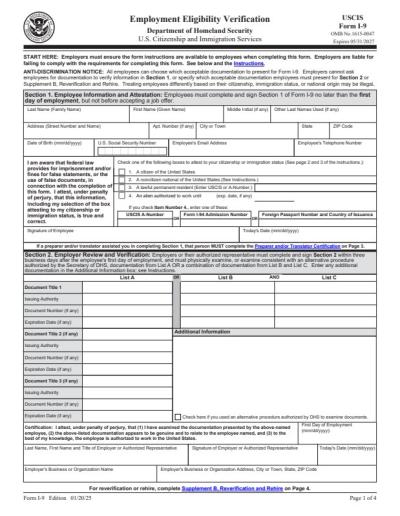 Form I-9Employment Eligibility Verification
-
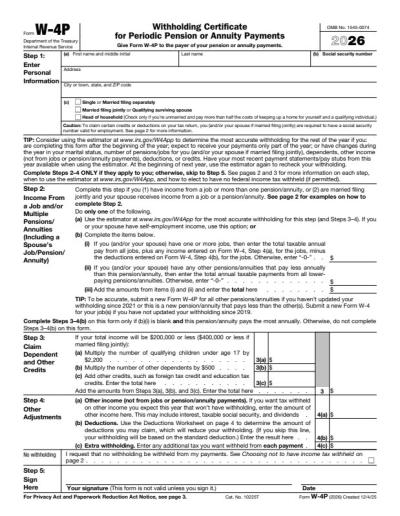 Form W-4PWithholding Certificate for Periodic Pension or Annuity Payments
-
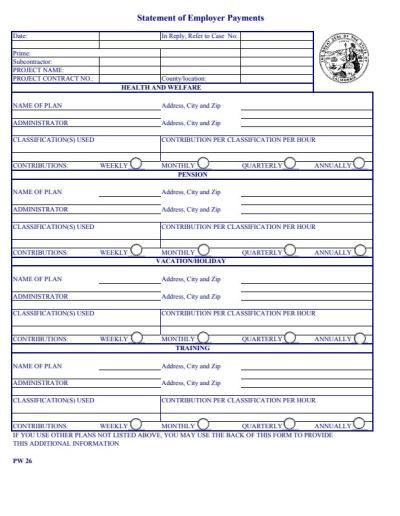 Contractor Fringe Benefit Statement (California DIR)Contractor Fringe Benefit Statement (California DIR) — official fillable PDF form
-
 DA Form 5960 Basic Allowance for Housing Authorization and Dependency DeclarationDA Form 5960 Basic Allowance for Housing Authorization and Dependency Declaration is an of...