
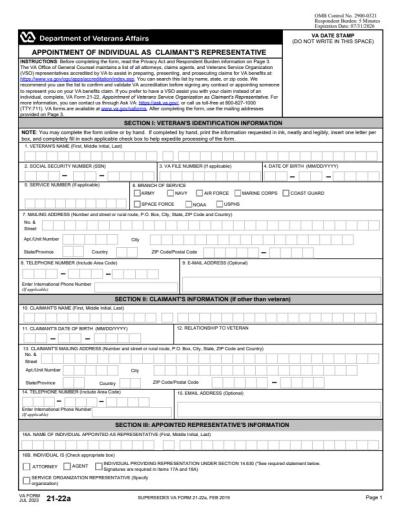
VA Form 21-22a — Appointment of Individual as Claimant's Representative, filled in online.
Official VA form used to appoint an individual representative such as an attorney, agent, or other authorized person.
Type in the panel and watch each answer land on the page. Filling in and signing is free; downloading needs a free account, which includes 5 downloads a month.
Or fill it another way:
- Category
- Legal
- Fillable fields
- 89
- Pages
- 3
- Paper size
- US Letter, 8.5 × 11 in
Five ways to fill this form.
-
Fill it in here
Type in the panel and watch it land on the form. Sign it, then download.
Free to fill and sign Start filling -
Many at once, from a spreadsheet
One row per person, one finished PDF for each.
Paid plan · you can walk through it Start with a spreadsheet -
Send it to someone to fill in
Email a link. They fill it in without an account and you get the answers back.
Paid plan · you can walk through it Send a request -
From your own software
Fill it over the API. One request returns the finished PDF.
Paid plan -
Let an AI assistant do it
Connect ChatGPT or Claude once, then describe what goes on the form.
With a free account
What is this form?
VA Form 21-22a is the appointment form used when a claimant wants an individual person, rather than a Veterans Service Organization, to represent them before the Department of Veterans Affairs. That representative may be an accredited attorney, claims agent, or another qualifying individual depending on the situation and current VA rules. The form matters because it tells the VA exactly who may receive information, submit arguments, access case materials, and act in a representative capacity during a benefits claim or appeal.
Because these government forms are often reused in claims, travel files, broker packets, or compliance reviews, it helps to keep the wording on the PDF aligned with the official source documents from the first draft onward. Using the original layout also makes later review easier for agencies, representatives, customs officers, lenders, or family members who expect the standard federal form and not a rewritten private template.
PDFengine keeps the official VA PDF structure and maps the live AcroForm fields so the appointment can be drafted in the same format the agency expects. That is useful on Form 21-22a because the document captures claimant identity, representative identity, contact details, accreditation-related information, signatures, and acknowledgments that need to line up with the rest of the VA file. A typed digital version reduces the risk of mismatched names, incomplete addresses, or missed signature blocks that can delay recognition of representation.
Who needs to fill this out?
- Claimants who prefer an individual attorney, agent, or other authorized person instead of a Veterans Service Organization
- Veterans, dependents, or survivors who need direct one-to-one representation before the VA
- Representatives formalizing their authority before reviewing files or submitting arguments in a claim or appeal
- Anyone replacing a prior representative and needing the VA record to reflect the new appointment clearly
Where and how to submit
Send Form 21-22a to the Department of Veterans Affairs with the related claim or appeal, or file it through the VA intake path named in the current instructions. Many filers use it when hiring counsel, changing from a VSO to an individual representative, or adding an accredited agent to an existing case. Keep a signed copy with the representation agreement or case file, because the VA and the representative may both need proof of the exact appointment date and the version that was actually signed. Keep any submission receipts, tracking confirmations, broker transmittals, or portal screenshots with the finished PDF, because many follow-up questions are really about proving what was sent, when it was sent, and which supporting documents traveled with it. If the agency later updates the form version, compare your saved copy against the new instructions before reusing earlier data. It is also smart to keep the completed PDF in the same folder as the source records you relied on, so a later correction can be made from evidence instead of memory.
How to fill it out
- Step 1 — Relationship To Veteran and International Telephone Number If Applicable: Start with the identifying fields exactly as they appear in the official record for the person or shipment involved. Small mismatches here can cause the rest of the filing to be attached to the wrong case, traveler, or commercial entry.
- Step 2 — Telephone Number Area Code: Add the main contact, location, or trip field next and compare it against the supporting documents you will submit with the form so the address, port, route, or claimant details stay consistent across the whole packet.
- Step 3 — Core details: Identify both the claimant and the individual representative exactly as they appear in the VA file and accreditation records. Use fields such as Telphone Middle Three Numbers and Telephone Last Four Numbers to complete the main substance of the form before moving to the declarations.
- Step 4 — Supporting declarations: Use the representative-specific fields to confirm status, contact information, and the scope of the appointment before signing. If a field does not apply, follow the official instructions rather than guessing, because agencies often reject forms that contain inconsistent answers.
- Step 5 — Date Of Birth Month, Date Of Birth Day, Date Of Birth Year: Review the certification, then complete the signature and date areas only after the other entries have been checked against passports, military records, invoices, inventories, or the other source documents tied to this filing.
- Step 6 — Final review before submission: Confirm that names, dates, reference numbers, and declaration answers match the rest of your paperwork. Save a copy of the finished PDF so you can show exactly what was submitted if the agency, broker, representative, or traveler needs it later.
Frequently asked questions
Who uses Form 21-22a?
Claimants use it when they want an individual representative, such as an accredited attorney or agent, to act before the VA.
How is it different from Form 21-22?
Form 21-22 is for a Veterans Service Organization, while Form 21-22a is for an individual representative.
Can this replace an older appointment?
Yes. A properly filed new appointment can supersede an earlier one when the VA processes the change.
Does the representative need to sign too?
Yes. The form usually requires signatures and acknowledgments from the parties involved so the appointment is valid.
Should I keep it with my case records?
Yes. A signed copy helps prove who had authority to act in the claim at any given time.
Should I review the latest official instructions before filing?
Yes. The fillable PDF helps with accuracy, but filing rules, mailing addresses, and evidence requirements can change. A final check against the current agency instructions reduces avoidable rejections.
Can I create VA Form 21-22a — Appointment of Individual as Claimant's Representative in bulk?
Yes. PDFengine supports bulk generation of VA Form 21-22a — Appointment of Individual as Claimant's Representative via Excel or CSV upload — upload a spreadsheet with one row per form and PDFengine generates all PDFs at once. You can also automate bulk creation programmatically via the PDFengine API.
Ready to fill it in?
Fill in this formMore forms in this category
-
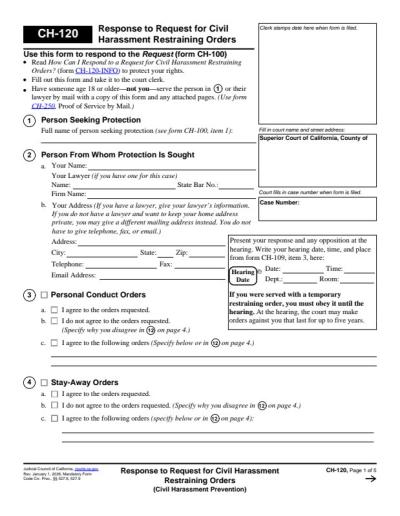 CH-120 Response to Request for Civil Harassment Restraining OrdersCH-120 Response to Request for Civil Harassment Restraining Orders is the official fillabl...
-
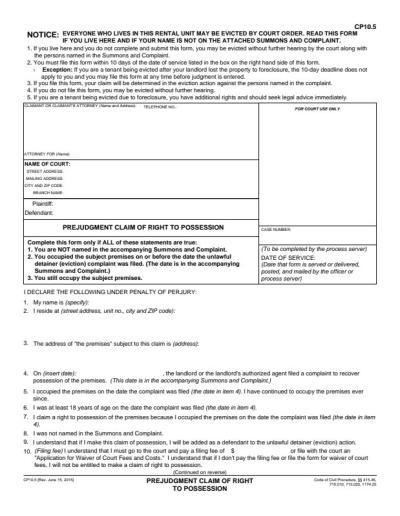 CP10.5 Prejudgment Claim of Right to PossessionCP10.5 Prejudgment Claim of Right to Possession is the official fillable form from Judicia...
-
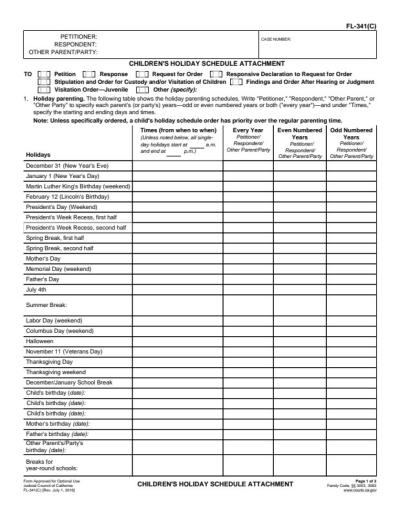 FL-341(C) Children's Holiday Schedule AttachmentFL-341(C) Children's Holiday Schedule Attachment is the official fillable form from Judici...
-
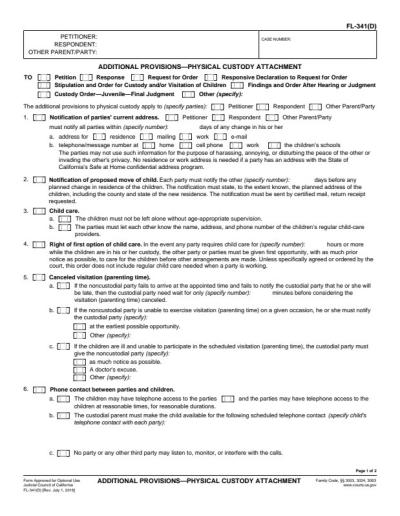 FL-341(D) Additional Provisions Physical Custody AttachmentFL-341(D) Additional Provisions Physical Custody Attachment is the official fillable form...