
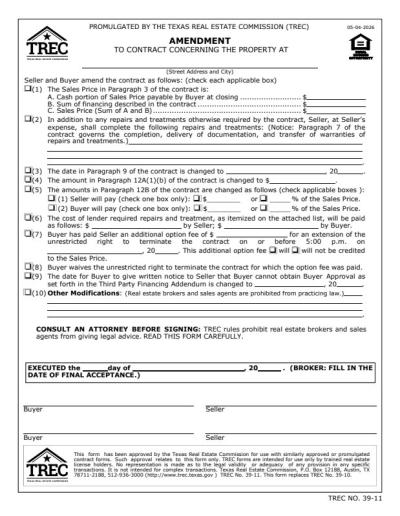
TREC Amendment To Contract, filled in online.
TREC Amendment To Contract — official fillable PDF form
Type in the panel and watch each answer land on the page. Filling in and signing is free; downloading needs a free account, which includes 5 downloads a month.
Or fill it another way:
- Category
- Contracts
- Fillable fields
- 51
- Pages
- 1
- Paper size
- US Letter, 8.5 × 11 in
Five ways to fill this form.
-
Fill it in here
Type in the panel and watch it land on the form. Sign it, then download.
Free to fill and sign Start filling -
Many at once, from a spreadsheet
One row per person, one finished PDF for each.
Paid plan · you can walk through it Start with a spreadsheet -
Send it to someone to fill in
Email a link. They fill it in without an account and you get the answers back.
Paid plan · you can walk through it Send a request -
From your own software
Fill it over the API. One request returns the finished PDF.
Paid plan -
Let an AI assistant do it
Connect ChatGPT or Claude once, then describe what goes on the form.
With a free account
What is this form?
The Texas Real Estate Commission Amendment to Contract form records agreed changes to an existing real estate contract. It can modify the sales price and financing breakdown, repairs and treatments, closing date, seller-paid expenses, termination option, lender-required repairs, or other stated terms. The amendment becomes part of the contract only when the necessary parties agree and execute it; it is not a substitute for drafting clear terms or using a required addendum. This fillable version helps you prepare a legible working copy, but it does not replace the current instructions, eligibility rules, required evidence, or review by the receiving authority. Use the edition requested for the relevant transaction or reporting period and compare the completed PDF with the official source before submission.
Information should come from source records rather than memory or estimates. Names, identifiers, dates, amounts, addresses, and selections must agree with the supporting documents for the case. A technically complete PDF can still be rejected when an answer is inaccurate, a required attachment is missing, or a signature belongs to the wrong person. Save the original records and document any calculation used to produce an amount.
Who needs to fill this out?
- Texas buyers and sellers who have an existing executed contract and agree to change its terms.
- Licensed real estate brokers and sales agents preparing the promulgated form within their authority.
- Attorneys, title companies, lenders, and transaction coordinators reviewing a contract change.
- Parties documenting inspection, financing, appraisal, repair, closing, or expense negotiations.
Before starting, confirm that TREC Amendment to Contract is the form requested by the issuing or receiving organization. Assign one person to reconcile the entries when several people provide information. Do not enter placeholder data simply to make a field look complete. If a question does not apply, follow the printed instructions for leaving it blank or marking it not applicable, because a blank field and a zero can have different meanings.
Where and how to submit
Deliver the fully executed amendment to every party and to the brokers, title or escrow company, lender, and attorney involved in the transaction as appropriate. Follow the contract’s notice and delivery provisions; merely drafting or signing one side’s copy may not establish mutual agreement. Keep the amendment with the original contract and all addenda, and confirm that revised dates and amounts are updated in the closing file. Use only a submission channel accepted by the receiving organization, and verify the address, portal, email, or office against current official instructions. Keep a complete copy together with attachments and proof of delivery or electronic confirmation. If the recipient returns the form for correction, amend the inaccurate entry transparently and resubmit the complete package; do not discard the version that shows what was originally delivered.
Review the generated PDF at normal size and at high zoom. Confirm that long values are not clipped, checkboxes show the intended choice, dates use the requested format, and every signature and attachment is present. Protect the file because it may contain personal, financial, medical, or transaction information. Share it only with people and systems authorized to handle the submission.
How to fill it out
- Step 1 — Street Address and City: Identify the property exactly as in the original contract so the amendment cannot be confused with another transaction.
- Step 2 — Sales Price, Cash portion, Financing, and Sum: Enter the revised components and verify that the cash plus financing equals the amended sales price. Use the same dollar treatment as the contract.
- Step 3 — Repairs and treatments description: Describe each agreed repair or treatment precisely, including responsibility and any standard or deadline needed to determine completion. Avoid vague phrases that cannot be verified.
- Step 4 — Paragraph 9 date: Enter the revised closing date using the month, day, and year fields and confirm how the change affects funding, possession, and other dependent deadlines.
- Step 5 — Paragraph 12A expense amount: State the revised seller-paid buyer expense or other amended amount accurately and confirm it is permitted by the lender and contract.
- Step 6 — Option and lender-required items: Complete applicable extension, additional option fee, lender-required repair, or related fields, checking payment and delivery requirements against the existing contract.
- Step 7 — Other modifications and signatures: Write any additional agreed change with specific paragraph references, review it for conflicts, then obtain every required buyer and seller signature and date.
Frequently asked questions
Can an amendment change the sales price?
Yes, when all required parties agree and the price components are completed consistently; lender and closing records must also be updated.
Is a verbal agreement enough?
Real estate contract changes should be documented and executed in the manner required by the contract and law. Do not rely on an informal conversation.
Who signs the amendment?
All parties whose agreement is required for the affected contract term should sign through authorized individuals.
Can the form replace a specialized addendum?
Not always. Use any promulgated or legally required addendum that specifically governs the issue and obtain legal advice for custom drafting.
Can I use an electronic signature?
Use an electronic signature only when the recipient and the applicable instructions accept it. A typed name is not automatically equivalent to a valid signature, and some filings require an original, witnessed, notarized, or professional signature.
What should I check before submitting?
Reconcile identifiers, dates, amounts, selected options, attachments, and signatures against the source records. Then inspect the final PDF for clipped text, blank required fields, duplicate selections, and pages in the wrong order.
Should I keep a copy of the completed form?
Yes. Keep the exact submitted version, supporting records, and delivery confirmation for the retention period that applies. Store the files securely because the form may contain sensitive information.
Can I create TREC Amendment to Contract in bulk?
Yes. PDFengine supports bulk generation of TREC Amendment to Contract via Excel or CSV upload — upload a spreadsheet with one row per form and PDFengine generates all PDFs at once. You can also automate bulk creation programmatically via the PDFengine API. Each generated form must still be individually reviewed and, where required, signed.
Ready to fill it in?
Fill in this formMore forms in this category
-
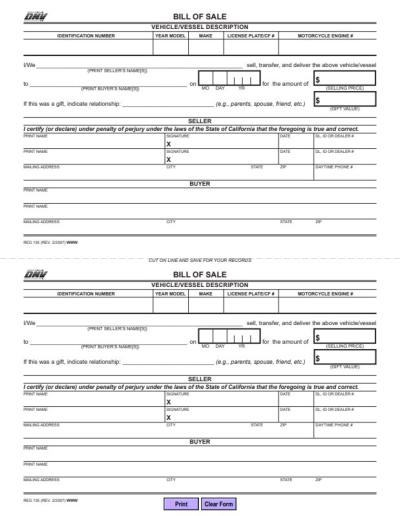 REG 135 Bill of SaleREG 135 Bill of Sale is the official fillable form from California Department of Motor Veh...
-
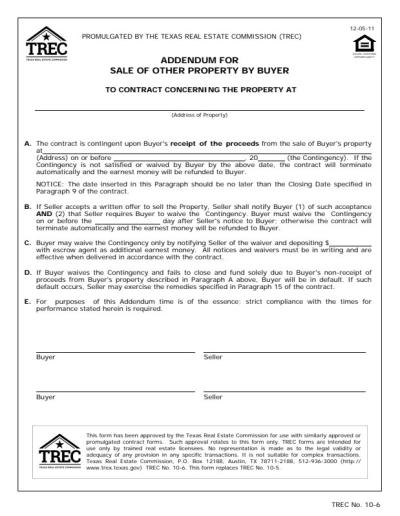 Addendum For Sale Of Other Property By BuyerAddendum For Sale Of Other Property By Buyer — official fillable PDF form
-
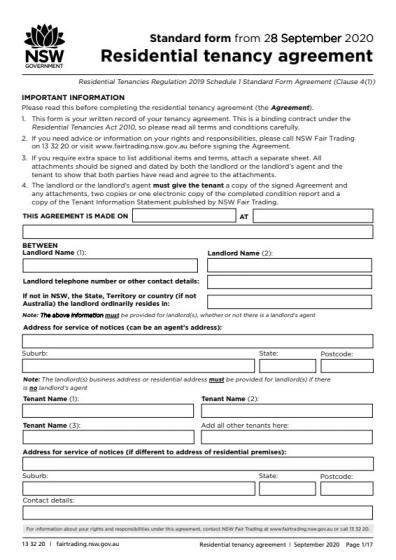 Au Nsw Residential Tenancy AgreementAu Nsw Residential Tenancy Agreement — official fillable PDF form
-
 CBP Form 301 — Customs BondOfficial CBP customs bond form used to document surety and bonded obligations.