
Form 2553, filled in online.
Election by a Small Business Corporation
Type in the panel and watch each answer land on the page. Filling in and signing is free; downloading needs a free account, which includes 5 downloads a month.
Or fill it another way:
- Category
- Business
- Fillable fields
- 100
- Pages
- 4
- Paper size
- US Letter, 8.5 × 11 in
Five ways to fill this form.
-
Fill it in here
Type in the panel and watch it land on the form. Sign it, then download.
Free to fill and sign Start filling -
Many at once, from a spreadsheet
One row per person, one finished PDF for each.
Paid plan · you can walk through it Start with a spreadsheet -
Send it to someone to fill in
Email a link. They fill it in without an account and you get the answers back.
Paid plan · you can walk through it Send a request -
From your own software
Fill it over the API. One request returns the finished PDF.
Paid plan -
Let an AI assistant do it
Connect ChatGPT or Claude once, then describe what goes on the form.
With a free account
Key facts
| Form number | Form 2553 |
|---|---|
| Official name | Election by a Small Business Corporation |
| Issuing agency | Internal Revenue Service, Department of the Treasury |
| Current revision date | Form: Rev. December 2017; IRS instructions revised December 2020 |
| Number of pages | 4 pages |
| Filing frequency | Generally one-time election, plus refiling only if a new election or related relief is needed |
| Main purpose | Elect S corporation status under section 1362(a) |
| Related instructions document | Instructions for Form 2553 (i2553) |
What is this form?
Form 2553, Election by a Small Business Corporation, is the IRS election form used to choose S corporation status under Internal Revenue Code section 1362(a). A domestic corporation, or an eligible entity that wants to be treated as a corporation, files Form 2553 to tell the IRS that the business wants pass-through S corporation tax treatment instead of default C corporation treatment. The current IRS form itself is still labeled Rev. December 2017, and the separate IRS instructions were revised in December 2020.
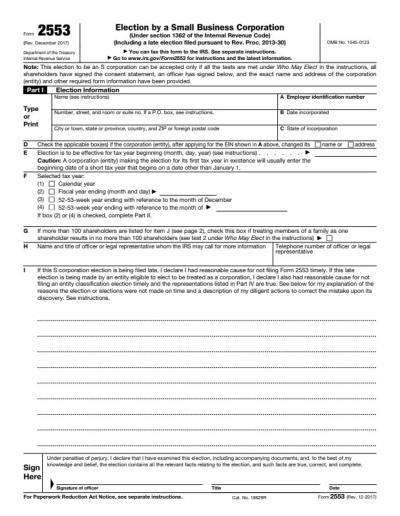
On the face of the form, Part I gathers the core election details, including the corporation's EIN in item A, the effective date in item E, and shareholder consent information that continues on page 2.
Form 2553 is not an annual return. It is an election document that sets the business's federal tax classification for S corporation purposes, assuming the company otherwise qualifies. Part II is used only when the corporation wants a fiscal tax year rather than the default calendar year and must support that choice under the automatic approval, business purpose, or section 444 rules. Part III is for a Qualified Subchapter S Trust (QSST) election when trust-owned stock is involved, and Part IV contains representations required when a late entity classification election and a late S election are being requested together.
In practical terms, Form 2553 determines whether the business will generally report its operations on Form 1120-S and pass income, deductions, gains, losses, and credits through to shareholders. Because the form requires every required shareholder to consent in Part I, page 2, and because late-election relief depends heavily on the facts entered in item I and Part IV, it is one of the most important setup forms a closely held corporation can file.
Who needs to fill this out?
- Domestic corporations that want to elect S corporation status and meet all eligibility rules: no more than 100 shareholders, only one class of stock, and only permitted shareholders.
- Eligible entities that want to be treated as corporations and S corporations on the same effective date, including entities seeking late relief where Form 2553 can also serve as the late corporate classification election mechanism in the circumstances described by the IRS.
- Corporations with only eligible shareholders, generally individuals, estates, certain exempt organizations under sections 401(a) or 501(c)(3), and certain trusts described in section 1361(c)(2)(A).
- Corporations using a non-calendar tax year must file Form 2553 and complete Part II if item F shows a fiscal year, 52-53-week year, business-purpose year, or section 444 year.
- Corporations seeking late-election relief may file if they intended S status, failed solely because Form 2553 was not timely filed, and can explain reasonable cause in item I or an attachment. In many cases, relief is available only if the form is filed within 3 years and 75 days of the effective date in item E.
- Trust situations require Form 2553 when a QSST election in Part III is needed so the trust can be a qualifying S corporation shareholder.
- Who does not file: partnerships, disregarded entities that do not want corporate treatment, corporations with nonresident alien shareholders, corporations with more than 100 shareholders, corporations with an ineligible second class of stock, banks using the section 585 reserve method, insurance companies taxed under subchapter L, and DISCs or former DISCs cannot make a valid S election on Form 2553.
Where and how to submit
Form 2553 is filed with the IRS, not with an employer, shareholder, or state agency. Under the current IRS instructions, corporations with principal business locations in Connecticut, Delaware, the District of Columbia, Georgia, Illinois, Indiana, Kentucky, Maine, Maryland, Massachusetts, Michigan, New Hampshire, New Jersey, New York, North Carolina, Ohio, Pennsylvania, Rhode Island, South Carolina, Tennessee, Vermont, Virginia, West Virginia, or Wisconsin mail the form to Department of the Treasury, Internal Revenue Service Center, Kansas City, MO 64999 or fax it to 855-887-7734. Corporations in Alabama, Alaska, Arizona, Arkansas, California, Colorado, Florida, Hawaii, Idaho, Iowa, Kansas, Louisiana, Minnesota, Mississippi, Missouri, Montana, Nebraska, Nevada, New Mexico, North Dakota, Oklahoma, Oregon, South Dakota, Texas, Utah, Washington, or Wyoming mail it to Department of the Treasury, Internal Revenue Service Center, Ogden, UT 84201 or fax it to 855-214-7520.
The normal filing deadline is no later than 2 months and 15 days after the beginning of the tax year shown in item E, or any time during the preceding tax year for an election effective next year. The IRS allows mailing or faxing, and certain late elections may be attached to Form 1120-S. When a corporation submits Form 2553 with a timely e-filed Form 1120-S, the IRS says the election must be included as a PDF attachment named Form2553.pdf. Keep the originally signed copy in the corporation's permanent records if you file by fax.
How to fill it out
- Step 1 — Part I, corporation identification: Enter the corporation name, street address, city/state/ZIP, and complete item A with the employer identification number, item B with the date incorporated, and item C with the state of incorporation. If the corporation changed its name or address after obtaining the EIN, check the applicable boxes in item D.
- Step 2 — Part I, effective date and tax year: In item E, enter the tax year beginning date for which the S election is to be effective. Then complete item F by checking calendar year, fiscal year ending month/day, or one of the 52-53-week year boxes. If you check item F(2) or F(4), you must also complete Part II.
- Step 3 — Part I, shareholder count and IRS contact: If more than 100 shareholders are listed but family aggregation reduces the count to 100 or fewer, check item G. Enter the name and title of the officer or legal representative the IRS may call in item H, along with that person's telephone number.
- Step 4 — Part I, late-election explanation and officer signature: If the election is late, complete item I with the reasonable-cause explanation and the corporation's diligent actions to correct the failure. Then have an authorized officer sign, date, and enter title in the signature block at the bottom of page 1.
- Step 5 — Page 2, shareholder consent table: For each shareholder or former shareholder required to consent, complete column J with name and address, column K with the shareholder's consent signature and date, column L with number of shares or percentage owned and date acquired, column M with the SSN or EIN, and column N with the shareholder's tax year end. Use additional copies of page 2 if needed.
- Step 6 — Part II, fiscal tax year selection if applicable: Complete item O to show whether the corporation is new, retaining, or changing a tax year. Then complete item P for automatic approval under Rev. Proc. 2006-46, item Q for a business-purpose fiscal year request, or item R if making a section 444 election. If R1 is checked, Form 8716 must also be completed and attached or separately filed.
- Step 7 — Part III or Part IV when required: Use Part III for a QSST election by entering the income beneficiary's name, SSN, the trust's name and EIN, and the stock transfer date, then obtaining the beneficiary's signature and date. If the entity also needs relief for a late entity classification election, make sure the representations in Part IV, items 1 through 5a or 5b, are true before filing.
Important deadlines & penalties
- Standard deadline: File Form 2553 no more than 2 months and 15 days after the beginning of the tax year the election is to take effect. For a calendar-year corporation seeking S status effective January 1, the usual deadline is March 15 of that year.
- Alternative early filing window: If the corporation already has a prior tax year, it may file at any time during the tax year preceding the year the election is to take effect.
- Late-election relief window: In many cases, relief under Rev. Proc. 2013-30 is available only if Form 2553 is filed within 3 years and 75 days after the effective date entered in item E, with a reasonable-cause explanation in item I or an attachment.
- Form 1120-S timing: If the late election is filed with the initial S corporation return, the IRS says Form 1120-S and attached Form 2553 must be filed within that same 3-years-and-75-days window, and all other delinquent Forms 1120-S must be filed simultaneously and consistently.
- No automatic extension for Form 2553 itself: There is no separate extension form that extends the Form 2553 election deadline. Missing the deadline generally means the corporation remains a C corporation unless late-election relief is granted.
- Penalty impact if the election fails and S returns are filed incorrectly: The IRS can assess the late-filing penalty that applies to Form 1120-S if an S return is required and filed late or incomplete. For 2025 instructions, that penalty is $255 for each month or part of a month, up to 12 months, multiplied by the number of persons who were shareholders during any part of the tax year.
- Penalty impact if the business should have remained a C corporation: If the S election is invalid and the corporation owes tax on Form 1120, the IRS failure-to-file penalty can be 5% of unpaid tax per month, up to a maximum of 25%, plus possible late-payment charges.
Common mistakes to avoid
- Using the wrong effective date in item E: Entering the wrong beginning date can make the election effective for the wrong tax year or make the filing appear late, forcing the corporation to rely on item I reasonable-cause relief.
- Checking item F for a fiscal year but skipping Part II: If item F(2) or F(4) is checked and Part II is left blank, the IRS may reject the requested tax year and default the corporation to a calendar year or delay acceptance.
- Missing shareholder signatures in column K: Every required shareholder or former shareholder must consent. An unsigned or undated Shareholder's Consent Statement can invalidate the election because the IRS treats signature defects seriously.
- Listing inconsistent ownership details in column L: The number of shares or percentage of ownership and the date acquired must match the corporation's stock records. Inconsistent entries can raise questions about whether all required shareholders actually consented.
- Providing an SSN or EIN mismatch in column M: Wrong taxpayer identification numbers for shareholders can slow processing, create follow-up notices, and make IRS matching more difficult.
- Writing a vague late-election statement in item I: Saying only that the corporation forgot to file is usually not enough. The IRS instructions specifically ask for the reasons the election was not made on time and the diligent actions taken once the mistake was discovered.
- Failing to complete Part III or Part IV when needed: If trust-owned stock requires a QSST election, or if the entity also needs late entity classification relief, skipping the required representations can leave the S election ineffective even if Part I looks complete.
Expert tips
- Match item A, item B, and item C to IRS and formation records: The EIN, incorporation date, and state of incorporation should exactly match the corporation's organizing documents and IRS EIN records to avoid identity mismatches.
- Use page 2 proactively: Do not squeeze multiple owners into one row. The IRS expressly allows additional copies of page 2, and clean shareholder rows reduce signature and ownership errors.
- For late filings, annotate the form correctly: The IRS instructions say to enter FILED PURSUANT TO REV. PROC. 2013-30 in the top margin of page 1 when requesting late-election relief.
- If filing with Form 1120-S, label the return too: The IRS says the first page of Form 1120-S should state INCLUDES LATE ELECTION(S) FILED PURSUANT TO REV. PROC. 2013-30 when late relief is being requested that way.
- Calendar-year corporations should confirm whether Part II is unnecessary: If item F(1) calendar year applies, leaving Part II blank is usually correct. Many filers create avoidable problems by checking fiscal-year boxes they do not need.
- Review Form 8832 before assuming it is unnecessary: An eligible entity that is not already treated as a corporation may rely on the deemed-corporation treatment described in the Form 2553 instructions, but late or unusual entity-classification facts should be checked carefully against Form 8832 and Part IV.
- Save proof of filing: The IRS instructions list acceptable proof, including certified or registered mail receipts, an IRS received stamp, an accepted Form 2553, or an IRS acceptance letter. Keep one of these with the signed original.
Related forms & next steps
- Form 1120-S — U.S. Income Tax Return for an S Corporation; the annual income tax return filed after a valid S election takes effect.
- Form 8832 — Entity Classification Election; relevant when an eligible entity must elect to be treated as a corporation.
- Form 8716 — Election To Have a Tax Year Other Than a Required Tax Year; used when item R1 in Part II is checked for a section 444 election.
- Form 8869 — Qualified Subchapter S Subsidiary Election; used when a parent S corporation elects QSub treatment for an eligible wholly owned subsidiary.
- Form 1128 — Application To Adopt, Change, or Retain a Tax Year; relevant in broader tax-year change situations outside or alongside Form 2553 rules.
- Instructions for Form 2553 — the official line-by-line IRS guidance for eligibility, deadlines, addresses, and late-election relief.
Frequently asked questions
What does Form 2553 do?
It tells the IRS that an eligible domestic corporation, or an eligible entity treated as a corporation, is electing to be taxed as an S corporation under section 1362(a).
When is Form 2553 due for a calendar-year corporation?
For an election effective January 1, the usual deadline is March 15 of that year, which reflects the IRS rule requiring filing within 2 months and 15 days after the start of the tax year.
Can I fax Form 2553 to the IRS?
Yes. The IRS instructions allow fax filing. The current fax number is 855-887-7734 for Kansas City states and 855-214-7520 for Ogden states. Keep the signed original in the corporation's permanent records.
What happens if I miss the Form 2553 deadline?
The corporation is generally treated as not having made a timely S election unless it qualifies for late-election relief. Relief often requires filing within 3 years and 75 days of the intended effective date and providing a reasonable-cause explanation in item I or an attachment.
Do all shareholders have to sign Form 2553?
Yes. Each required shareholder or former shareholder must consent in Part I, page 2, column K. Missing signatures are one of the most common reasons an election is not valid.
Do I need Form 8832 with Form 2553?
Often no, if the entity is eligible to elect corporate status and the Form 2553 election itself causes the entity to be treated as a corporation on the effective date. But unusual or late-filed entity-classification situations should be checked carefully against the Form 2553 instructions and Form 8832 rules.
Can I create Form 2553, Election by a Small Business Corporation, in bulk?
Yes. PDFengine supports bulk generation of Form 2553, Election by a Small Business Corporation, via Excel or CSV upload — upload a spreadsheet with one row per entry and PDFengine generates all PDFs at once. You can also automate bulk creation programmatically via the PDFengine API.
Ready to fill it in?
Fill in this formOfficial sources
- About Form 2553, Election by a Small Business Corporation — IRS overview, current products, and revision links.
- Instructions for Form 2553 — official IRS instructions covering eligibility, filing deadlines, line items, and filing addresses.
- Where to file your taxes for Form 2553 — official IRS mailing addresses and fax numbers by state.
- Late election relief — IRS summary of Rev. Proc. 2013-30 relief rules for late S elections and related elections.
- Filing requirements for filing status change — IRS guidance on changing from C corporation to S corporation status and filing Form 2553 with Form 1120-S.
More forms in this category
-
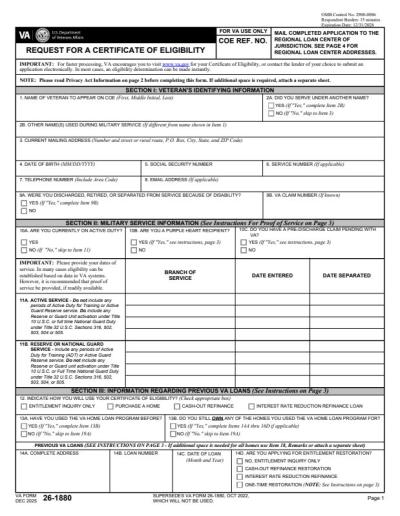 VA Form 26-1880 — Request for a Certificate of EligibilityOfficial VA home loan form used to request a Certificate of Eligibility.
-
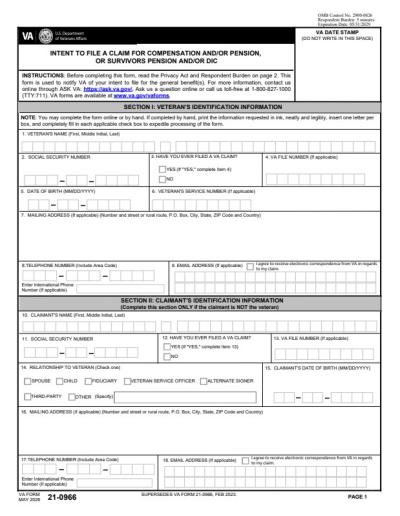 VA Form 21-0966 — Intent to File a Claim for Compensation, Pension, or Survivors BenefitsOfficial VA form used to preserve a potential effective date before filing a full claim.
-
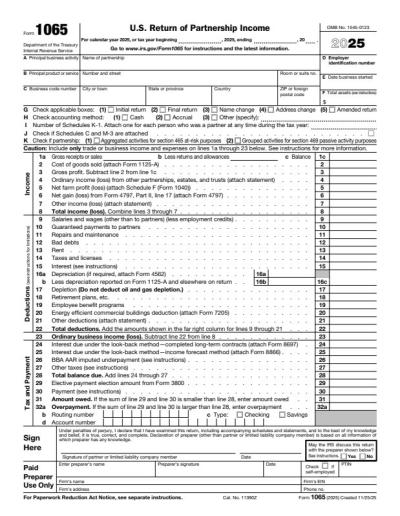 Form 1065U.S. Return of Partnership Income
-
 Form 1120U.S. Corporation Income Tax Return