
Form 656, filled in online.
Offer in Compromise
Type in the panel and watch each answer land on the page. Filling in and signing is free; downloading needs a free account, which includes 5 downloads a month.
Or fill it another way:
- Category
- Government
- Fillable fields
- 107
- Pages
- 8
- Paper size
- US Letter, 8.5 × 11 in

Five ways to fill this form.
-
Fill it in here
Type in the panel and watch it land on the form. Sign it, then download.
Free to fill and sign Start filling -
Many at once, from a spreadsheet
One row per person, one finished PDF for each.
Paid plan · you can walk through it Start with a spreadsheet -
Send it to someone to fill in
Email a link. They fill it in without an account and you get the answers back.
Paid plan · you can walk through it Send a request -
From your own software
Fill it over the API. One request returns the finished PDF.
Paid plan -
Let an AI assistant do it
Connect ChatGPT or Claude once, then describe what goes on the form.
With a free account
Key facts
| Item | Details |
|---|---|
| Form number | Form 656 |
| Official name | Offer in Compromise |
| Issuing agency | Internal Revenue Service, Department of the Treasury |
| Current revision date | Revision 4-2026 on the form-only IRS PDF |
| Number of pages | 8 pages |
| Filing frequency | As needed when requesting an offer in compromise; no fixed annual filing cycle |
| Application fee | $205 per offer unless Low-Income Certification applies |
| Related instructions document | Form 656-B, Offer in Compromise Booklet |
What is this form?
Form 656, officially titled Offer in Compromise, is the IRS agreement used to ask the government to settle certain federal tax liabilities for less than the full amount owed. It is not a stand-alone tax return. Instead, it is the offer document inside the Form 656-B booklet and is used when a taxpayer is applying based on doubt as to collectibility or effective tax administration. The IRS form-only PDF currently shows Revision 4-2026.
Form 656-L is the separate form for doubt as to liability cases, so taxpayers who dispute whether they owe the tax generally should not use Form 656.
The form is organized by taxpayer type and offer terms. Section 1 is for individuals, sole proprietors, responsible persons with Trust Fund Recovery Penalty exposure, and individuals personally liable for certain business-related debts. Section 2 is for business entities such as corporations, partnerships, LLCs, and LLPs. Section 3 asks for the reason for the offer, Section 4 sets the payment terms, Section 5 allows payment designation, Section 6 covers source of funds, filing compliance, and deposit requirements, and Sections 7 through 9 contain the legal terms, signatures, and paid preparer information.
By signing Form 656, the taxpayer is not just proposing a dollar amount. The taxpayer is also agreeing to ongoing compliance rules, including staying current on filing and payment obligations for five years after acceptance. The form warns that penalties and interest continue to accrue while the offer is being reviewed and until all accepted payment terms are fully met. That makes Form 656 both a settlement request and a binding contract if the IRS accepts it.
Who needs to fill this out?
- Individuals who owe assessed federal tax debts and want to settle for less than the full balance based on inability to pay or qualifying effective-tax-administration circumstances may file Form 656 using Section 1.
- Sole proprietors may use Form 656 for business-related tax debts that are their personal liabilities, including Form 1040 debts and some employment or excise liabilities listed in Individual Tax Periods.
- Responsible persons assessed a Trust Fund Recovery Penalty may file through Section 1 and must identify the business name and quarterly periods for the penalty.
- Businesses such as corporations, partnerships, LLCs, and LLPs seeking to compromise their own business tax debts may file through Section 2, usually with Form 433-B (OIC) and a separate offer for business liabilities.
- Taxpayers seeking a fee and payment waiver under the Low-Income Certification may qualify only if they are individuals or sole proprietors. The 2026 table on page 2 starts at $39,900 for a one-person household in the 48 contiguous states and D.C., $49,875 in Alaska, and $45,900 in Hawaii, with higher limits for larger households.
- People who should not file Form 656 include taxpayers in an open bankruptcy proceeding, taxpayers who have not filed all required returns, taxpayers who have not made required current estimated tax payments, and employers that have not made required federal tax deposits for the current quarter and two preceding quarters.
- People who generally need a different form or process include taxpayers with doubt as to liability issues, who should use Form 656-L; taxpayers who can full-pay through an installment agreement or asset equity; and taxpayers who have not yet received a bill for at least one tax debt included in the offer.
Where and how to submit
Form 656 goes to the Internal Revenue Service, not to an employer, payroll provider, or state tax agency. If you live in AL, AZ, CA, CO, GA, HI, ID, KY, LA, MD, MS, ND, NM, NV, OK, OR, SD, TN, TX, UT, VA, or WA, mail the package to Memphis IRS Center COIC Unit, P.O. Box 30803, AMC, Memphis, TN 38130-0803. If you live in AK, AR, CT, DC, DE, FL, IA, IL, IN, KS, MA, ME, MI, MN, MO, MT, NC, NE, NH, NJ, NY, OH, PA, PR, RI, SC, VT, WI, WV, WY, or have a foreign address, mail it to Brookhaven IRS Center COIC Unit, P.O. Box 9007, Holtsville, NY 11742-9007.
The IRS also allows certain individual taxpayers to submit an offer online through Individual Online Account. The IRS Offer in Compromise page also states that application packages may be submitted by email to one of the designated sites, but the mailing table in Form 656-B remains the key official address source for paper filing. There is no annual calendar deadline for Form 656 itself. You file it after you have received a bill for at least one included liability and after you are current on required returns and deposits.
If you choose electronic payment for the application fee or initial offer payment, the form says that payment must be made on the same date the offer is mailed or filed online.
How to fill it out
- Step 1 — Section 1 or Section 2: Complete only one taxpayer-information section. Use Section 1 Individual Information if the offer is for Form 1040 liabilities, sole-proprietor debt, Trust Fund Recovery Penalty liability, or another liability you are personally responsible for. Use Section 2 Business Information if the offer is for a corporation, partnership, LLC, or LLP. Enter the taxpayer name, SSN or ITIN or EIN, current physical and mailing address, and answer the new address and update our records checkboxes.
- Step 2 — Tax periods owed: In the Individual Tax Periods or Business Tax Periods area, check the applicable tax type boxes and list every year or quarter included in the offer. Use the specific fields for Form 1040, Form 941, Form 940, Form 1120, Trust Fund Recovery Penalty, or Other Federal Tax(es). If you need extra space, attach a signed and dated schedule titled Attachment to Form 656 dated [date].
- Step 3 — Low-Income Certification and reason for offer: If you are an individual or sole proprietor and qualify, check one of the Low-Income Certification boxes on page 2. Then go to Section 3 Reason for Offer on page 3 and check only one box: Doubt as to Collectibility, Effective Tax Administration — Economic Hardship, or Effective Tax Administration — Public Policy or Equity. If you choose either effective-tax-administration option, attach the detailed explanation the form requires.
- Step 4 — Section 4 Payment Terms: Choose one payment method. For the Lump Sum option, enter the Total offer amount, calculate the 20% initial payment, enter the Remaining balance, and complete the future payment rows labeled Amount of payment and payable within month(s) after acceptance. For the Periodic Payment option, enter the amount of your offer, the first monthly payment included with the offer, the payment day from 1-28, the number of months, the final payment, and the month/day of that final payment.
- Step 5 — Section 5 Designation of Payment: If you want the IRS to apply the initial payment to a specific liability, complete the blank after tell us the tax period/quarter. Then list any electronic payments in the fields for Offer application fee, Date, and Electronic funds transfer number (15 digits), and separately for Offer payment. The form says any electronic application fee or initial payment must be made on the same date the offer is mailed or filed through Individual Online Account.
- Step 6 — Section 6 compliance statements: Explain the Source of Funds used to pay the offer. Then complete the filing and payment certifications by checking the boxes for I have filed all required tax returns or I was not required to file, plus the current-year estimated tax payment and federal tax deposit boxes that apply. If you filed a return within 10 weeks of submitting the offer, include a complete copy, clearly marked as a copy.
- Step 7 — Sections 7 through 9 signatures: Read the legal terms in Section 7 Offer Terms, then sign and date in Section 8 Signatures. The taxpayer or corporate officer, spouse on a joint offer, and paid preparer if any must complete the corresponding phone number, date, and authorization-to-leave-messages checkboxes. Do not fill the IRS Use Only fields.
Important deadlines & penalties
- No fixed annual due date: Form 656 can be filed whenever the taxpayer has an assessed bill for at least one included liability and is otherwise eligible. It is not due on April 15 unless it is being coordinated with current filing compliance.
- At submission: The offer generally must include the $205 application fee and the required initial payment. For a lump-sum offer, the initial payment is 20% of the total offer amount. For a periodic-payment offer, the first proposed monthly payment is due with the form. Low-Income Certification waives these upfront payments.
- While pending: Under the periodic-payment option, monthly payments must continue while the IRS reviews the offer. Missing them can cause the IRS to return the offer with no appeal rights.
- After acceptance: A lump-sum offer must be paid in 5 or fewer payments within 5 or fewer months of acceptance. A periodic-payment offer must be paid within 6 to 24 months. If the taxpayer qualified for Low-Income Certification, the first payment is generally due 30 calendar days after acceptance unless the IRS agrees to another date in an amended offer.
- IRS decision window: The form states an offer is generally treated as accepted by law if the IRS does not notify the taxpayer otherwise within 24 months after the correct centralized offer site receives it, excluding certain disputed liabilities.
- Appeal deadline: If the IRS rejects the offer, the taxpayer generally has 30 days from the rejection notice date to request an appeal using Form 13711.
- Penalty and interest consequences: Form 656 has no separate late-filing penalty of its own, but the underlying tax liabilities continue to accrue interest, and ordinary IRS penalties can keep growing. For many individual and corporate returns, the failure-to-file penalty is generally 5% per month up to 25%, and the failure-to-pay penalty is generally 0.5% per month up to 25%. If a Form 1040 or 1120 return is over 60 days late and due after 12/31/2025, the minimum failure-to-file penalty is generally $525.
Common mistakes to avoid
- Completing both Section 1 and Section 2: The form instructions say to fill out either Section 1 or Section 2, but not both. Mixing individual and entity information on one Form 656 can cause the offer to be returned or force the taxpayer to resubmit separate offers.
- Leaving out tax periods in the Individual Tax Periods or Business Tax Periods area: If a year or quarter is missing from the Form 1040, Form 941, Form 940, Form 1120, or Other Federal Tax(es) fields, that liability may not be compromised, and the IRS may continue collecting it outside the offer.
- Checking more than one box in Section 3 Reason for Offer: The form says Select only ONE. Multiple selections create a contradictory legal basis for the offer and can delay review or trigger a return request for clarification.
- Miscalculating the Section 4 payment fields: Taxpayers often enter a Total offer amount that does not match the 20% initial payment, the Remaining balance, or the listed future payments. If the math is wrong, the offer can be delayed, and an underpayment at submission can cause a return.
- Claiming Low-Income Certification when the filer is not eligible: The page 2 certification is only for individuals and sole proprietors. Corporations, partnerships, LLCs taxed separately, and offers filed for a deceased individual do not qualify. An improper certification can lead to missing-fee issues and processing delays.
- Failing the Section 6 compliance boxes: If the taxpayer has not filed all required returns, has not made current estimated tax payments, or an employer has not made current deposits, the IRS can return the offer. The booklet specifically says any initial payment sent may still be applied to the tax debt.
- Sending the wrong kind of payment or combining payments: Section 6 says to make separate payments for the application fee and the initial offer payment and not to combine them with other tax payments. Combining amounts or paying on the wrong date for EFTPS/IOLA can slow or derail processing.
Expert tips
- Use the IRS pre-check tools first: Form 656 specifically asks whether the taxpayer used the Individual Online Account eligibility check or the OIC Pre-Qualifier tool. Use them before drafting the offer to test whether the proposed amount is even in range.
- Separate individual and business liabilities: The IRS says individual and business tax debt should be submitted on separate Forms 656. Do not try to package corporate payroll taxes and personal Form 1040 debts on one offer.
- Attach a copy of any very recent return: If a return was filed within 10 weeks before the offer submission, include a complete copy marked as a copy. This small requirement is easy to miss and can prevent an avoidable return.
- Use Section 5 strategically: If the taxpayer wants the initial payment applied to a specific tax year or tax period/quarter, say so in the designation blank. If nothing is designated, the IRS applies the money in the government's best interest.
- Do not rely on refunds to fund the offer: Section 7 says the offer amount may not include an expected or current refund, money already paid, levied funds, or anticipated loss benefits. Explain a real source in the Source of Funds field.
- Pick the payment option carefully: A periodic-payment offer looks easier on paper, but monthly payments must continue while the offer is pending unless the taxpayer qualifies for the low-income waiver. For some filers, the lump-sum route is administratively safer.
- Read the companion forms: Most factual disputes about assets, equity, and allowable expenses are not answered on Form 656 itself. Review Form 433-A (OIC), Form 433-B (OIC), and the Form 656-B booklet before finalizing the offer.
Related forms & next steps
- Form 656-B — Offer in Compromise booklet with the full instructions, checklist, and removable OIC forms.
- Form 433-A (OIC) — Collection Information Statement for Wage Earners and Self-Employed Individuals used to calculate an individual offer.
- Form 433-B (OIC) — Collection Information Statement for Businesses used when a business entity submits an offer.
- Form 656-L — Offer in Compromise used for doubt as to liability cases rather than inability-to-pay cases.
- Form 13711 — Request for Appeal of Offer in Compromise when the IRS rejects an offer.
- Form W-7 — Application for IRS Individual Taxpayer Identification Number, relevant when a deactivated ITIN blocks OIC processing.
Frequently asked questions
What is Form 656 used for?
Form 656 is used to apply for an offer in compromise, which is an IRS agreement to settle eligible federal tax liabilities for less than the full amount owed.
Is Form 656 the same as Form 656-B?
No. Form 656 is the actual offer agreement. Form 656-B is the booklet that contains the instructions, checklist, and related OIC forms used for doubt-as-to-collectibility and effective-tax-administration offers.
Can I file Form 656 if I am in bankruptcy?
Generally no. The IRS says taxpayers in an open bankruptcy proceeding are not eligible to apply for an offer in compromise on Form 656.
Do I have to send money with Form 656?
Usually yes. Most applicants must send the $205 application fee plus either the 20% lump-sum initial payment or the first periodic payment. Individuals and sole proprietors who meet the Low-Income Certification rules generally do not have to send those amounts up front.
What happens if the IRS rejects my offer in compromise?
You generally have 30 days from the rejection notice date to appeal by filing Form 13711. If the IRS merely returns the offer instead of rejecting it, appeal rights are much narrower or unavailable.
Can I stop filing or paying taxes while my offer is pending?
No. Form 656 requires ongoing compliance. You must keep filing all required returns and making required current tax payments and deposits while the offer is under review and, if accepted, for five years after acceptance.
Can I create Form 656, Offer in Compromise in bulk?
Yes. PDFengine supports bulk generation of Form 656, Offer in Compromise via Excel or CSV upload — upload a spreadsheet with one row per entry and PDFengine generates all PDFs at once. You can also automate bulk creation programmatically via the PDFengine API.
Ready to fill it in?
Fill in this formOfficial sources
- About Form 656, Offer in Compromise — IRS overview page linking to the form and the official booklet.
- Form 656 PDF — Official IRS form-only version showing the current revision and the exact section labels used on the form.
- Form 656-B, Offer in Compromise Booklet — Official instructions, eligibility rules, fee rules, mailing addresses, and application checklist.
- IRS Offer in Compromise page — Official process summary, online filing information, and appeal guidance.
- IRS Failure to File Penalty — Official penalty rates and minimum late-filing amounts that can continue to affect liabilities included in an offer.
More forms in this category
-
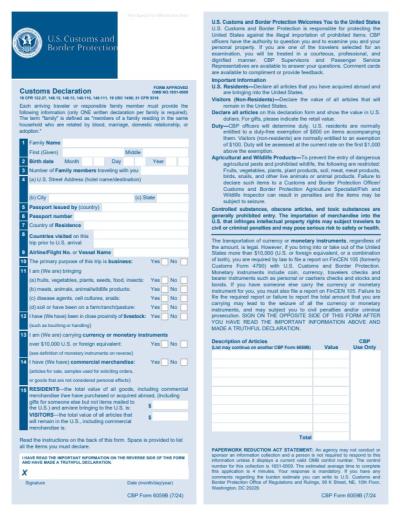 CBP Form 6059B — Customs DeclarationOfficial U.S. Customs and Border Protection arrival declaration form for travelers enterin...
-
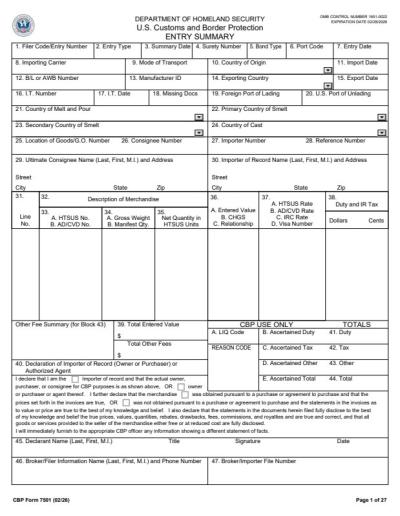 CBP Form 7501 — Entry SummaryOfficial U.S. Customs and Border Protection form used to summarize imported merchandise en...
-
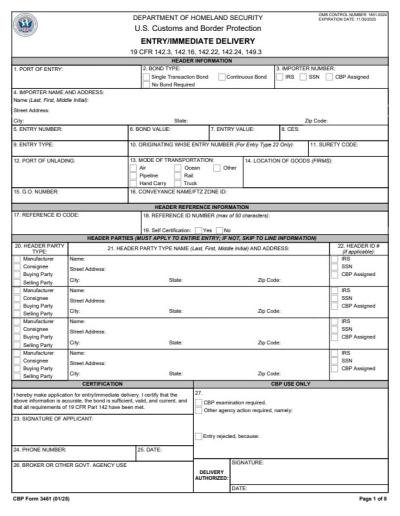 CBP Form 3461 — Entry/Immediate DeliveryOfficial U.S. Customs and Border Protection form for entry and immediate delivery of impor...
-
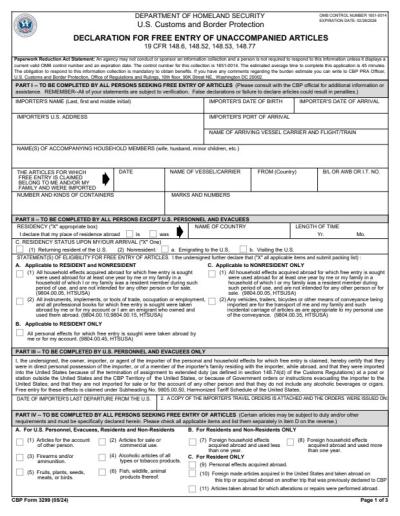 CBP Form 3299 — Declaration for Free Entry of Unaccompanied ArticlesOfficial U.S. Customs and Border Protection form for claiming free entry of unaccompanied...