
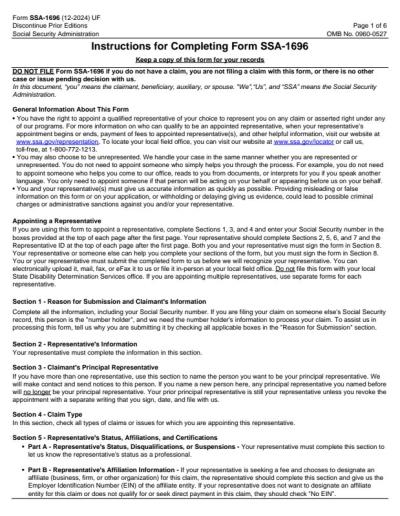
Form SSA-1696 Claimant's Appointment of a Representative, filled in online.
Form SSA-1696 Claimant's Appointment of a Representative is an official fillable form issued by Social Security Administration.
Type in the panel and watch each answer land on the page. Filling in and signing is free; downloading needs a free account, which includes 5 downloads a month.
Or fill it another way:
- Category
- Legal
- Fillable fields
- 91
- Pages
- 6
- Paper size
- US Letter, 8.5 × 11 in
Five ways to fill this form.
-
Fill it in here
Type in the panel and watch it land on the form. Sign it, then download.
Free to fill and sign Start filling -
Many at once, from a spreadsheet
One row per person, one finished PDF for each.
Paid plan · you can walk through it Start with a spreadsheet -
Send it to someone to fill in
Email a link. They fill it in without an account and you get the answers back.
Paid plan · you can walk through it Send a request -
From your own software
Fill it over the API. One request returns the finished PDF.
Paid plan -
Let an AI assistant do it
Connect ChatGPT or Claude once, then describe what goes on the form.
With a free account
What is this form?
Form SSA-1696 Claimant's Appointment of a Representative is an official fillable form issued or used by Social Security Administration. A claimant uses it to appoint and identify a representative for a pending Social Security claim, matter, or issue and to document fee arrangements. The original PDF layout matters because the receiving office expects the official field order, declarations, identifiers, and signature areas rather than a rewritten private document.
Prepare the form from current source records, not from memory. Names, identification numbers, dates, addresses, case references, vehicle or service data, medical details, and financial figures must agree with the documents held by the issuing authority. A mismatch can delay review, trigger a request for evidence, or cause the submission to be returned.
PDFengine maps the genuine AcroForm fields in the official PDF so you can create a clear working copy. It does not determine eligibility, verify evidence, provide legal advice, sign on anyone’s behalf, or submit the form. The applicant, sponsor, employee, claimant, owner, or authorized representative must still read the current instructions and approve the final PDF.
Who needs to fill this out?
- People or organizations directly involved in the procedure described by Form SSA-1696 Claimant's Appointment of a Representative.
- Applicants, benefit recipients, employers, carriers, representatives, or record holders who must provide accurate information to Social Security Administration.
- Advisers and administrative teams preparing a draft for review before the authorized person signs it.
- Users who want a typed, readable copy and a consistent archive of the information submitted.
Do not use the form merely because its title seems relevant. Confirm that the current version, jurisdiction, and procedure apply to your situation. A representative should also check whether a separate authorization, identity document, or original signature is required.
Where and how to submit
File the completed appointment with SSA by electronic upload, mail, fax, eFax, or in person at a field office, and provide the same final version to the claimant and representative. Confirm the current destination, appointment rule, filing deadline, fee, signature method, and attachment list on the official Social Security Administration website before delivery. A PDF generated in PDFengine remains a draft until it is signed where required and reaches the authorized recipient.
Keep the final PDF together with the records used to prepare it, a copy of every attachment, and proof of delivery or receipt. Record the filing date and any case, transaction, employee, or confirmation number. If the authority requests a correction, update the source data and send the replacement through the channel it specifies so duplicate versions are not mistaken for separate requests.
How to fill it out
- Step 1 — Appointing a Representative: Enter or select this information exactly as it appears in the official record. Preserve full legal names, number sequences, punctuation, leading zeroes, and the date format printed on the form.
- Step 2 — Reason for Submission: Check that this answer matches the transaction or benefit you are requesting. Select only options that are true on the signing date and do not mark conflicting choices.
- Step 3 — Claimant's Information: Use a reliable source document for these details. If the field does not apply, follow the form instructions instead of guessing, inserting placeholder text, or changing the official label.
- Step 4 — Number Holder's Information: Complete related fields as one section and compare repeated values across all pages. Explain differences only in the remarks area or on an attachment when the instructions permit it.
- Step 5 — Representative's Information: Review any declaration, authorization, privacy notice, or certification connected with this field. A typed draft does not replace a required handwritten, witnessed, or official signature.
- Step 6 — Section 3 - Claimant's Principal Representative: Gather the evidence that supports this entry and use the current authority checklist. Send originals only when expressly required and keep a copy or inventory of everything delivered.
- Step 7 — Section 4 - Claim Type: Perform a page-by-page final review. Confirm selections, totals, dates, identifiers, contact details, signatures, and attachments before saving the final PDF for submission.
Frequently asked questions
Is Form SSA-1696 Claimant's Appointment of a Representative the official form?
The template uses the official PDF layout and its fillable fields. Always compare the revision date and instructions with the current version published by Social Security Administration before filing.
Does completing the PDF submit my request automatically?
No. PDFengine prepares a downloadable PDF only. You must still sign it where required, attach evidence, and submit it through the official online, mail, office, or record-retention route.
What should I do if a field does not apply?
Follow the official instructions for that field. Leave it blank or use the authority’s accepted notation only when permitted; do not enter invented information simply to fill every box.
Which documents should I use while completing the form?
Use current identity, address, employment, benefit, contribution, vehicle, financial, or case records that match the procedure. Keep the supporting documents together so you can answer follow-up questions consistently.
Can someone else complete the form for me?
A helper may prepare a draft, but the responsible applicant or authorized representative must verify every answer. Representation can require a separate authorization and does not remove signature or evidence obligations.
How do I correct a mistake after creating the PDF?
Correct the source data and generate a clean replacement before submission. If the form was already filed, contact Social Security Administration and follow its correction or supplementary-document procedure instead of silently sending a second version.
Can I create Form SSA-1696 Claimant's Appointment of a Representative in bulk?
Yes. PDFengine supports bulk generation of Form SSA-1696 Claimant's Appointment of a Representative via Excel or CSV upload: use one row per form and PDFengine generates the PDFs together. You can also automate bulk creation programmatically through the PDFengine API. Each generated form still needs an individual accuracy review, any required signature, and proper submission.
Ready to fill it in?
Fill in this formMore forms in this category
-
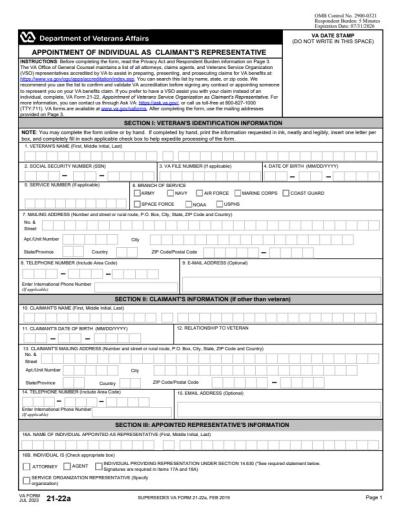 VA Form 21-22a — Appointment of Individual as Claimant's RepresentativeOfficial VA form used to appoint an individual representative such as an attorney, agent,...
-
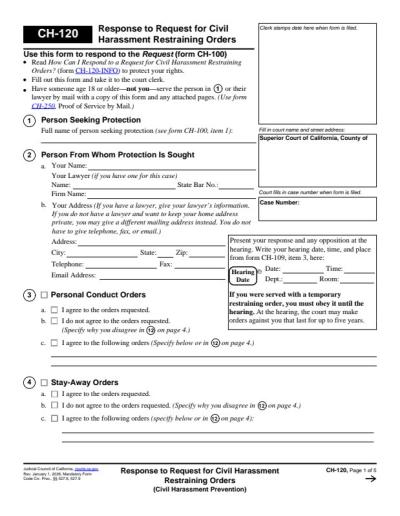 CH-120 Response to Request for Civil Harassment Restraining OrdersCH-120 Response to Request for Civil Harassment Restraining Orders is the official fillabl...
-
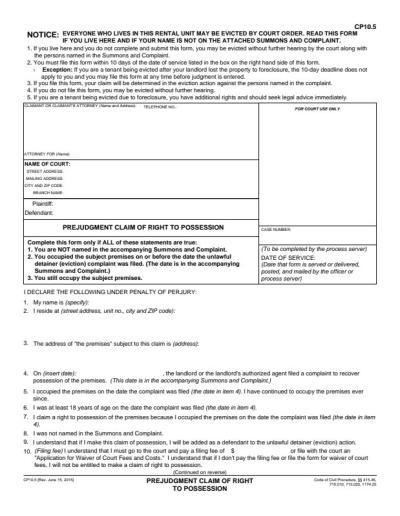 CP10.5 Prejudgment Claim of Right to PossessionCP10.5 Prejudgment Claim of Right to Possession is the official fillable form from Judicia...
-
 FL-341(C) Children's Holiday Schedule AttachmentFL-341(C) Children's Holiday Schedule Attachment is the official fillable form from Judici...