
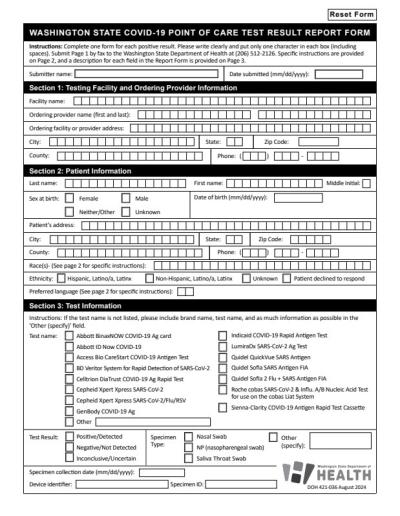
Covid 19 Test Results Form Template, filled in online.
Covid 19 Test Results Form Template — official fillable PDF form
Type in the panel and watch each answer land on the page. Filling in and signing is free; downloading needs a free account, which includes 5 downloads a month.
Or fill it another way:
- Category
- Healthcare
- Fillable fields
- 63
- Pages
- 3
- Paper size
- US Letter, 8.5 × 11 in
Five ways to fill this form.
-
Fill it in here
Type in the panel and watch it land on the form. Sign it, then download.
Free to fill and sign Start filling -
Many at once, from a spreadsheet
One row per person, one finished PDF for each.
Paid plan · you can walk through it Start with a spreadsheet -
Send it to someone to fill in
Email a link. They fill it in without an account and you get the answers back.
Paid plan · you can walk through it Send a request -
From your own software
Fill it over the API. One request returns the finished PDF.
Paid plan -
Let an AI assistant do it
Connect ChatGPT or Claude once, then describe what goes on the form.
With a free account
What is this form?
The COVID-19 Test Results Form records information about a SARS-CoV-2 test for reporting or internal public-health workflows. Its fields identify the submitter, testing facility, ordering provider, patient, selected test product, specimen, collection or result dates, and outcome. It includes choices for named rapid antigen and molecular tests as well as an “Other” option, so the reported product and result can be tied to the actual test performed.
This template is a data-collection record, not a laboratory order, prescription, medical diagnosis, proof of immunity, travel clearance, or replacement for an electronic laboratory report. Reporting rules, accepted test products, privacy notices, and deadlines can change by jurisdiction and healthcare setting. The facility or reporting authority should confirm that this version is still accepted and that every required electronic transmission is completed separately.
COVID-19 information is sensitive health information. Use an approved system, limit access to authorized staff, verify patient identity, and follow applicable retention and disclosure policies. PDFengine helps populate and download the fillable PDF, but it does not interpret the test, notify the patient, transmit a report to a health department, or determine treatment or isolation guidance.
Who needs to fill this out?
- Testing facilities documenting reportable COVID-19 tests performed at their location.
- Ordering providers or authorized clinical staff supplying provider and patient information.
- Laboratory, infection-control, school, workplace, or public-health teams using the form in an approved reporting process.
- Authorized data-entry personnel converting verified source records into the required PDF format.
- Organizations that have confirmed this form, its privacy controls, and its submission method are appropriate for their jurisdiction.
Where and how to submit
Submit the completed form to the healthcare organization, laboratory, public-health authority, or other recipient that instructed you to use it. Do not send patient health information to a generic email address or unapproved cloud folder. Many jurisdictions require electronic laboratory reporting in addition to, or instead of, a PDF, and urgent notification rules may apply to certain facilities. Follow the current local protocol for timing, patient notification, corrections, failed transmissions, and record retention. Keep the minimum necessary copy in the approved medical or reporting system with an access trail.
How to fill it out
- Step 1 — Submitter name and Date submitted: Enter the authorized submitter’s name and the submission date in mm/dd/yyyy format. Use the date the report is actually prepared or sent, not the specimen date.
- Step 2 — Facility name and ordering provider: Complete Facility name, Ordering provider name (first), Ordering provider name (last), the facility or provider address, City, State, ZIP Code, County, and all parts of the Phone number. Match the organization’s reporting registration details.
- Step 3 — Patient identity: Enter Last name, First name, Middle Initial, Date of birth, address, and phone components from the verified patient record. Confirm two identifiers before recording results and avoid adding information that the form does not request.
- Step 4 — Demographic responses: Select the applicable Female, Male, Neither/Other, or declined response and complete Race(s), ethnicity, and Preferred language using the patient’s self-reported information. Do not infer demographic data from appearance, surname, or records prepared for another purpose.
- Step 5 — Test name: Select the exact test performed, such as Abbott BinaxNOW, Abbott ID NOW, Access Bio CareStart, BD Veritor, Celltrion DiaTrust, Quidel QuickVue, or another listed product. If Other is selected, complete Other test type (specify) with the manufacturer and product name from the kit or instrument record.
- Step 6 — Specimen and result: Choose the actual specimen type, including Nasal Swab when applicable, and enter the documented collection, test, and result information. Select Positive/Detected or the corresponding result only as produced by the validated device or laboratory workflow; do not reinterpret an invalid or indeterminate result.
- Step 7 — Clinical review and submission: Compare the PDF with the instrument printout or source system, correct mismatched dates and identifiers, and have authorized staff complete any certification. Save or transmit it only through the approved secure channel and document successful receipt.
Frequently asked questions
Does this form replace electronic laboratory reporting?
Usually not. A PDF may support a workflow, but the responsible facility must complete every required electronic or direct report.
Who may complete the patient demographic fields?
Authorized staff may enter verified information under the organization’s privacy and reporting procedures. Demographic responses should come from the patient or an approved record.
What should I enter when the test is not listed?
Select Other where appropriate and provide the exact manufacturer and product name in the specification field.
Can an invalid result be marked negative?
No. Record the result produced under the approved testing procedure and follow the device instructions for invalid, indeterminate, or repeat tests.
Is the form a medical certificate for travel or work?
Not automatically. The receiving organization decides what evidence it accepts, and additional identity, timing, laboratory, or clinician certification may be required.
How should a reporting error be corrected?
Follow the receiving authority’s correction process, preserve the audit trail, and notify affected clinical or public-health systems when required.
Does PDFengine notify the patient or health department?
No. PDFengine creates the PDF only; authorized staff remain responsible for clinical communication and statutory reporting.
Can I create COVID-19 Test Results Forms in bulk?
Yes. PDFengine supports bulk generation from Excel or CSV, with one row per report, and can automate generation via the PDFengine API. Use approved privacy safeguards and validate every record before transmission.
Ready to fill it in?
Fill in this formMore forms in this category
-
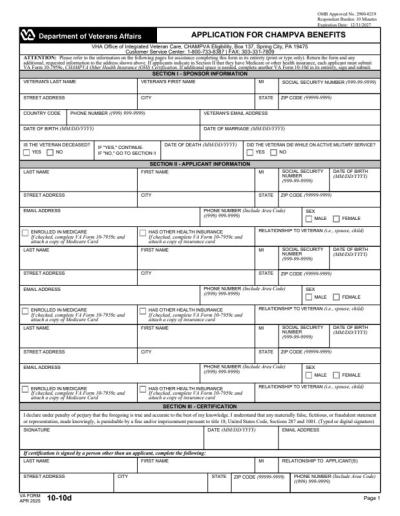 VA Form 10-10D — Application for CHAMPVA BenefitsOfficial VA form used to apply for CHAMPVA health benefits.
-
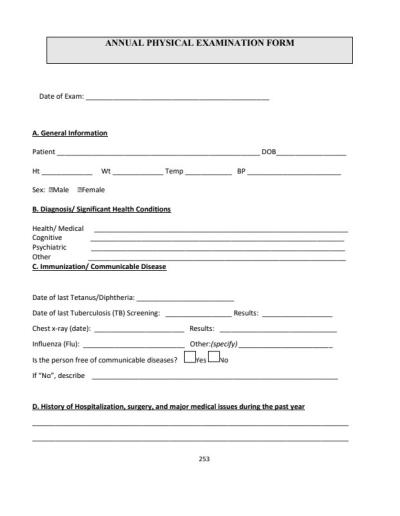 Annual Physical Exam Verification FormAnnual Physical Exam Verification Form — official fillable PDF form
-
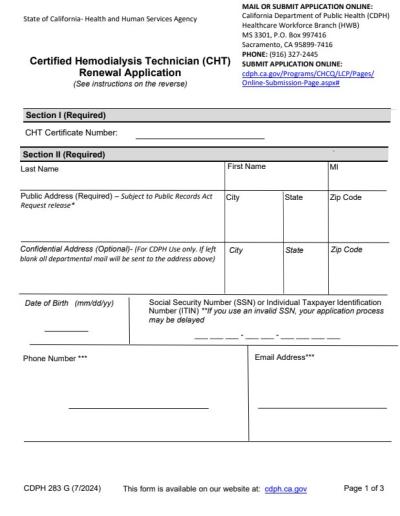 Certified hemodialysis technician cht renewal applicationCertified hemodialysis technician cht renewal application — official fillable PDF form
-
 Dl 546 Health Questionnaire California DmvDl 546 Health Questionnaire California Dmv — official fillable PDF form