
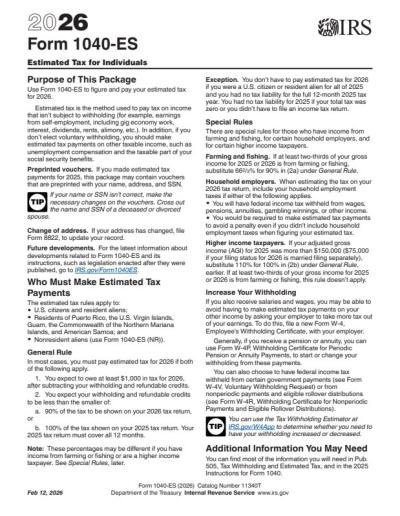
Form 1040-ES, filled in online.
Estimated Tax for Individuals
Type in the panel and watch each answer land on the page. Filling in and signing is free; downloading needs a free account, which includes 5 downloads a month.
Or fill it another way:
- Category
- Tax
- Fillable fields
- 114
- Pages
- 16
- Paper size
- US Letter, 8.5 × 11 in
Five ways to fill this form.
-
Fill it in here
Type in the panel and watch it land on the form. Sign it, then download.
Free to fill and sign Start filling -
Many at once, from a spreadsheet
One row per person, one finished PDF for each.
Paid plan · you can walk through it Start with a spreadsheet -
Send it to someone to fill in
Email a link. They fill it in without an account and you get the answers back.
Paid plan · you can walk through it Send a request -
From your own software
Fill it over the API. One request returns the finished PDF.
Paid plan -
Let an AI assistant do it
Connect ChatGPT or Claude once, then describe what goes on the form.
With a free account
What is this form?
Form 1040-ES, Estimated Tax for Individuals, is the official PDF used in the United States for this filing or verification task. PDFengine keeps the original layout but lets you complete the form digitally, which is useful when you need a clean copy for payroll, tax, HR, lending, or compliance workflows. Because the template follows the actual AcroForm field structure in the government PDF, you can fill the right boxes without guessing where values belong.
This matters when a form has multiple copies, period-specific fields, signature areas, or tightly structured line items. Instead of editing a flat PDF manually, you can type into the real fields, review the finished document, and download the completed PDF for submission or internal review.
Who needs to fill this out?
- Self-employed individuals and freelancers making quarterly estimated tax payments
- Taxpayers with income that is not fully covered by withholding
- Individuals paying expected federal tax on investment, rental, or side-business income
Where and how to submit
Estimated tax is paid directly to the IRS, usually four times per year. Most taxpayers now pay electronically, but the official PDF still includes payment vouchers for mailed checks or money orders. Keep the worksheet and proof of each payment so you can reconcile your estimated tax credits on your annual individual income tax return.
How to fill it out
- Step 1 — Estimate annual income: Use the worksheet pages and related income, deduction, and credit fields to estimate your expected taxable income for the year.
- Step 2 — Calculate estimated tax: Apply the tax computation lines, self-employment tax lines, and credit adjustments to determine your expected annual tax and required quarterly payment.
- Step 3 — Enter payment voucher details: If you pay by mail, fill the voucher with your name, address, Social Security number, and the amount for the correct quarter.
- Step 4 — Choose payment method: Use the voucher fields only for paper payments. Electronic payments can be made separately through IRS Direct Pay, EFTPS, or another approved method.
- Step 5 — Keep the schedule straight: Review all quarterly due dates and keep a record of each payment so the amounts reconcile with your year-end Form 1040 return.
Frequently asked questions
Who needs Form 1040-ES?
People who expect to owe tax that is not fully covered by withholding often use it to avoid underpayment penalties.
Do I mail the whole form?
Usually no. The worksheet is for your records, while mailed payments use the correct voucher page only.
Can I pay online instead of mailing a voucher?
Yes. The IRS offers electronic payment options, and many taxpayers prefer them because they are faster and easier to track.
Are the due dates quarterly?
Yes. The payment schedule follows four annual due dates that cover income earned throughout the year.
Does Form 1040-ES replace Form 1040?
No. It is only for estimating and paying tax during the year. Your final tax return is still filed on Form 1040.
Can I create Form 1040-ES in bulk?
Yes. PDFengine supports bulk generation of Form 1040-ES via Excel or CSV upload — upload a spreadsheet with one row per form and PDFengine generates all PDFs at once. You can also automate bulk creation programmatically via the PDFengine API.
Ready to fill it in?
Fill in this form


