
Form Frx 200 Oklahoma Annual Franchise Tax Return, filled in online.
Form Frx 200 Oklahoma Annual Franchise Tax Return — official fillable PDF form
Type in the panel and watch each answer land on the page. Filling in and signing is free; downloading needs a free account, which includes 5 downloads a month.
Or fill it another way:
- Category
- Tax
- Fillable fields
- 252
- Pages
- 7
- Paper size
- US Letter, 8.5 × 11 in
Five ways to fill this form.
-
Fill it in here
Type in the panel and watch it land on the form. Sign it, then download.
Free to fill and sign Start filling -
Many at once, from a spreadsheet
One row per person, one finished PDF for each.
Paid plan · you can walk through it Start with a spreadsheet -
Send it to someone to fill in
Email a link. They fill it in without an account and you get the answers back.
Paid plan · you can walk through it Send a request -
From your own software
Fill it over the API. One request returns the finished PDF.
Paid plan -
Let an AI assistant do it
Connect ChatGPT or Claude once, then describe what goes on the form.
With a free account
What is this form?
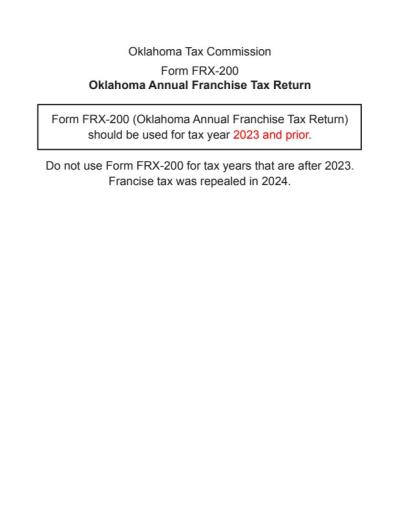
Oklahoma Form FRX-200, Oklahoma Annual Franchise Tax Return, is issued by the Oklahoma Tax Commission. It reports and calculates Oklahoma franchise tax for tax years 2023 and earlier. The form uses entity identification, reporting-period details, Oklahoma and total assets, liabilities, business activity, apportionment, tax, registered-agent fee, balance-sheet data, and corporate-officer information. Oklahoma repealed the franchise tax for tax years after 2023, so this form is historical or amended-year specific.
This fillable version helps you type into the form’s existing fields and produce a readable PDF, but it does not decide eligibility, calculate every legal or tax consequence, or replace the issuing agency’s instructions. Start with the notice, petition, return, account record, or source documents connected to the form. Confirm that you are using the correct edition and reporting period, because field labels and submission rules can change. Enter names, identifiers, dates, and amounts consistently across the form and attachments. If a question does not apply, follow the official instruction for leaving it blank, entering zero, or writing an explanation; do not guess merely to fill every box.
Who needs to fill this out?
- A corporation completing an original Oklahoma franchise-tax return for 2023 or an earlier year. Review the official eligibility or role requirements before relying on this form.
- A corporation amending an eligible pre-repeal return. Review the official eligibility or role requirements before relying on this form.
- A tax professional resolving a notice or delinquent historical filing. Review the official eligibility or role requirements before relying on this form.
- A corporate officer compiling balance-sheet and Oklahoma apportionment information. Review the official eligibility or role requirements before relying on this form.
The person with authority to make the declaration remains responsible for accuracy even when a preparer, employee, volunteer, or representative enters the data. Use professional advice when the form affects court rights, immigration status, tax liability, public benefits, or vehicle ownership and the facts are uncertain.
Where and how to submit
File FRX-200 using the Oklahoma Tax Commission method and address applicable to the historical period or to the notice that requested it. Do not use FRX-200 for a tax year after 2023; consult current Oklahoma business filing requirements instead. Use the due date for the original historical year or the response date on an Oklahoma Tax Commission notice. Interest and penalties may continue on unresolved old liabilities.
Use only the current submission channel published by the receiving authority or printed in the case-specific correspondence. Before sending, make a complete copy and verify the destination, required attachments, signatures, payment method, and delivery format. Redact sensitive numbers only on informal working copies, never on a filing when the authority requires the full identifier. Keep the historical return, balance sheet, apportionment workpapers, payment evidence, corporate records, and Commission correspondence. Record the submission date and retain a receipt, tracking number, portal confirmation, fax report, or file-stamped copy so you can show what was delivered.
How to fill it out
- Step 1 — Taxpayer FEIN, Account Number, and Reporting Period: Match the legal entity and historical tax period to Oklahoma Tax Commission records. Check the entry against the underlying record, and use the same spelling, number format, and reporting period throughout related documents.
- Step 2 — Name, Address, Due Date, and State of Incorporation: Complete identity details and mark amended return, estimated return, or new address when applicable. Check the entry against the underlying record, and use the same spelling, number format, and reporting period throughout related documents.
- Step 3 — Total Net Assets, Total Assets, and Current Liabilities: Transfer balance-sheet values and follow the line instructions for capital employed. Check the entry against the underlying record, and use the same spelling, number format, and reporting period throughout related documents.
- Step 4 — Oklahoma and total gross business amounts: Enter business activity consistently and calculate the permitted Oklahoma-asset percentage option. Check the entry against the underlying record, and use the same spelling, number format, and reporting period throughout related documents.
- Step 5 — Tax, Registered Agents Fee, and payments: Calculate the historical liability, fees, credits, interest, and balance using instructions for the relevant year. Check the entry against the underlying record, and use the same spelling, number format, and reporting period throughout related documents.
- Step 6 — Balance Sheet and officer information: Complete supporting schedules, reconcile them to the return, obtain authorized signature, and retain computations. Check the entry against the underlying record, and use the same spelling, number format, and reporting period throughout related documents.
Before finalizing, review the PDF page by page. Make sure selected checkboxes do not contradict written answers, totals reconcile to schedules, continuation pages are identified, and every referenced attachment is present. Do not place a digital image or typed name in a signature field unless the receiving authority accepts that signature method. Save an unsigned review copy when another person must approve the information, then create the final signed version without changing the reviewed facts.
Frequently asked questions
Is Oklahoma Form FRX-200 the current official edition?
Check the edition date on the PDF against the issuer’s current website or the instructions in the notice or case package. PDFengine provides a fillable workflow, but the receiving authority decides which edition it accepts.
Which documents should I collect before filling it out?
Gather the notice or case papers, identification details, source records for every amount or date, and all schedules mentioned by the form. Keep the historical return, balance sheet, apportionment workpapers, payment evidence, corporate records, and Commission correspondence.
Can PDFengine tell me which legal, tax, or eligibility answer to choose?
No. PDFengine helps populate the PDF fields; it does not make factual determinations or provide individualized legal or tax advice. Read the official instructions and consult a qualified professional when the correct treatment is unclear.
What should I do if there is not enough space?
Use the continuation method allowed by the official instructions. Label every attachment with the filer or case identifier, form name, relevant line or item, reporting period, and page count, while avoiding unnecessary sensitive information.
How should I protect personal information on this form?
Use a trusted device, verify recipients, restrict access to completed files, and transmit them only through an approved secure channel. Delete unneeded temporary copies and retain the official record according to the applicable policy.
Can I create Oklahoma Form FRX-200 in bulk?
Yes. PDFengine supports bulk generation of Oklahoma Form FRX-200 via Excel or CSV upload — upload a spreadsheet with one row per form and PDFengine generates all PDFs at once. You can also automate bulk creation programmatically via the PDFengine API. Review bulk output carefully because identical column mapping does not guarantee that every row is factually complete or eligible.
Ready to fill it in?
Fill in this form


