
How to organize your PDFs: 5 tools you should know about
Jip Oomen
PDFengine Team
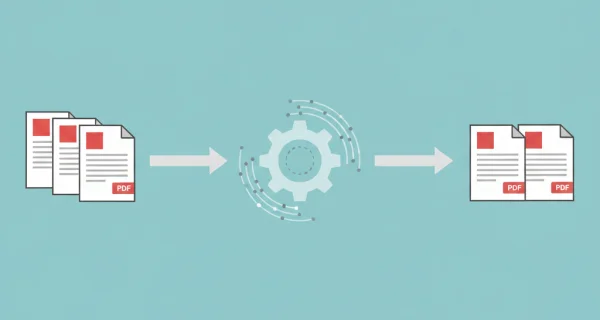
Is your PDF document too long, do you need to protect it, or do you want to manage your PDFs in some other way? Through PDF organization tools, you can effectively administer your PDF documents, and make sure PDFs serve all your organizational needs.
At PDFen 5 PDF organization tools are offered helping you to open, use, and share PDFs more effectively. Let’s run them down one by one: Split PDF, Rotate PDF, Protect PDF, Unprotect PDF, and Delete PDF pages.
Split PDF
When? If you need to separate your document into multiple parts, or need to extract specific page(s) from a PDF document
How does it work?
Go to ‘organize’ and then to ‘Split PDF’
Drop your PDF or ZIP file(s) into the software
Select the page ranges where you want to separate the PDFs. Use dashes (-) to indicate a page range, and use commas to separate different page ranges.
If you wish, add a cover page
Press ‘convert’ and download your result directly.
Note: You can only separate 2 parts at the same time, so you might need to perform this action multiple times in order to split your PDF into more parts. Consider using ‘delete PDF pages’ when you just want to get rid of a few pages in your document.
Rotate PDF
When? In case your PDF document is not aligned in the right way when opening it in a PDF viewer.
How does it work? With this tool you can turn your PDF document 90, 180 or 270 degrees, making sure it is easily readable.
Go to ‘organize’ and then to ‘Rotate PDF’
Drop your PDF or ZIP file(s) into the software
Select the rotation you want to apply to the document(s) (90, 180, or 270 degrees)
Click ‘show more options’ if you’d like to apply the rotation only to specific pages, or if you'd like to password-protect your PDF file
If you wish, add a cover page
Press ‘convert’ and download your result directly.
Protect PDF
When? If your PDF content is somewhat sensitive and you wish to restrict access to a certain number of people.
How does it work? Seamlessly apply password protection to your PDF file, so the PDF file you send can only be opened with a self-set password.
Go to ‘organize’ and then to ‘Protect PDF’
Drop your PDF or ZIP file(s) into the software
Enter the password that will be necessary to open the document from now on
Click on ‘more options’ if you wish to add a specific password for owner permissions, or if you'd like to disallow certain actions (such as printing or modifying)
Under 'more options' you can also specify the security level; AES256Bit offers the best protection, while other encryption is offered for compatibility with older software
If you wish, add a cover page
Press ‘convert’ and download your result directly.
Unprotect PDF
When? If the aforementioned security needs aren’t there anymore, and you’d like to share your PDF in a more accessible way.
How does it work? This tool allows you to delete password protection from your PDF, so that it can be opened without password. Can only be used if you have the password that is currently securing the PDF
Go to ‘organize’ and then to ‘Unprotect PDF’
Drop your PDF or ZIP file(s) into the software
Enter the password for your file
If you wish, add a cover page
Press ‘convert’ and download your result directly.
Delete PDF pages
When? Use if you do not need some pages within your PDF document, and want to make it less long.
How does it work? Allows you to delete any number of pages you want from your PDF document, while preserving the rest.
Go to ‘organize’ and then to ‘Delete PDF pages’
Drop the relevant PDF or ZIP file(s) into the software
Indicate the range of pages that you’d like to delete from the document (use a dash to indicate page range, comma to refer to different pages)
If you wish, add a cover page
Press ‘convert’ and download your result directly.
--> PDF organization tools allow you to make use of PDF documents within your organization much more effectively. Simple organization tools can save time, paper, and a lot of hassle. Explore all our PDF tools here.
Related Articles
Compressing and repairing: How to optimize your PDFs
Professionalize your PDFs by using 5 essential PDF optimization tools. Learn when and how to repair,...

Can ChatGPT, Claude or Gemini Convert Email to PDF? What AI Can (and Can't) Do
No AI assistant can natively convert .eml or .msg to PDF. But Claude + MCP bridges the gap — here's...