
Multi-Page TIFF Only Shows Page 1? How to Convert TIFF to PDF
Founder, PDFengine
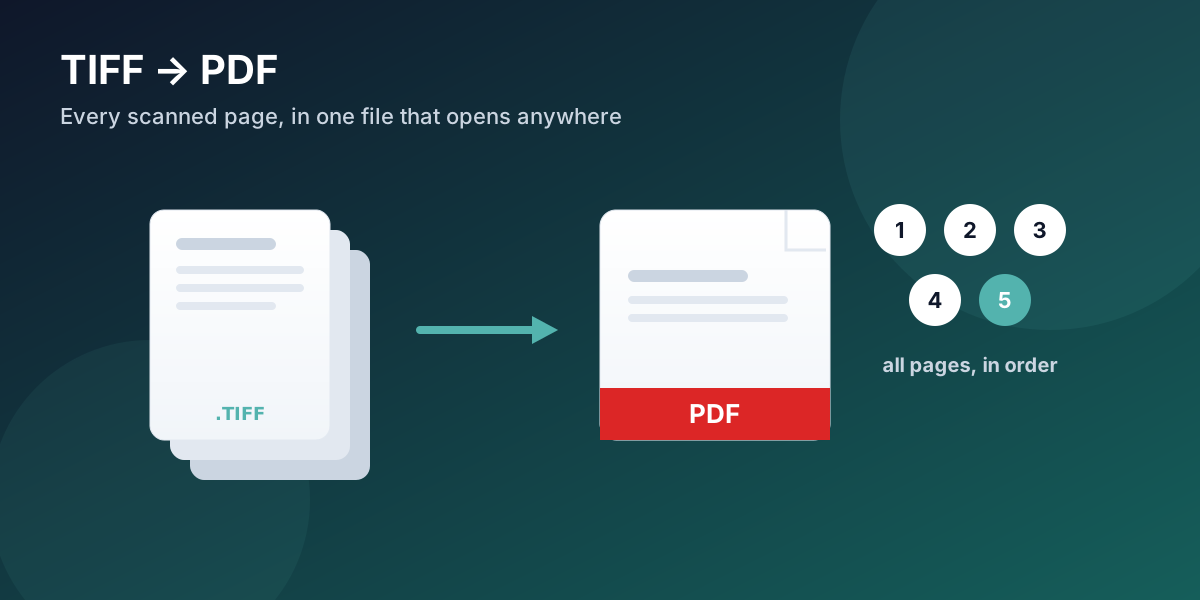
A multi-page TIFF from a scanner stores every page inside one file — but most default image viewers only display the first page, so the rest looks missing. The pages are not lost; the viewer simply doesn't page through TIFF. Convert the TIFF to PDF and every page comes across, in the right order, in a file that opens on any device. PDFengine turns single-page and multi-page TIFF into a PDF directly in the browser.
Key Takeaways
A TIFF can hold many pages in one file, but Windows Photo Viewer and most previews show only page 1.
The other pages are still there — the viewer just won't step through a multi-page TIFF.
Converting a multi-page TIFF to PDF brings every page across, in order, in a file that opens anywhere.
TIFF is a respected archival format, but it is poor for sharing; PDF is its portable counterpart.
PDFengine converts single and multi-page TIFF to PDF online, and can also convert PDF back to TIFF for archiving.
Why does my TIFF only show the first page?
Because TIFF can pack multiple images into a single file, and the basic viewer in front of you wasn't built to flip through them. This is one of the most common scanning headaches. On Microsoft's support forums, people repeatedly describe scanning a stack of pages into a TIFF and then finding that Windows shows only the first one (Microsoft Q&A), and others ask outright how to turn that scanned TIFF into a PDF so it behaves like a normal document (Microsoft Q&A).
The frustration is understandable: it looks like the scan failed and you lost pages 2 through 10. You didn't. They are inside the file. You just need a format — and a viewer — that everyone already has. That is PDF.
Citation capsule: A multi-page TIFF stores several page images in a single file, but many default image viewers render only the first page. The remaining pages remain intact in the file; converting the TIFF to a multi-page PDF exposes every page in order in a universally viewable document.
Why do scanners produce TIFF, and should you keep it?
TIFF earned its place for a reason. The Library of Congress treats uncompressed TIFF as a preferred format for archival, master-quality scanned images because it is lossless and stable over time (Library of Congress). If you are building a long-term archive of master scans, keeping a TIFF original is a sound choice.
The catch is everyday use. TIFF files are large, they don't open reliably on phones or in email, and — as above — multi-page TIFFs confuse common viewers. For anything you need to send, review, or share, PDF is the portable counterpart: it carries every page, opens everywhere, and stays far smaller. Many teams keep the TIFF master for the archive and work from a PDF copy.
How to convert TIFF to PDF
Convert the file itself, online, in three steps.
Step 1: Upload your TIFF
Open the TIFF to PDF tool and drop in your file — single-page or multi-page. It runs in the browser, with nothing to install, and a ZIP of TIFF files works too.
Step 2: Set the page layout
Choose a page size (A4 or Letter) and margins. Multi-page TIFFs are handled as multi-page documents, so you don't have to split anything yourself.
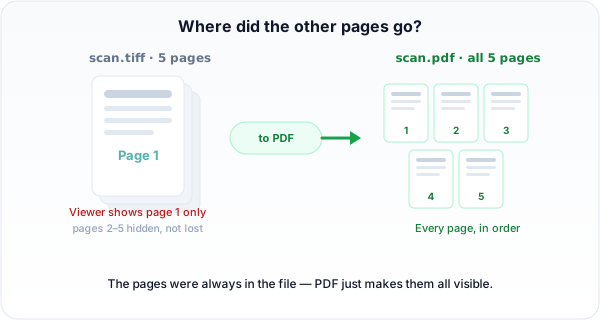 A multi-page TIFF keeps every page inside one file. Converting to PDF makes all of them visible, in order.
Step 3: Convert and download
Convert and download your PDF. Every page from the TIFF arrives in the PDF, in the original order, ready to read or share.
Does a multi-page TIFF become one PDF?
Yes. A multi-page TIFF converts into a single multi-page PDF, with the pages in the same order as the scan. You don't get a folder of separate images to reassemble — you get one document that behaves the way a scanned file should.
PDFengine vs Adobe Acrobat for TIFF
Factor | Adobe Acrobat | PDFengine |
Pricing | Subscription-based (pricing) | Free tier to try; online tool |
Install | Desktop app | Runs in the browser |
Multi-page TIFF to PDF | Supported | Built for it — every page, in order |
Batch + merge | Yes | Yes — many TIFF into one PDF |
PDF to TIFF | Supported | Yes, for archiving |
Frequently asked questions
Why can I only see one page of my TIFF?
Because the TIFF holds multiple pages and your viewer only shows the first. The other pages are still in the file. Converting to PDF reveals all of them as a normal multi-page document.
Is TIFF better than PDF for scanned documents?
For long-term archival masters, TIFF is excellent — lossless and stable, as the Library of Congress notes. For sharing, emailing, and everyday viewing, PDF wins because it opens everywhere, carries every page, and is much smaller.
Can I convert a PDF back to TIFF?
Yes. PDFengine also converts PDF to TIFF, which is useful when an archive or workflow specifically requires TIFF masters.
Will the conversion keep every page and the quality?
Yes. Every page of the TIFF is brought into the PDF at its original resolution and in order, so nothing is dropped or downgraded.
Stuck with a TIFF that only shows page one? Convert TIFF to PDF now and get every page in a file that opens anywhere.
Written by Daan van Tongeren, founder of PDFengine.
Related Articles

How to deliver a newspaper ad PDF: the 240% ink limit, ISOnewspaper26v4 and GWG2015 explained
Your newspaper wants GWG2015, ISOnewspaper26v4 and max 240% ink. Here is what that means, why a prof...

Can ChatGPT, Claude or Gemini Convert Email to PDF? What AI Can (and Can't) Do
No AI assistant can natively convert .eml or .msg to PDF. But Claude + MCP bridges the gap — here's...