
WEBP Files Won't Open? Here's Why — and How to Convert WEBP to PDF
Founder, PDFengine
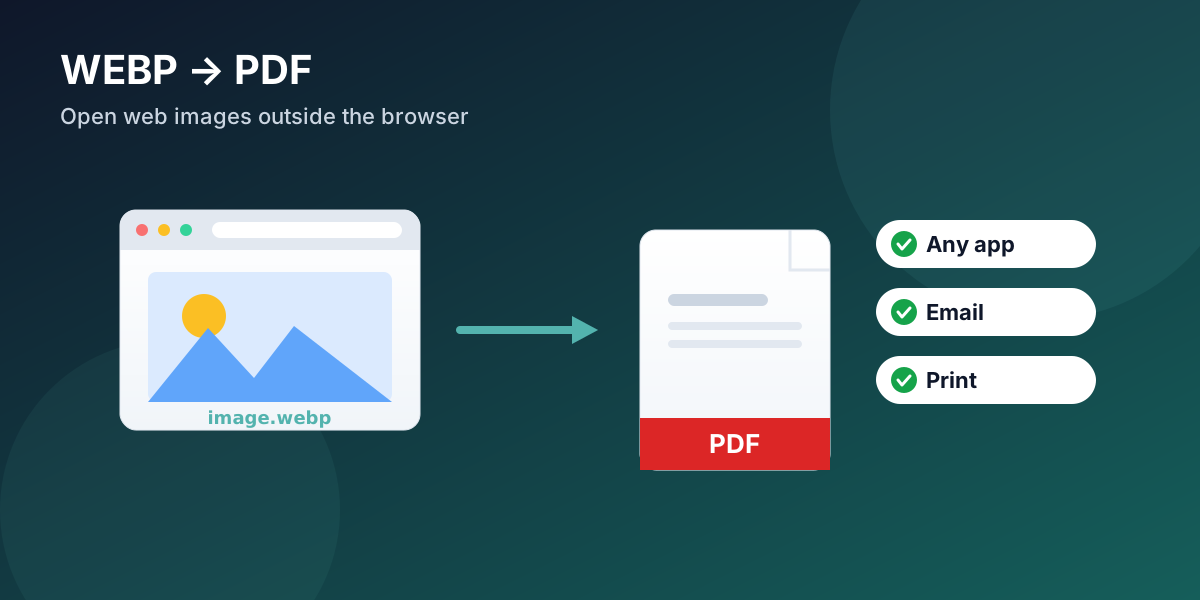
WEBP is a modern image format Google built for the web, so browsers display it everywhere — but Windows Photos, Microsoft Office, and many email previews don't open a downloaded .webp file by default. It is not broken; it simply lacks support outside the browser. To use a WEBP outside a web page, convert it: turn it into a PDF when you need to share, print, or archive it — one file that opens anywhere — or combine several WEBP images into a single PDF at once.
Key Takeaways
WEBP is built for the web; roughly 96% of browsers display it, yet many desktop apps and email clients won't open a saved
.webp.A WEBP that "won't open" is not corrupted — it is a support gap outside the browser.
Converting WEBP to PDF makes it open on any device, print cleanly, and bundle multiple images into one file.
PDFengine converts WEBP to PDF online: merge many WEBP into one PDF, or keep each as its own.
The same web efficiency that makes WEBP popular is why PDFengine can also convert PDF pages to WEBP for websites.
Why won't my WEBP file open outside the browser?
WEBP is supported by about 96% of browsers in use — Can I Use puts global support at roughly 95.97% (Can I Use). That is why so many websites now serve images as WEBP, and why right-clicking "Save image as" on a web page so often hands you a .webp file. The trouble starts the moment that file leaves the browser. Desktop image viewers, older versions of Office, and many email previews simply never learned to read it.
The confusion is everywhere. On Microsoft's own Q&A, a thread titled "How to Convert WEBP image to JPG" — someone asking the blunt question "how can i change a WEBP file into a JPG file?" — was marked as the same question by more than twenty other people (Microsoft Q&A). The file is fine; the program in front of them just can't display it.
Citation capsule: WEBP is supported by approximately 96% of web browsers (Can I Use), which is why websites serve it widely. That support does not extend to many desktop image viewers, office suites, or email clients, so a downloaded .webp often appears unopenable outside a browser even though the file is valid.
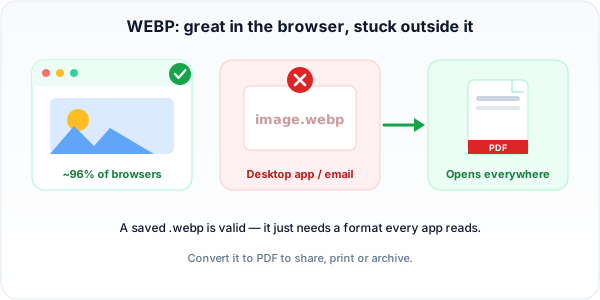 A saved WEBP is a valid file — it just needs a format every app can read. Converting to PDF does that.
Should you convert WEBP to JPG or to PDF?
It depends on the goal:
Convert to JPG when you want a single, universally editable image to drop into another document.
Convert to PDF when you need to share, send, print, or archive — especially more than one image. A PDF opens on every device, passes through email gateways, prints predictably, and can carry several images in one file with a fixed order.
For "I just need this image to open on someone else's computer," PDF removes the format problem for the recipient entirely.
How to convert WEBP to PDF
Convert the file itself, online, in three steps — then it opens anywhere.
Step 1: Upload your WEBP files
Open the WEBP to PDF tool and drop in your images. It runs in the browser on any system, and a ZIP of WEBP files works too.
Step 2: Set the page and layout
Choose a page size (A4 or Letter) and margins, and decide whether each image becomes its own PDF or all of them merge into one multi-page document.
Step 3: Convert and download
Convert and download. Your image is embedded at its original resolution, so you keep the quality while gaining compatibility.
Can I convert several WEBP files into one PDF?
Yes. Upload them together and choose "merge into one PDF." This is ideal when you've saved a batch of images from a web page or gallery and want to send or file them as a single document rather than a folder full of files nobody can open.
Why is the web full of WEBP in the first place?
Because it is smaller. Google reports that WEBP lossless images are about 26% smaller than PNGs, and WEBP lossy images are 25-34% smaller than comparable JPEGs at equivalent quality (Google for Developers). Smaller images mean faster pages, so the format spread quickly across the web — even though desktop support never fully caught up.
That efficiency cuts both ways. If you run a website and want to show a PDF page as a lightweight image, PDFengine can also convert PDF pages to WEBP to keep them small — a format many converters skip entirely.
PDFengine vs Adobe Acrobat for WEBP
Factor | Adobe Acrobat | PDFengine |
Pricing | Subscription-based (pricing) | Free tier to try; online tool |
Install | Desktop app | Runs in the browser |
WEBP to PDF | Supported in recent versions | Built for it directly |
Batch + merge | Yes | Yes — many WEBP into one PDF |
PDF to WEBP | Limited | Yes |
Frequently asked questions
Why does saving an image from the web give me a WEBP file?
Because the website is serving that image as WEBP to load faster. When you save it, you get the format the site used. Converting it to PDF (or JPG) makes it usable in apps that don't read WEBP.
Is WEBP better than JPG or PNG?
For the web, often yes — it is meaningfully smaller at similar quality (about 26% smaller than PNG and 25-34% smaller than JPEG, per Google). For sharing and printing off the web, PDF or JPG is more universally supported.
Can I convert WEBP to PDF on a phone?
Yes. Because the tool runs in the browser, it works the same on iOS, Android, Windows, macOS, or Linux — nothing to install.
Will converting WEBP to PDF lose quality?
No. The image is embedded into the PDF at its original resolution, so you are changing the wrapper, not re-compressing the picture.
Got a WEBP that won't open? Convert WEBP to PDF now — free to try, no account needed.
Written by Daan van Tongeren, founder of PDFengine.
Related Articles

How to deliver a newspaper ad PDF: the 240% ink limit, ISOnewspaper26v4 and GWG2015 explained
Your newspaper wants GWG2015, ISOnewspaper26v4 and max 240% ink. Here is what that means, why a prof...

Can ChatGPT, Claude or Gemini Convert Email to PDF? What AI Can (and Can't) Do
No AI assistant can natively convert .eml or .msg to PDF. But Claude + MCP bridges the gap — here's...