
How to Prove an Email Was Sent: Headers, Hashes, and Court-Ready Evidence
Founder, PDFengine

To prove an email was sent, you need the message's technical headers, not a screenshot. The Received chain, Message-ID, and Authentication-Results (SPF, DKIM, DMARC) show where the email came from and how it traveled. Pair those headers with a SHA-256 hash of the original file, and you have tamper-evident proof a judge or HR manager can actually rely on.
Key Takeaways
A screenshot of an inbox proves almost nothing: it is trivially editable and carries no headers, no transport chain, and no integrity hash.
Real proof lives in the email headers: the Received chain (the hops it took), the Message-ID (a unique fingerprint), and SPF/DKIM/DMARC verdicts that show whether the sender was authenticated.
A SHA-256 hash of the original
.emlor.msgfile acts as a tamper-evident anchor: change one byte and the hash changes.Business Email Compromise alone caused $2.77 billion in losses across 21,442 complaints in 2024 (Source: FBI IC3 2024 Annual Report, 2025), so email authenticity matters more than ever.
Tools like PDFengine turn a raw email into a one-page authenticity report, capturing headers and a hash without rendering the body. Be aware of the honest limits below.
Most people reach for a screenshot when they need to prove an email exists. It feels obvious. The problem is that a screenshot is the weakest possible form of digital evidence, and the people who matter, judges, arbitrators, HR investigators, know it.
 Email evidence has to meet real authenticity standards, not just look convincing.
Why isn't a screenshot of an email valid proof?
A screenshot proves nothing cryptographic and is easy to fake. Anyone can edit text in a browser's developer tools, retype a sender address, or doctor an image in seconds. That is exactly why this comes up so often: on the Avvo legal Q&A site, people regularly ask "how admissible is a screenshot from unverified accounts for court evidence?" The honest answer is that, on its own, it carries very little weight.
A screenshot captures the rendered surface of an email. It throws away everything underneath: the headers that record the sending server, the unique Message-ID, the authentication results, and any way to detect tampering. Opposing counsel only has to ask one question, "how do we know this wasn't edited?", and a bare screenshot has no answer.
Citation capsule: A screenshot of an email inbox is rendered output with no underlying metadata. It contains no Received chain, no Message-ID, and no integrity hash, so it cannot independently demonstrate that an email was sent, from whom, or that the content is unaltered. Forensic-grade proof requires the raw headers and a cryptographic hash of the source file.
For the bigger picture on storing messages defensibly, see our guide on email archiving and email-to-PDF/A conversion.
What actually proves an email was sent?
The proof lives in the email's full headers, which most inboxes hide by default. In Gmail you reveal them with "Show original"; in Outlook, via message properties. These headers are the record your email server and every relay along the way wrote automatically. Three fields do most of the work, and each one answers a different question.
The Received chain: where did the email travel?
The Received chain is a stack of lines added by every mail server (MTA) that handled the message. Read bottom to top, it traces the email's journey from the sender's server to yours, with timestamps and IP addresses at each hop. This is the closest thing email has to a postmark trail. If the chain is internally consistent and matches the claimed sender's infrastructure, it strongly supports that the email genuinely traveled that route.
Message-ID, Return-Path, and Reply-To: who and what?
The Message-ID is a globally unique identifier stamped when the message is created, think of it as a serial number. Matching Message-IDs across the sender's "Sent" copy and the recipient's received copy is powerful corroboration. The Return-Path and Reply-To fields add context about the real sending account, which sometimes differs from the friendly "From" name a forger might spoof.
SPF, DKIM, and DMARC: was the sender authenticated?
These three checks tell you whether the email actually came from the domain it claims. SPF verifies the sending server is authorized for that domain. DKIM is a cryptographic signature tying the message to the domain. DMARC ties the two together with a policy. The receiving server records the outcome in the Authentication-Results header as a verdict: pass, fail, softfail, neutral, none, temperror, or permerror. A green pass across all three is a strong signal of authenticity.
Here's the catch worth knowing. Authentication is far from universal. In practice, many sending domains still don't enforce DMARC, and plenty publish a policy of 'none' that asks receivers to take no action on a failure. So a missing or non-enforcing pass isn't proof of forgery, it often just means the sending domain simply isn't configured well.
Because enforcement is so spotty, the practical takeaway flips conventional advice. A DKIM pass is strong positive evidence, but a missing or none result is weak negative evidence. For most disputes, the Received chain plus the Message-ID does more reliable work than chasing a DMARC verdict that the sender's domain may never have supported.
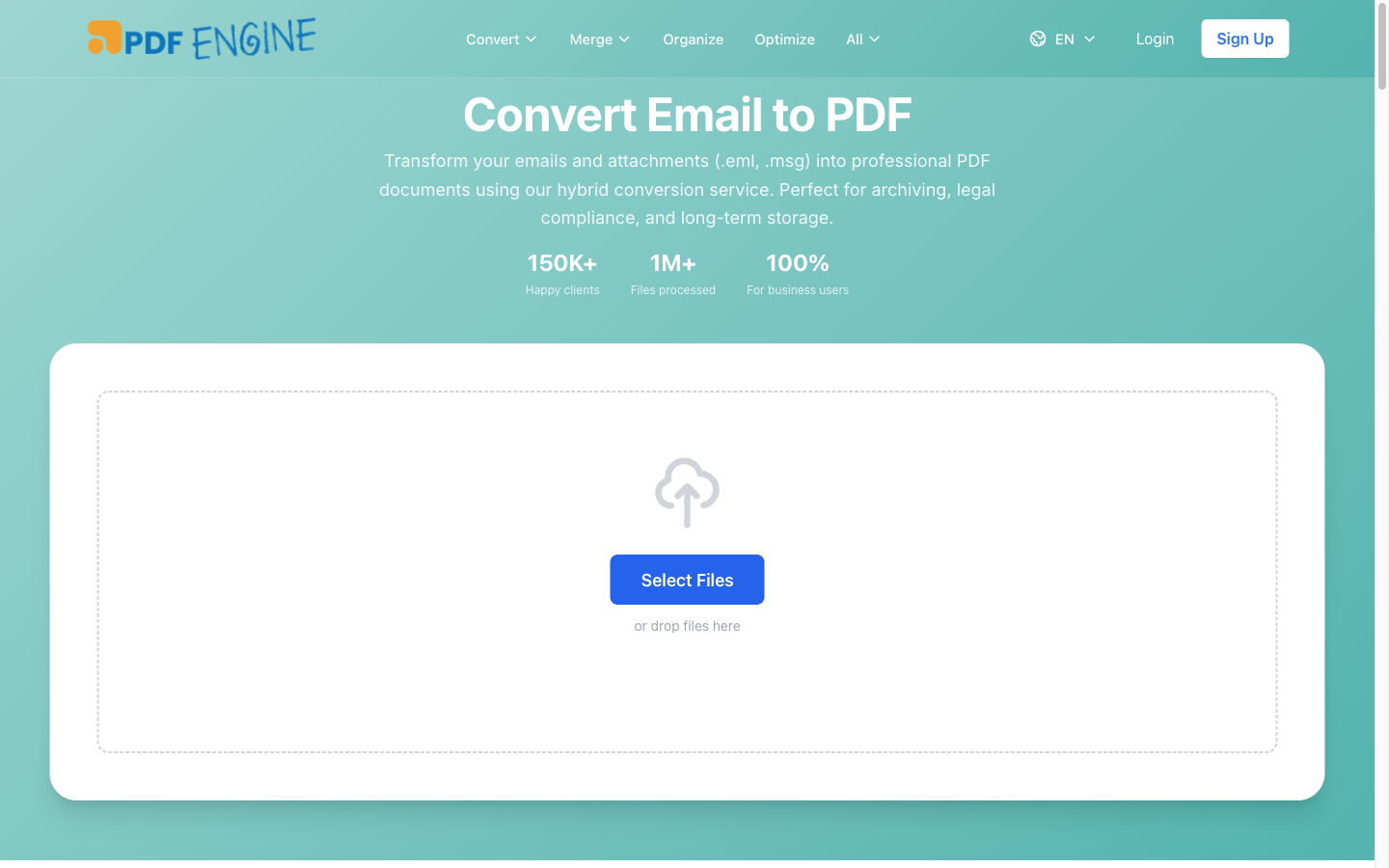 What raw email headers actually contain, before any tool captures them.
How does a SHA-256 hash make email evidence tamper-evident?
A SHA-256 hash is a fixed-length fingerprint of a file. Run the same file through the algorithm twice and you get the identical hash; change a single byte and the hash changes completely. That property makes it a tamper-evident anchor. If you record the SHA-256 hash of the original .eml or .msg at the moment you archive it, anyone can later re-hash the file and confirm it has not been altered since.
This is the piece a screenshot can never provide. The hash doesn't prove the content of the email is true, but it does prove the file you're presenting today is byte-for-byte the same file you captured back then. Combined with a UTC timestamp and the file size in bytes, it forms a simple, verifiable chain of integrity that a non-technical reviewer can still understand.
Citation capsule: A SHA-256 hash of an original .eml or .msg file is a tamper-evidence mechanism. Because any change to the file produces a different hash, recording the hash at archive time lets a third party later re-compute it and confirm the file is unaltered. This integrity anchor is what a screenshot fundamentally lacks.
How do you turn a raw email into court-ready evidence?
You don't need a forensics firm for a single email. The workflow is short, and it comes down to three steps:
Export the original message as a
.emlor.msgfile, not a screenshot and not a forwarded copy.Run it through a tool that extracts the headers and computes a hash, such as PDFengine email-to-evidence.
Keep the one-page report that captures the headers and the SHA-256 hash on file.
In practice, the part people get wrong is the export. Forwarding an email to yourself rewrites the headers and breaks the chain. Always use "Save as" or "Download original message" so the .eml/.msg keeps its original Received lines and Message-ID intact.
What the PDFengine evidence report contains:
Integrity: the SHA-256 hash of the original file (shown in monospace), the file size in bytes, and a UTC timestamp. The hash snapshots the original file, it is not recomputed after processing.
Identity: From, To, Subject, Date, Message-ID, Return-Path, and Reply-To.
Authentication: SPF, DKIM, and DMARC verdicts parsed from the Authentication-Results header, color-coded so
passshows green andfailshows red. If no such header exists, the fields stay empty, they are never fabricated.Transport: the full Received chain.
Plus the S/MIME signed status and the reporting host (the server that stamped the authentication results).
Notably, the report does not render the message body. That's deliberate. Withholding the body avoids disputes over how content was displayed and keeps the focus on the forensic metadata that proves the email's path and integrity.
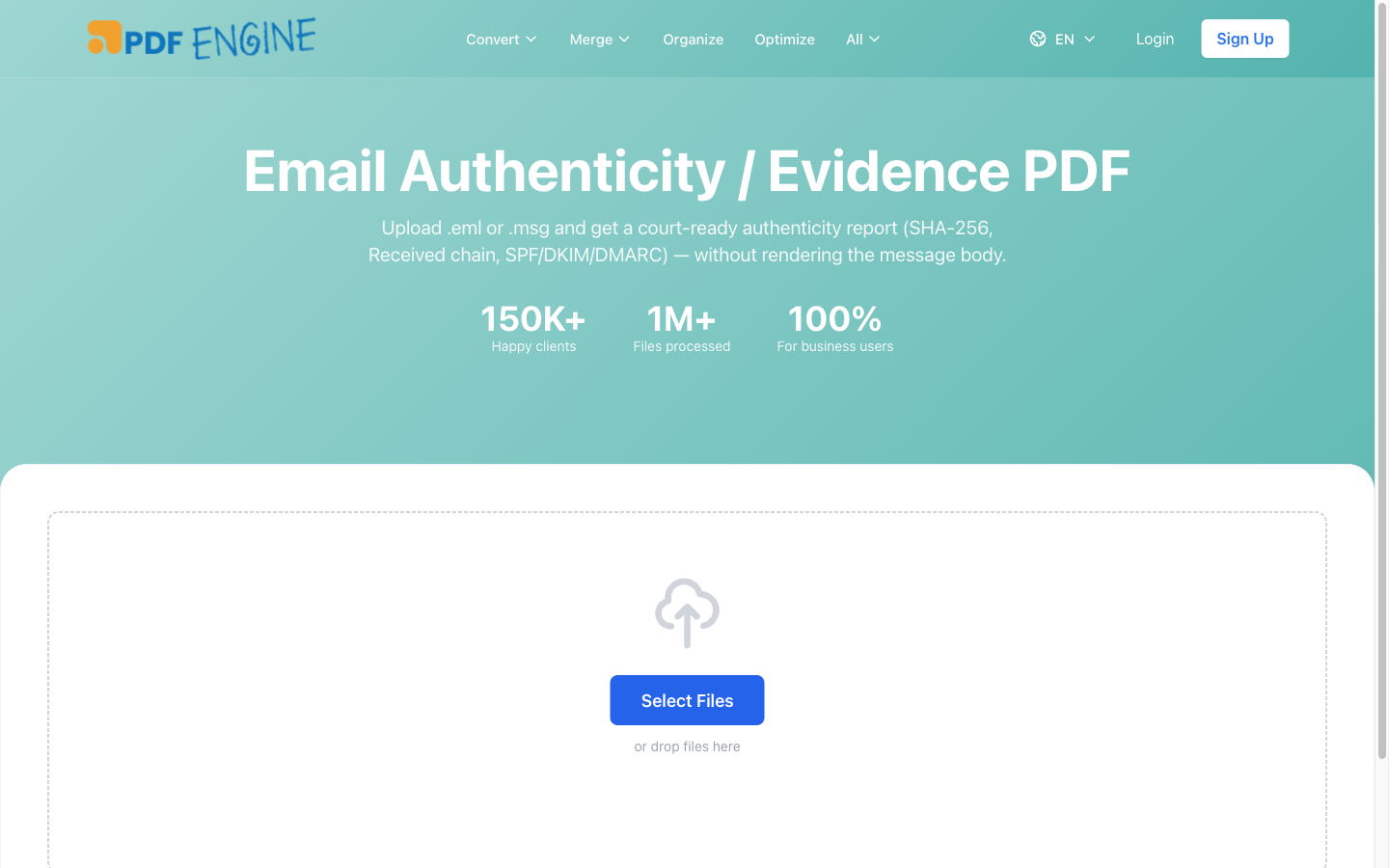 Adding an evidence page to an email export takes one click.
The honest limits you should know
No tool is magic, and pretending otherwise is how evidence gets thrown out. Two caveats matter.
First, for an uploaded loose .eml/.msg file, the SPF/DKIM/DMARC results and Received headers come from the supplied file. PDFengine does not independently re-verify them, because whoever supplied the file could, in theory, have altered those headers before uploading. This is a chain-of-custody question, not a tool flaw: the file is only as trustworthy as its source.
Second, even for emails sent directly to a PDFengine mailbox (inbound), where the authentication values were stamped by PDFengine's own receiving server on delivery, PDFengine does not re-verify the DKIM cryptographic signature itself. Independent DKIM crypto re-verification is planned, not yet live. So don't claim the report cryptographically re-checks DKIM. It reports the verdict; it doesn't re-run the math.
PDFengine vs Adobe Acrobat for email evidence
Acrobat is excellent at turning an email into a clean, readable PDF. It is not built to produce authenticity evidence. Based on Adobe Acrobat's documented feature set, the Outlook plugin captures the visible body and basic From/To/Subject, but not the full technical headers, a file hash, or SPF/DKIM/DMARC parsing. Here's the honest side-by-side.
Feature | Adobe Acrobat | PDFengine email-to-evidence |
Converts email to readable PDF | Yes | Yes (email-to-PDF) |
Captures full Received chain | No | Yes |
Captures Message-ID / Return-Path | No | Yes |
SPF/DKIM/DMARC verdicts (color-coded) | No | Yes |
SHA-256 integrity hash of source file | No | Yes |
Withholds body for a clean evidence report | No | Yes |
Re-verifies DKIM crypto independently | No | No (planned, not live) |
Platform | Windows + Outlook plugin | Any browser, any OS |
Cost model | Subscription-based, desktop-focused (check Adobe for current pricing) | 1 credit per email + 1 for evidence page |
The short version: use Acrobat when you want a shareable, printable copy of an email's content. By contrast, use a dedicated evidence tool when you need to prove the email's origin and integrity. They solve different problems. Acrobat is subscription-based and desktop-focused (check Adobe for current pricing), while per-email evidence extraction is far cheaper for occasional use.
 Authentication and integrity are what separate evidence from a screenshot.
Need to capture more than one message? Our email-to-PDF tool handles single messages, while PST to PDF converts entire mailboxes for archiving.
Frequently asked questions
How do I prove I sent an email?
Export the original message as a .eml or .msg file from your "Sent" folder and capture its headers, especially the Message-ID and Received chain, rather than relying on a screenshot. A common question on the Gmail Community is exactly this, and the durable answer is the same: the headers, plus a hash of the original file, are what carry weight.
Is a screenshot of an email valid in court?
On its own, rarely. As people ask on Avvo's legal forums, screenshots from unverified accounts are easy to challenge because they contain no headers, no transport chain, and no way to detect editing. They can support a case as context, but they're not standalone authenticity proof. Pair any screenshot with the original file and its headers.
How can I prove an email was delivered (not just sent)?
Delivery is harder than sending. The recipient's Received chain shows the message reached their mail server, and a non-bounce is suggestive. But true "read receipts" are unreliable and easily disabled. As the Gmail Community thread "anyway to prove my email was delivered?" reflects, the strongest available proof is usually the recipient-side headers showing acceptance by their server.
What are email headers and where do I find them?
Headers are the hidden metadata every mail server writes as an email travels. In Gmail, open the message, click the three-dot menu, and choose "Show original." In Outlook, open message properties or "View source." These reveal the Received chain, Message-ID, Return-Path, and Authentication-Results, the fields that actually prove origin.
Can email headers be faked?
The authentication-related verdicts (DKIM especially) are hard to forge convincingly. But the headers inside a loose .eml file you've been handed can be altered by whoever supplied it, which is why chain of custody matters. Inbound headers stamped by a trusted receiving server are stronger than headers in a file of unknown provenance.
Does PDFengine cryptographically re-verify DKIM?
Not yet. PDFengine reports the SPF/DKIM/DMARC verdicts present in the Authentication-Results header and computes a SHA-256 hash of the original file. Independent DKIM signature re-verification is planned but not currently live, so the report shows the recorded verdict rather than re-running the cryptographic check.
The bottom line
Knowing how to prove an email was sent is not about how convincing your screenshot looks. It's about the technical record underneath: the Received chain that traces the email's path, the Message-ID that fingerprints it, the SPF/DKIM/DMARC verdicts that test the sender, and a SHA-256 hash that locks the file against tampering. Capture those, and you have evidence that holds up to scrutiny instead of folding under the first "how do we know it's real?"
When the stakes justify it, given that Business Email Compromise alone drove $2.77 billion in losses in 2024 (Source: FBI IC3 2024 Annual Report, 2025), proactive archiving is cheap insurance. Export the original .eml or .msg, run it through an evidence tool, and keep the one-page report on file.
Ready to turn a raw email into a one-page authenticity report with headers and a SHA-256 hash? Try **PDFengine email-to-evidence**, no Outlook or desktop software required. For larger jobs, our PST to PDF converter archives entire mailboxes at once.
About the author — Daan van Tongeren is the founder of PDFengine (pdfen.com), an online platform for PDF conversion, print-ready prep, and email archiving.
Related Articles
How to deliver a newspaper ad PDF: the 240% ink limit, ISOnewspaper26v4 and GWG2015 explained
Your newspaper wants GWG2015, ISOnewspaper26v4 and max 240% ink. Here is what that means, why a prof...

Can ChatGPT, Claude or Gemini Convert Email to PDF? What AI Can (and Can't) Do
No AI assistant can natively convert .eml or .msg to PDF. But Claude + MCP bridges the gap — here's...