
How to Convert Email to PDF With Headers (for Archiving & Records)
Daan van Tongeren
PDFengine Team
To convert email to PDF with headers intact, use a tool that reads the raw .eml or .msg file instead of printing the on-screen view. Print-to-PDF strips transport headers, DKIM/SPF data, and often the attachments. A proper header-preserving converter keeps the From, To, Subject, Date, Message-ID, and Received chain, and can output PDF/A for long-term archiving.
Key Takeaways
Print-to-PDF captures what you see, not the forensic headers underneath. For records and legal use, convert the raw email file instead.
PDFen converts
.eml,.msg, and full mailbox archives (PST, OST, MBOX, OLM) online, with no Outlook or desktop app required.Choose Archive as PDF/A (PDF/A-2b) for compliant long-term retention. FINRA Rule 4511 and SEC Rule 17a-4 require firms to keep email for three to six years.
An optional evidence page adds a SHA-256 integrity hash plus SPF/DKIM/DMARC verdicts, which a screenshot can never provide.
Adobe Acrobat's email-to-PDF needs the Outlook desktop plugin and has no native PST converter; PDFen handles loose files and archives online.
Why is print-to-PDF not enough for email records?
A print-to-PDF freezes the rendered message, but it discards the technical headers that prove where an email came from and whether it was authenticated. That matters because regulated firms must retain email for years: FINRA Rule 4511 and SEC Rule 17a-4 require broker-dealers to keep email records for at least three years, with some types held up to six. A screenshot or basic print simply won't stand up to that kind of scrutiny.
Think about what a printed Gmail or Outlook view actually contains. You get the subject, the visible sender name, the body, and maybe an attachment icon. You don't get the Message-ID, the Return-Path, the Received chain showing every server hop, or the SPF, DKIM, and DMARC results. Those live in the raw email file, and they are exactly what an auditor or court asks for.
A header-preserving conversion reads the original .eml or .msg instead. It carries the forensic metadata into the PDF, so the record stays meaningful long after the mailbox is gone.
Header-preserving PDFs turn loose emails into a structured, retainable archive.
Citation capsule: A printed email view keeps the body and visible sender but loses the Message-ID, Return-Path, Received chain, and SPF/DKIM/DMARC results. Those headers are what an auditor or court requests, so records-grade conversion has to read the raw .eml or .msg file.
For the bigger picture, see our guide on email archiving and PDF/A conversion.
How do you convert a single .eml or .msg file to PDF?
Converting one email is the simplest case, and it takes under a minute online. Demand for email-to-PDF tools keeps climbing as more teams move to durable, standards-based archiving, and most of that demand starts with exactly this task: turning a saved message into a clean, shareable PDF.
Here's the workflow on PDFen's email-to-PDF tool:
Drag your
.emlor.msgfile into the upload area.Pick what to include: body + attachments, body only, or attachments only.
(Optional) Toggle Archive as PDF/A for long-term retention.
(Optional) Tick Add evidence page if you need the forensic header report.
Convert and download.
Attachments are handled intelligently. Office documents get converted to PDF pages, while PDFs and images are embedded directly. So a message with a Word attachment and two photos comes out as one coherent document, not a flat screenshot that loses the files entirely.
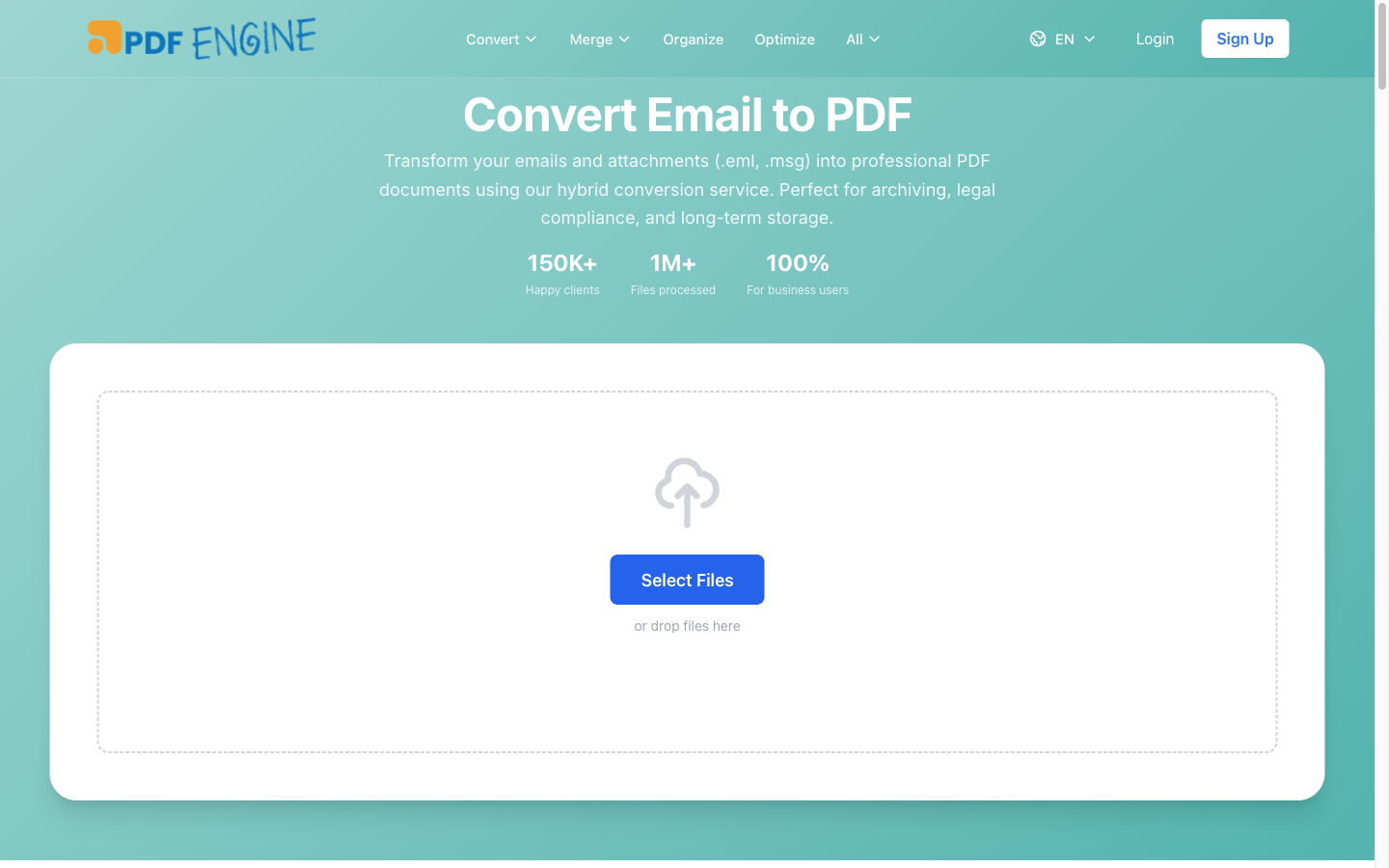 The PDFen email-to-PDF page: accepted formats and output options at a glance.
Citation capsule: For a single message, PDFen reads the original .eml or .msg file and offers three output modes, body plus attachments, body only, or attachments only. Office attachments become PDF pages while PDFs and images embed directly, producing one coherent document rather than a flat screenshot.
Working with Outlook files specifically? See the dedicated MSG to PDF and email format reference.
How do you convert emails to PDF in bulk or from a full mailbox?
For bulk work, upload the whole archive instead of exporting messages one by one. This is where desktop tools fall apart. Imagine a five-year PST file that has to be converted to PDF for analysis: Outlook offers no batch option at all, so you're stuck exporting message by message. PDFen takes the archive directly.
PDFen reads PST, OST, MBOX, and OLM files, the four main mailbox formats from Outlook, Exchange caches, and Apple Mail. Each format has its own landing page (PST to PDF, OST to PDF, MBOX to PDF, OLM to PDF), but they all flow through the same engine. You can process up to 200 files, 250 MB, or 2000 pages in a single batch.
You also choose the output shape:
Separate PDFs: each email becomes its own file. Good for case-by-case records.
One combined PDF: use merge-email-to-PDF to stitch a folder into a single archival document. PST/OST/MBOX/OLM archives keep their own pages inside it.
This directly answers a common desktop-tool frustration: selecting multiple emails and getting one undifferentiated blob, or an add-in that behaves unpredictably the moment you pick more than one message.
Mailbox archives (PST, OST, MBOX, OLM) convert in bulk, no email client needed.
Citation capsule: A full mailbox archive can be uploaded directly instead of exporting messages one by one. PDFen handles PST, OST, MBOX, and OLM in a single batch of up to 200 files, 250 MB, or 2000 pages, and outputs either separate PDFs per email or one combined archival document.
In practice, the format you start from rarely matters. Our overview of email archive formats explains how PST, OST, MBOX, and OLM differ.
What is PDF/A and why use it for email archiving?
PDF/A is the ISO-standardised PDF format built for long-term preservation, and it's the right choice when records must stay readable for years. Most organisations have moved past ad-hoc local storage toward durable, standards-based retention, and PDF/A is the document-level equivalent of that shift. The format is maintained as ISO 19005, governed by the PDF Association.
The difference is self-containment. A normal PDF can reference external fonts or rely on features that may break in a future reader. PDF/A embeds everything it needs, so the file opens and looks the same in 2035 as it does today. That's why compliance and legal teams ask for it specifically.
On PDFen, you don't need to dig through export settings. The email-to-PDF page has a one-click Archive as PDF/A option that produces PDF/A-2b output while still preserving the email headers. Header preservation plus PDF/A is the combination that turns a casual save into a defensible record.
 PDF/A is the digital answer to keeping records readable for the long haul.
Citation capsule: PDF/A (ISO 19005) embeds its own fonts and resources so a file opens and looks the same years from now, unlike a normal PDF that may reference external assets. PDFen produces PDF/A-2b through a one-click option while still preserving the email's transport headers.
For a deeper explanation, read our guide to PDF/A: what it is and how to convert.
What is an evidence page, and when do you need one?
An evidence page is a one-page authenticity report PDFen can attach to your conversion, and it captures what a screenshot fundamentally cannot. Most "email to PDF" guides stop at the visual render, but the legal value of an email lives in its headers, not its pixels. A screenshot of an inbox is trivially editable, carries no headers, no hash, and no transport chain. The evidence page fixes all three.
Here's what the report contains:
Integrity: a SHA-256 hash of the original
.eml/.msgfile (shown in monospace), the file size in bytes, and a UTC timestamp. The hash snapshots the original file, so any later change is detectable.Identity: From, To, Subject, Date, Message-ID, Return-Path, Reply-To.
Authentication: SPF, DKIM, and DMARC verdicts parsed from the Authentication-Results header, colour-coded green for pass and red for fail.
Transport: the full Received chain, every server hop the email took.
Signing: S/MIME signed status and the reporting host that stamped the results.
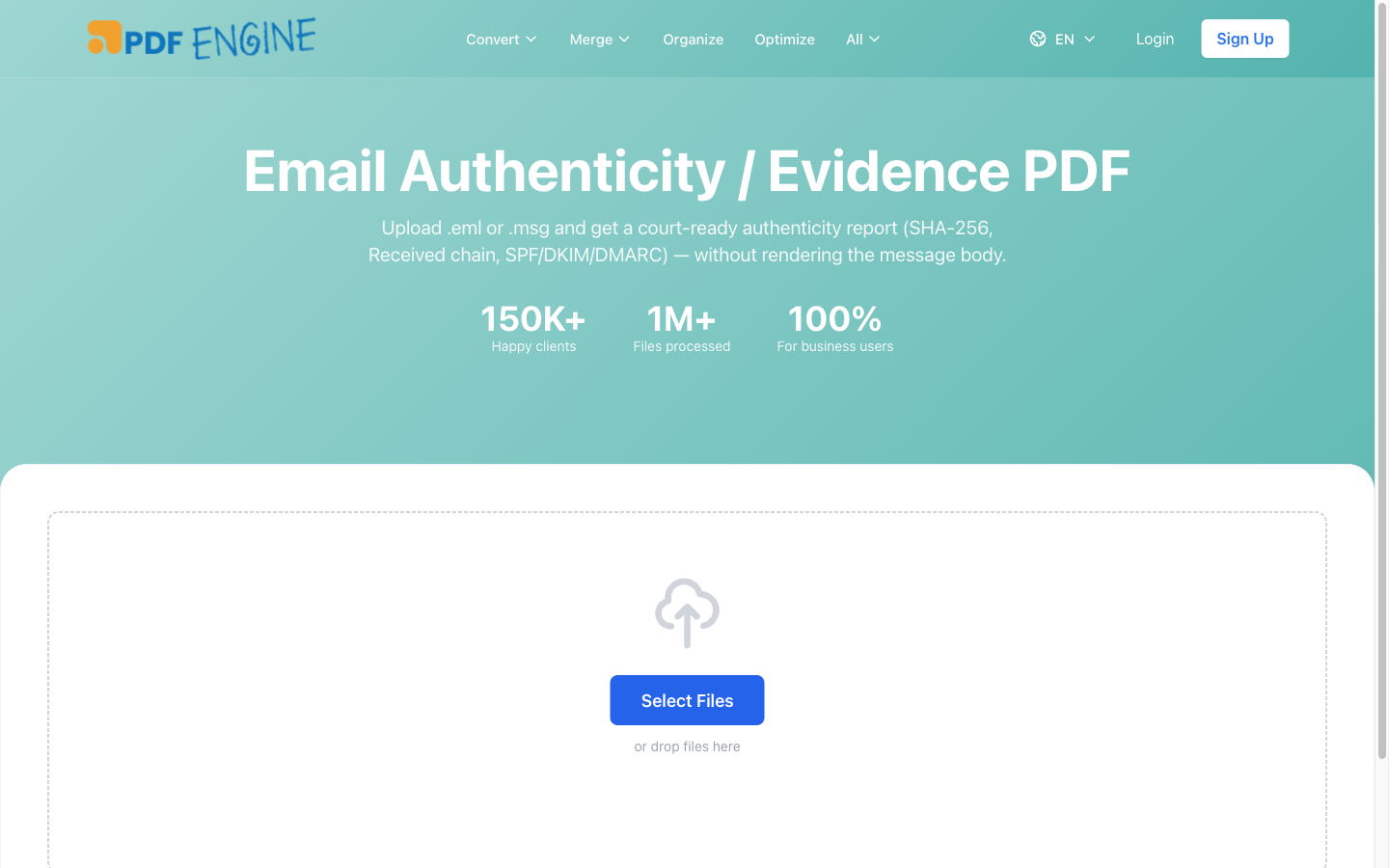 The evidence page: a SHA-256 anchor plus authentication verdicts on one archivable page.
One honest note, because it matters. For an uploaded .eml/.msg, the SPF/DKIM/DMARC and Received values come from the supplied file and are not independently verified by PDFen, headers in a loose file can be altered by whoever supplied them. For email sent to a PDFen inbox, the values were stamped by PDFen's receiving server on delivery, but PDFen does not yet re-verify the DKIM cryptographic signature itself. Independent DKIM re-verification is planned, not live. We'd rather tell you that than overstate it.
The evidence page lives on email-to-evidence, or you can add it to any email-to-PDF job for +1 credit.
Citation capsule: Because many sending domains still don't enforce DMARC, a missing pass isn't proof of forgery, which is why the evidence page reports the raw SPF, DKIM, and DMARC verdicts alongside a SHA-256 hash of the source file. That combination lets a reviewer judge authenticity instead of trusting an editable screenshot.
That said, the evidence page is only one part of building a defensible record. Our email-to-evidence tool explains the full authenticity workflow.
PDFen vs Adobe Acrobat for email to PDF
Adobe Acrobat is a powerful, mature PDF suite, but its email-to-PDF feature is built around the Outlook desktop plugin, which creates real friction for loose files and archives. Based on Adobe Acrobat's documented feature set, the Outlook plugin captures the visible body and basic From/To/Subject, but not the full technical headers, a file hash, or SPF/DKIM/DMARC parsing. By contrast, a purpose-built converter reads the raw file. Here's an honest side-by-side.
Capability | Adobe Acrobat | PDFen |
Loose | Needs Outlook desktop installed and running | Direct browser upload |
PST / OST / MBOX / OLM archives | No native converter; requires third-party tools | Native, all four formats |
Bulk / multi-email | Plugin-dependent, awkward for many messages at once | Up to 200 files / 250 MB / 2000 pages |
PDF/A for archiving | Manual output-standard setup | One-click PDF/A-2b |
Header preservation | Render-based | Reads raw file, keeps headers |
Evidence page (SHA-256 + SPF/DKIM/DMARC) | Not available | Optional, +1 credit |
Cost model | Subscription-based, desktop-focused (check Adobe for current pricing) | Per-credit, no subscription lock-in |
The takeaway isn't that Acrobat is bad. It's that the two tools target different jobs. If you live in Outlook on a managed Windows desktop and convert one email at a time, the Acrobat plugin works. If you have loose files, mailbox archives, or a compliance requirement for PDF/A and headers, an online converter built for that purpose is the better fit.
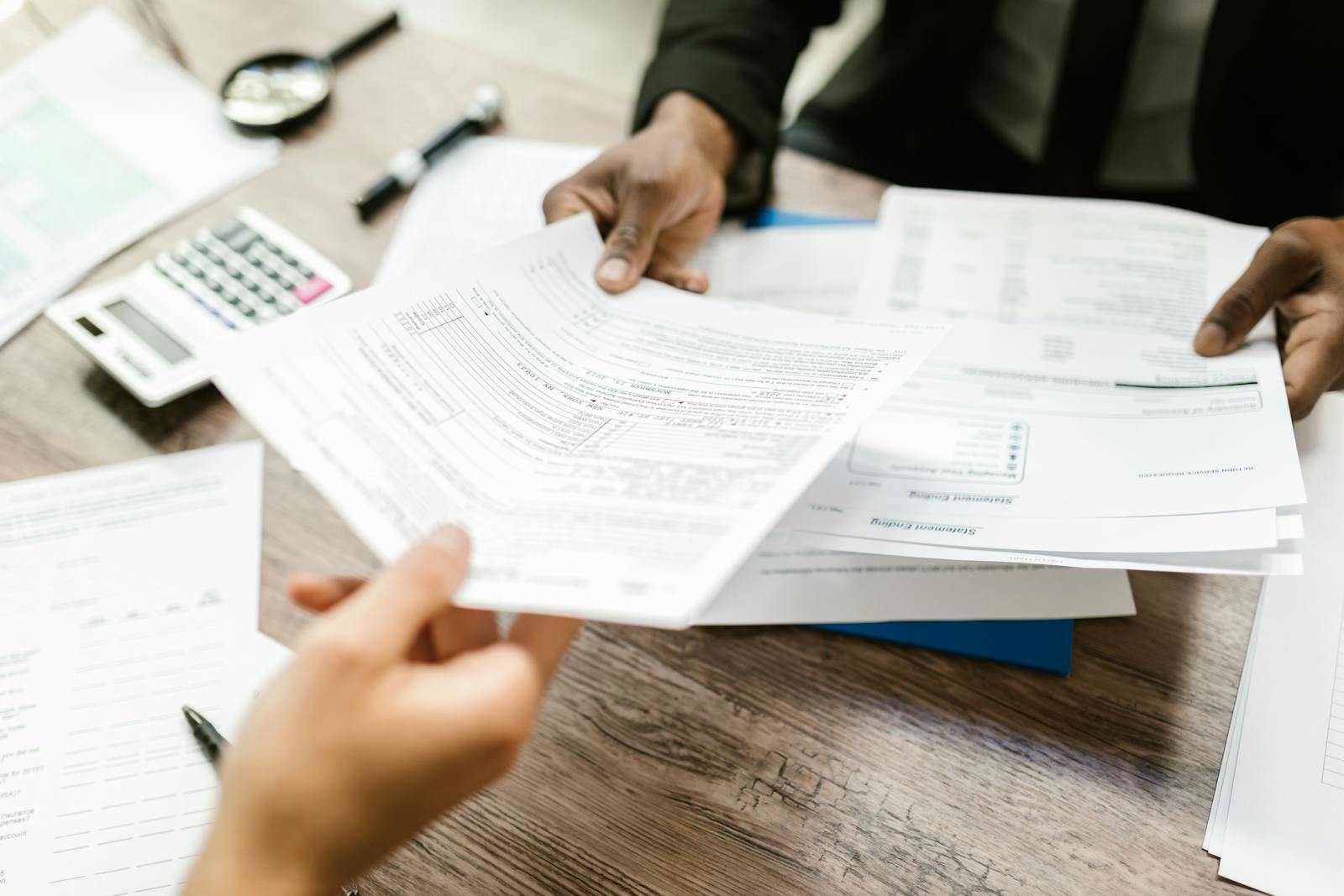 Different tools for different jobs: desktop plugin vs purpose-built online converter.
If you mainly work in Outlook, our PST to PDF converter handles the archives Acrobat can't open natively.
Frequently asked questions
How do I save a whole folder or multiple emails as one PDF?
The Acrobat add-in in new Outlook 365 is awkward for multi-email selections, and you often end up converting one message at a time. To combine a folder into a single file, upload your messages or a mailbox archive to PDFen's merge-email-to-PDF tool, which outputs one combined PDF, no add-in required.
How do I save an email as PDF in the new Outlook (with attachments)?
Print-to-PDF in new Outlook no longer saves attachments the way old Outlook's "save as PDF" did. Save the message as .eml or .msg, then upload it to email-to-PDF and choose body + attachments. Office attachments are converted and PDFs and images are embedded.
Can I convert a PST file to PDF without Adobe Acrobat?
Yes. Adobe Acrobat has no native PST converter, so converting a PST means reaching for a separate, third-party tool. PDFen reads PST directly on its pst-to-pdf page, up to 200 files / 250 MB / 2000 pages per batch, with no Outlook install needed.
How do I convert many emails to PDF and keep them separate?
With some desktop tools, multiple emails merge into one undifferentiated blob. On PDFen, the default for a multi-file or archive job is one PDF per email, so each message stays a discrete record. Choose merge only when you actually want a single combined document.
Which format should I pick for long-term legal retention?
Use PDF/A. FINRA Rule 4511 and SEC Rule 17a-4 require firms to retain email for three to six years, and PDF/A (ISO 19005) is the self-contained standard built for that. PDFen's Archive as PDF/A option produces PDF/A-2b while preserving headers, and you can add an evidence page for forensic metadata.
Does PDFen cryptographically re-verify DKIM?
Not yet. For uploaded files, SPF/DKIM/DMARC verdicts are read from the file's Authentication-Results header and are not independently verified. For inbound mail, the values were stamped by PDFen's receiving server on delivery. Independent DKIM re-verification is planned but not live.
Convert your email to PDF the right way
If you only need a quick visual copy of one message, print-to-PDF is fine. But the moment a record has to survive an audit, a legal hold, or simply the test of time, the headers matter, the attachments matter, and the format matters. Reading the raw .eml or .msg (or a full PST/OST/MBOX/OLM archive) is what keeps those details intact, and PDF/A is what keeps them readable for years.
Pick the workflow that fits: one file, a bulk batch, a merged archive, or a forensic evidence page with a SHA-256 anchor. Each path produces a clean, retainable PDF instead of an editable screenshot.
Ready to start? When you need to convert email to PDF the right way, run your messages through the PDFen email-to-PDF tool and toggle Archive as PDF/A if you're building records meant to last. For deeper background, see our guide to email archiving and PDF/A conversion.
About the author — Daan van Tongeren is the founder of PDFen (pdfen.com), an online platform for PDF conversion, print-ready prep, and email archiving.
Related Articles
Compressing and repairing: How to optimize your PDFs
Professionalize your PDFs by using 5 essential PDF optimization tools. Learn when and how to repair,...

Can ChatGPT, Claude or Gemini Convert Email to PDF? What AI Can (and Can't) Do
No AI assistant can natively convert .eml or .msg to PDF. But Claude + MCP bridges the gap — here's...